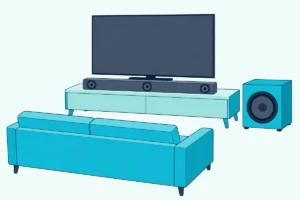
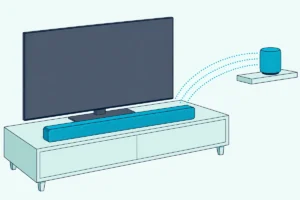
Best Sound Bar for LG C3: 9 Picks Matched to Its eARC Port
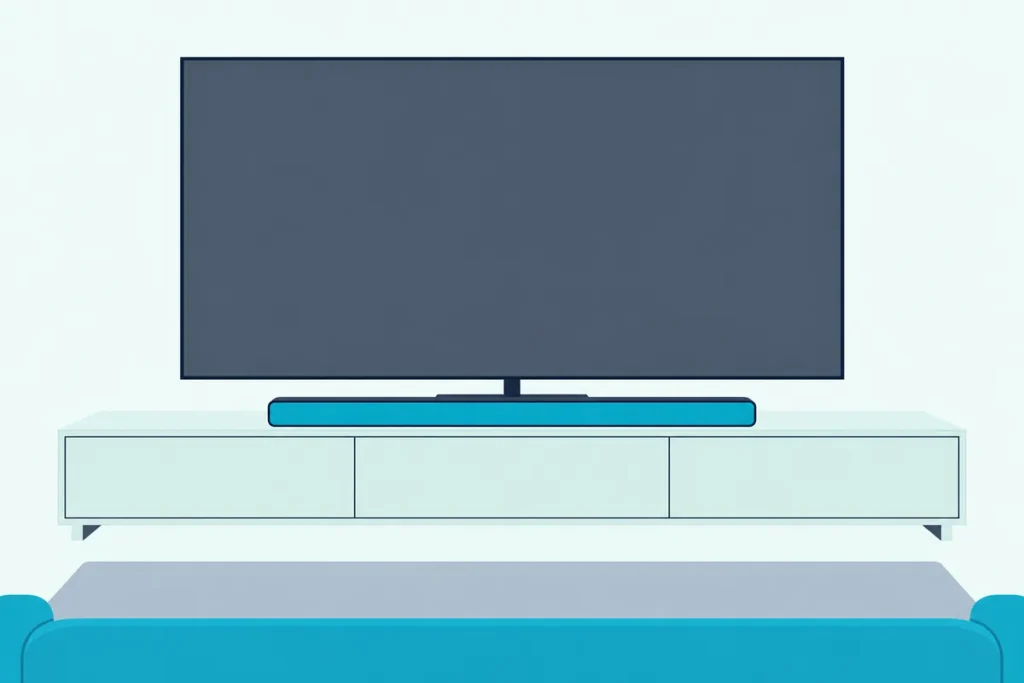
Picking the best sound bar for LG C3 owners isn’t about wattage, because the TV decides what reaches the bar before the bar plays a note.
Plug a good Dolby Atmos bar into the wrong HDMI jack, or leave one setting off, and a DTS:X or Dolby TrueHD soundtrack arrives as plain DTS or Dolby Digital.
Get the port, the setting and the bar’s width right, and the same C3 sends full object-based sound to speakers that actually fit under its screen.
Below are nine soundbars that passed an Amazon stock and ratings check on 24 October 2026, each described from its maker’s own manual or spec page.
The quick answer comes first, then what LG’s own guide says the C3 can send, how wide a bar each screen size takes, and a card for every pick.
What Is the Best Sound Bar for an LG C3?
The best sound bar for an LG C3 is one that takes HDMI eARC, decodes the Dolby Atmos and DTS:X formats the C3 can pass through, and fits under your screen size. LG’s webOS 23 user guide, the C3’s software generation, lists DTS:X and Dolby TrueHD as eARC-only outputs (LG webOS 23 user guide).
For a 55, 65 or 77-inch C3, the LG SC9S is the closest match, because LG’s own manual lists those three C3 sizes for its TV synergy bracket. If you want rear speakers in the box and you’re keeping the LG features, the S90TR is the step up, and the S95TR adds height speakers to the rears.
Outside LG, the Sonos Arc Ultra, Samsung HW-Q990F and Sony BRAVIA Theatre Bar 8 all take eARC, and the Samsung and Sony bars decode DTS:X as well. The Bose Smart Ultra, Polk Signa S4 and Sonos Beam (Gen 2) are Dolby-first bars, and the Beam is the one for the smallest screens; if you want LG’s whole range side by side, LG’s soundbar lineup compared model by model has it.
| Pick | Channels (maker or listing) | Dolby Atmos | DTS:X | Bar width | Best for |
|---|---|---|---|---|---|
| LG SC9S | 3.1.3 | Yes | Yes | 38.4 in | 55, 65 and 77-inch C3s |
| LG S90TR | 7.1.3 | Yes | Yes | 49.2 in | LG system with rears |
| LG S95TR | 9.1.5 | Yes | Yes | 49.2 in | Biggest rooms |
| Sonos Arc Ultra | 9.1.4 | Yes | No (DTS Digital Surround) | 46.4 in | One bar, no subwoofer |
| Samsung HW-Q990F | 11.1.4 | Yes | Yes | 48.5 in | Full surround, non-LG |
| Sony BRAVIA Theatre Bar 8 | Not in the pages read | Yes | Yes | Not in the pages read | Game console into the bar |
| Bose Smart Ultra | Not stated by Bose | Yes | Not listed | Not in the pages read | Dialogue and voice control |
| Polk Signa S4 | 3.1.2 | Yes (eARC needed) | Not listed | 41.2 in | Atmos with a subwoofer |
| Sonos Beam (Gen 2) | Not stated by Sonos | Yes | No (DTS Digital Surround) | 25.6 in | 42 and 48-inch C3s |
Every pick had at least 4.0 stars from 50 or more Amazon reviews and was in stock when checked on 24 October 2026. Prices, ratings and review counts change daily, so none are printed here, and several listings were down to their last one to three units.
| Product | Size | Link |
|---|---|---|
Best Match for the C3 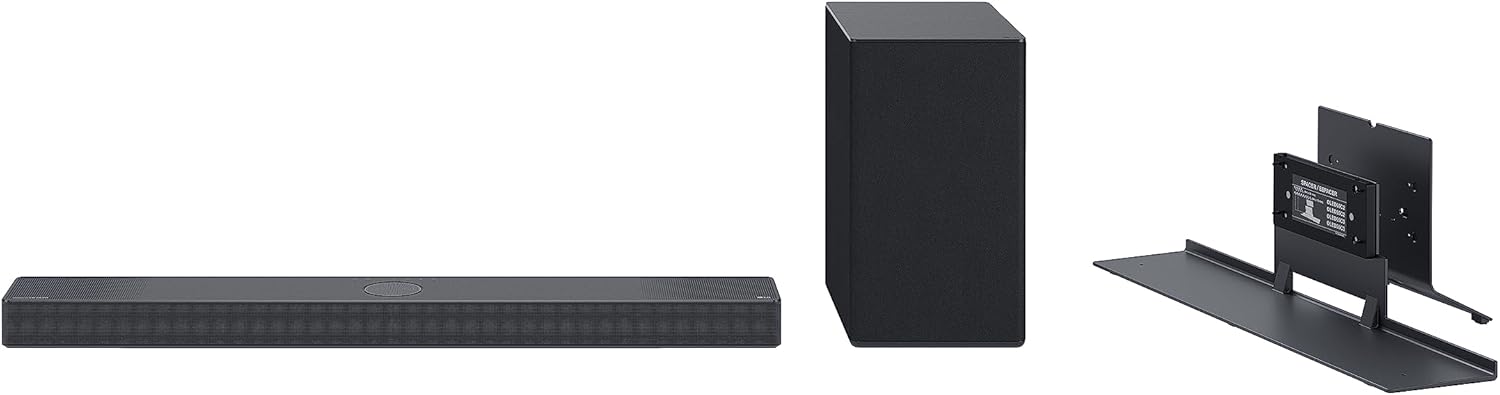 | 38.4 inch | See ratings |
Best LG System With Rears 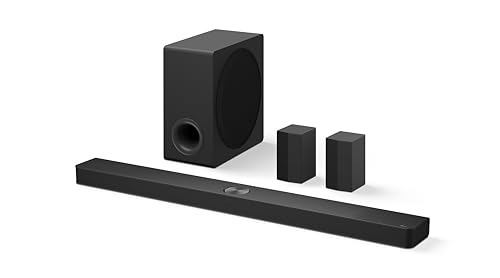 | 49.2 inch | See ratings |
Biggest Rooms 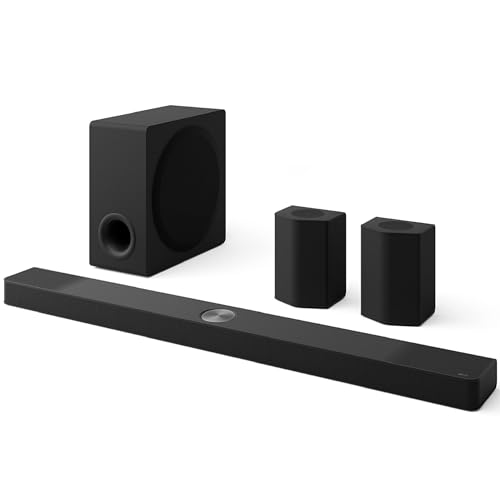 | 49.2 inch | See ratings |
One Bar, No Subwoofer 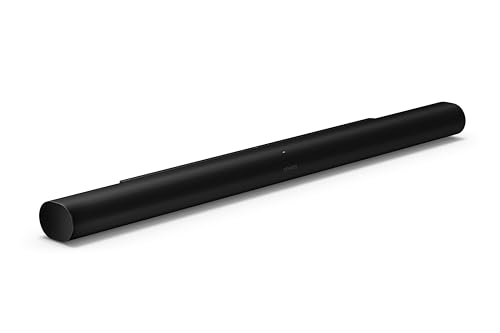 | 46.38 inch | See ratings |
Full Surround, Non-LG 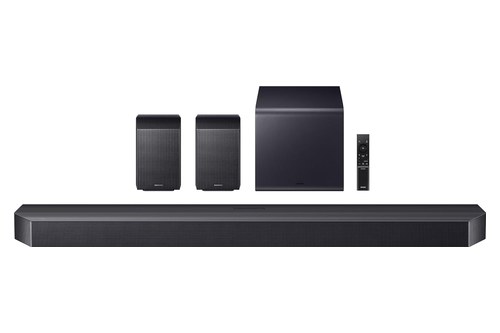 | 48.5 inch | See ratings |
Console Into the Bar 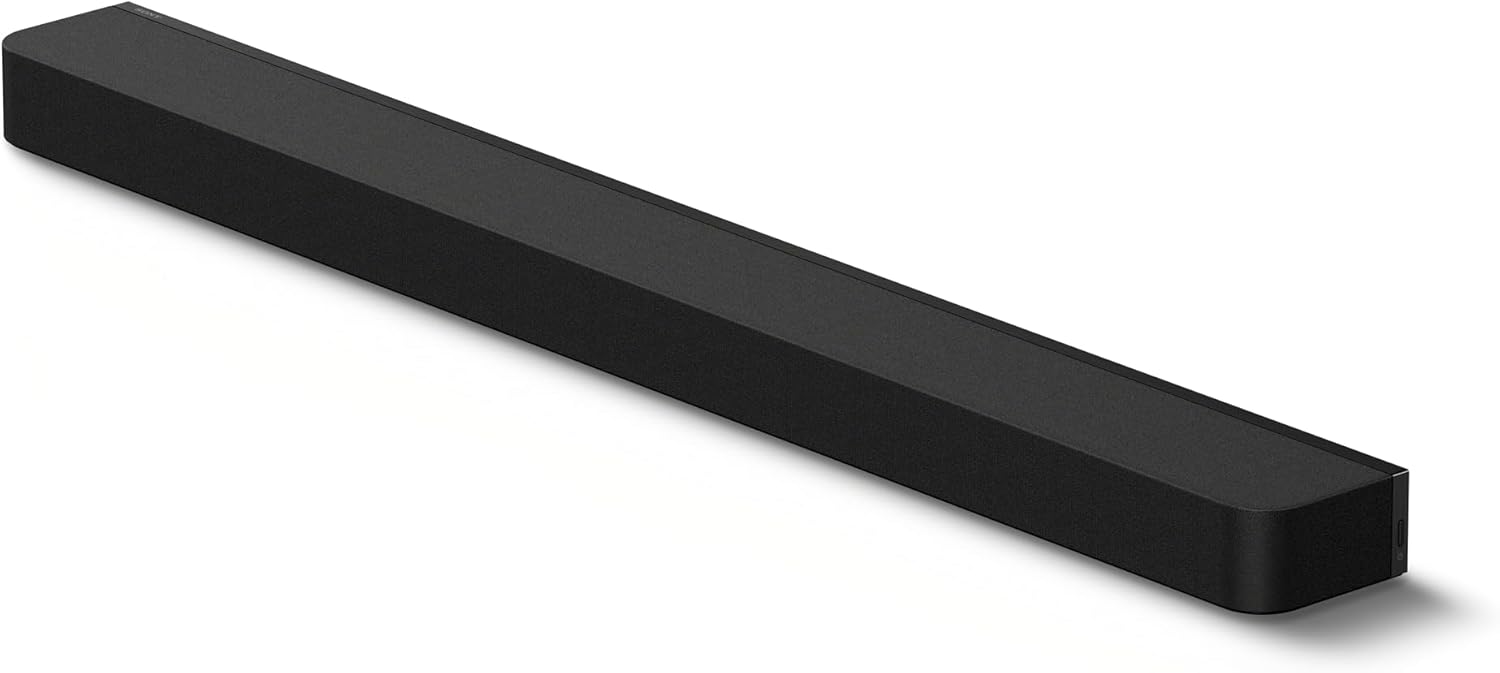 | — | See ratings |
Dialogue and Voice Control 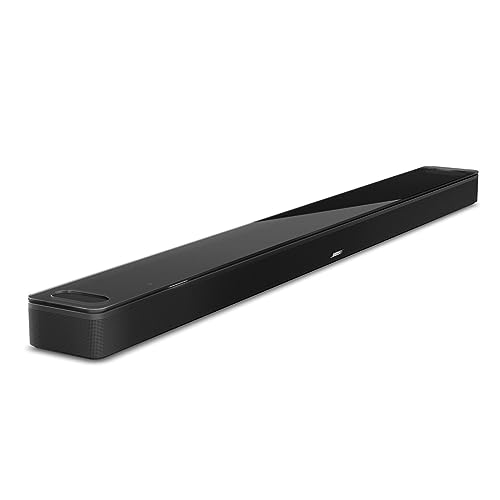 | — | See ratings |
Atmos With a Subwoofer 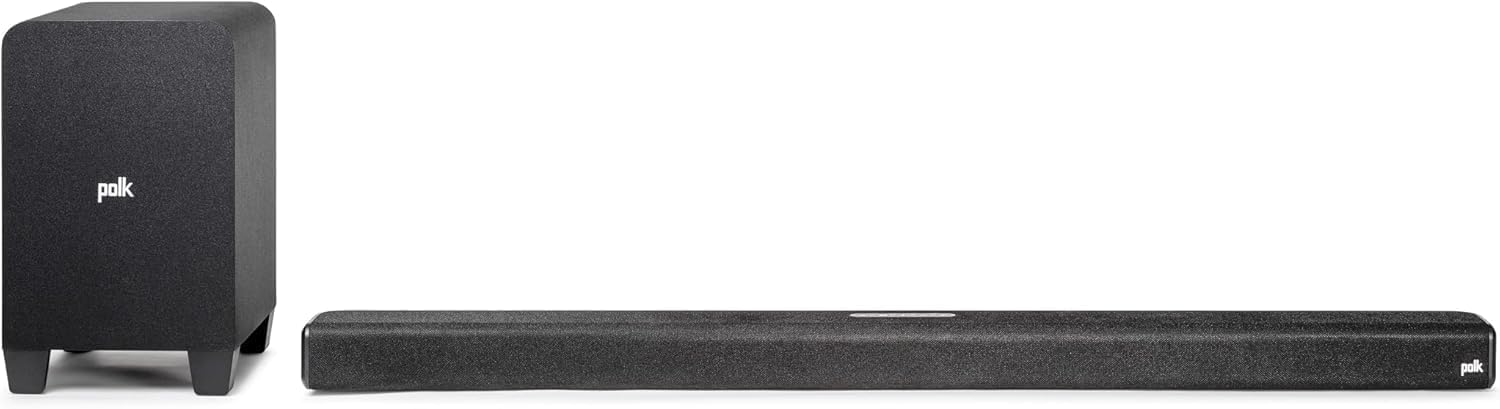 | 41.2 inch | See ratings |
What Can the LG C3 Actually Send to a Soundbar?
That table hinges on one LG chart, so it’s worth reading first: the C3 sends DTS:X, DTS-HD Master Audio and Dolby TrueHD only over HDMI eARC, and over plain ARC or optical they shrink to older formats. LG’s webOS 23 guide prints the conversion for every input format under Sound > Advanced Settings > Digital Sound Output.
Think of the C3 as a mail room that repacks big parcels when the door is too small. Optical is the narrowest door, ARC is wider, and eARC lets the original box through.
| What the source plays | Over optical | Over HDMI ARC | Over HDMI eARC |
|---|---|---|---|
| Dolby Digital Plus / Atmos | Dolby Digital | Dolby Digital, Dolby Digital Plus, Atmos | Dolby Digital, Dolby Digital Plus, Dolby MAT, Atmos |
| Dolby TrueHD (HDMI only) | Dolby Digital | Dolby Digital, Dolby Digital Plus, Atmos | Adds Dolby TrueHD and Dolby MAT |
| DTS-HD MA, DTS-HD or DTS:X | DTS | DTS | Up to the source’s own format |
LG adds a footnote to that chart: some of those formats, and HDMI eARC itself, “may not be supported” on some models. The guide covers a whole year of LG TVs, so the label on your C3’s back panel is the final word on which jack carries eARC.
RTINGS, the testing lab, lists the C3 with LG’s 2023 webOS, four full-bandwidth HDMI 2.1 ports and support for DTS formats (RTINGS’s LG C3 page). LG’s 2023 safety manual, which covers the C3, lists the HDMI audio formats the TV accepts at its inputs, from Dolby TrueHD and Dolby Digital Plus to PCM at up to 192 kHz.
Why does eARC matter more than wattage?
The chart answers it: a soundbar that decodes DTS:X never receives it from a C3 unless both ends run eARC. A bar rated at 800 W on plain ARC still gets the older core format from a 4K Blu-ray player plugged into the TV.
Here’s a practical test. Play a disc you know carries DTS:X through a player connected to the C3, then look at the format your bar shows; if it names an older format, the link is running as ARC or optical.
Can a plain ARC bar still play Atmos from a C3?
Yes, in one form: LG’s chart shows Atmos carried inside Dolby Digital Plus over ARC as well as eARC. So an ARC-only bar can still get Dolby Digital Plus Atmos from the C3; it’s sources sending Dolby TrueHD or object-based DTS that need eARC.
That’s why every pick here takes eARC, and why the table flags the Sonos, Bose and Polk bars as Dolby-first. If your sources rarely use DTS:X, that gap matters less than if most of what you play does.
Get Studio Tips Weekly
Join 5,000+ creators getting acoustic treatment advice every week.
No spam. Unsubscribe anytime.Which Port on the LG C3 Should the Soundbar Use?
Those formats only flow through one jack: LG’s guide tells you to connect the audio device to the TV’s HDMI (eARC/ARC) port, the one labeled that way on the back panel. Any other HDMI input is for sources, and Sonos warns that a Beam plugged into a standard HDMI port plays no sound.
The webOS 23 guide never prints the port number for a specific model, so check the label rather than counting jacks. Sonos’s Beam guide gives the same advice: the ARC port looks like a standard HDMI port but is labeled ARC, eARC or ARC/eARC.
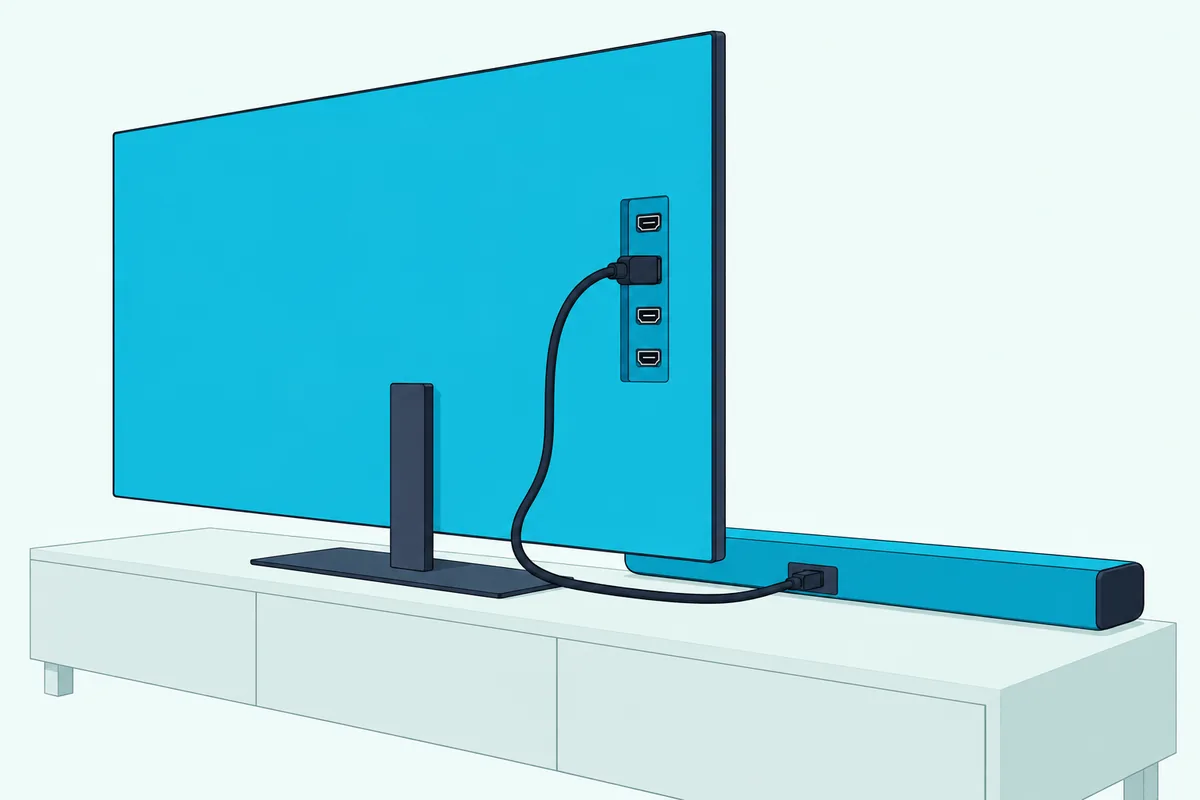
Once the cable is in, the C3 needs three settings in this order, all from LG’s webOS 23 guide:
- Go to Settings > All Settings > Sound > Sound Out > Use Wired Speaker and choose HDMI(ARC) Device. LG says this turns SIMPLINK (HDMI-CEC) on automatically.
- Go to Sound > Advanced Settings > eARC Support and set it to On.
- Go to Sound > Advanced Settings > Digital Sound Output and choose Auto or Pass Through, the two settings LG’s chart uses for bitstream output.
LG warns that with Pass Through on, sound effects may not be output. If a source connected to the TV sounds out of sync, LG’s Select HDMI Input Audio Format page suggests switching that input from Bitstream to PCM.
Which HDMI cable should you use?
LG’s 2023 safety manual for the C3 recommends an Ultra High Speed HDMI cable of 3 meters (about 9.8 feet) or less and tells you to use a certified cable with the HDMI logo. HDMI Licensing’s eARC page explains the point of the port: audio from cable, satellite, streaming or other sources reaches a sound bar through a single HDMI cable so “the original audio can be experienced”.
Most bars here ship with a cable anyway: Sonos includes one with the Arc Ultra, Bose lists an HDMI eARC cable in the Smart Ultra’s box, and Samsung’s listing photo shows an HDMI 2.1 cable with the Q990F. If you’re running a long cable inside a wall, Burton Acoustix’s certified HDMI cable picks covers certified options by length.
How Wide a Soundbar Fits Each LG C3 Size?
The port sorts the sound, and the width sorts the look: RTINGS lists the C3 in 42, 48, 55, 65, 77 and 83-inch sizes, and a 16:9 screen is about 0.87 times its diagonal wide. This guide’s rule of thumb is a bar no wider than the screen, so it doesn’t stick out past the picture.
Picture a 42-inch C3 on a narrow stand. Its screen is about 36.6 inches wide, which leaves the 25.6-inch Beam (Gen 2) with room to spare and puts the 49.2-inch S90TR more than a foot past the edges.
| C3 size | Screen width (approx.) | Bars within that width |
|---|---|---|
| 42 in | 36.6 in | Sonos Beam (Gen 2) |
| 48 in | 41.8 in | Beam (Gen 2), LG SC9S, Polk Signa S4 |
| 55 in | 47.9 in | Adds the Sonos Arc Ultra; the SC9S fits LG’s bracket |
| 65 in | 56.7 in | Every bar with a published width here |
| 77 in | 67.1 in | Every bar with a published width here |
| 83 in | 72.3 in | Every bar with a published width here |
The widths come from each maker’s own spec: LG’s manuals for the SC9S (38.4 in) and the S90TR and S95TR (49.2 in each), Sonos’s guides for the Arc Ultra (46.38 in) and Beam (Gen 2) (25.63 in), and Polk’s product page for the Signa S4 (41.2 in). Samsung’s 48.5-inch figure for the Q990F is from the dimension photo on its Amazon listing; no Bose or Sony width appears in the pages read for this guide, so check those on the box.

The 55-inch row is the tight one. A 55-inch C3 is about 47.9 inches wide, so the 48.5-inch Q990F and the 49.2-inch LG systems run a little past the screen, which is fine on a wide stand but looks odd on a wall.
Does the LG SC9S bracket fit every C3?
No: LG’s SC9S manual lists the OLED55C3, OLED65C3 and OLED77C3 for the TV synergy bracket, alongside the same three sizes of the C2 and C4. The 42, 48 and 83-inch C3s aren’t on that list, so on those sizes the SC9S sits on the furniture in front of the TV instead of on the bracket.
LG’s manual also says the bracket install needs two people and that you should connect your cables before assembly, since reaching the ports afterward can be hard. The bracket comes with spacers for the 77-inch size and for the 55 and 65-inch sizes.
Which Soundbars Are the Best Picks for an LG C3?
With port, setting and width settled, the nine picks below run from LG’s own matches to the best non-LG bars, then the Dolby-first and small-screen options. Each card shows only what its maker’s manual or listing states; the “best for” line is this guide’s own judgment.
LG SC9S
The SC9S is the bar LG built for the C-series, and its manual says so in the most practical way: a TV synergy bracket that fits the 55, 65 and 77-inch C3. LG’s spec page lists Dolby Atmos, Dolby TrueHD, DTS:X and IMAX DTS:X among its input formats, with one HDMI input, one HDMI eARC/ARC jack and an optical input (LG SC9S specifications).
For a 55, 65 or 77-inch C3, the LG SC9S is the pick.
the LG SC9S
The 38.4-inch bar is narrower than every C3 from 48 inches up, which is why it lines up under the screen rather than past it. LG’s manual also says WOW Orchestra works with the SC9S over HDMI or LG WOWCAST, and that you should enable eARC on the TV.
Rear speakers aren’t in the box. LG’s specification page lists an optional SPQ8-S kit with a wireless receiver, so you can start with the bar and add surround later.
LG S90TR
If the SC9S is the matched bar, the S90TR is the matched system: LG’s specification page lists wireless rear speakers and a wireless subwoofer alongside the bar. It takes the same formats as the SC9S, minus the two IMAX entries LG lists for the SC9S.
For most C3 owners who want rear speakers, the LG S90TR is the pick.
the LG S90TR
LG’s manual places front, center, top, top center and side speakers in the bar, with the rears and subwoofer around the room (LG S90TR speaker positions). Its HDMI input supports 4K at 120 Hz in YCbCr 4:2:0 per LG, so a console can run through the bar.
At 49.2 inches, it’s wider than a 55-inch C3’s screen, so the width table above favors it for 65 inches and up. That’s the trade for getting rear speakers without buying a second box.
LG S95TR
The S95TR is the S90TR’s big brother, with the same 49.2-inch bar and rear speakers that add their own up-firing and side drivers. LG’s amplifier table lists 810 W RMS in total, with rear, rear-side and rear-top channels at 40 W RMS each.
For the largest C3 rooms, the LG S95TR is the pick.
the LG S95TR
Same eARC rule applies here. LG’s HDMI page for the S95TR notes that eARC carries the high-quality formats, from Dolby TrueHD to DTS:X, and asks you to make sure the TV supports eARC before you turn it on.
That 810 W figure is a sum across seventeen amplifier channels, not a loudness rating. It tells you each speaker has its own amplifier, not how loud the system plays in your room.
Sonos Arc Ultra
Leaving LG’s lineup, the Arc Ultra is the strongest single-bar option here, and Sonos describes it as a 9.1.4 Dolby Atmos experience from one bar. Sonos’s guide lists 14 drivers: seven tweeters, two of them firing upward, six midwoofers and its Sound Motion woofer, driven by fifteen amplifiers (Sonos Arc Ultra guide).
For a single bar without a separate subwoofer, the Sonos Arc Ultra is the pick.
the Sonos Arc Ultra
Sonos’s format list marks Dolby TrueHD, Dolby Atmos (TrueHD) and multichannel PCM as needing HDMI eARC. So on a C3 it’s the eARC Support setting from the port section that unlocks the Arc Ultra’s top formats.
The gap is DTS:X. Sonos lists only DTS Digital Surround, so a DTS:X disc plays here in its older core format rather than with its height objects.
Samsung HW-Q990F
The Q990F is the non-LG pick for full surround with every format the C3 sends. Samsung’s user guide shows Dolby Atmos and DTS:X input played as 11.1.4 channels in Surround mode with the rear speakers and subwoofer connected.
For full surround from a non-LG brand, the Samsung HW-Q990F is the pick.
the Samsung HW-Q990F
Samsung’s guide says the bar shows “TV eARC” on its display when it’s connected to a TV that supports eARC, and that the TV’s eARC function must be turned on. On the C3, that’s LG’s eARC Support setting again.
Samsung also lists LG among the TV makers whose IR remotes can set the bar’s volume, and says Bluetooth-paired remotes aren’t supported. Q-Symphony, which plays the TV’s speakers with the bar, is a Samsung TV feature; the LG equivalent, WOW Orchestra, needs an LG bar.
Sony BRAVIA Theatre Bar 8
Sony’s Theatre Bar 8 earns its place with an HDMI input that carries the full format list from a source plugged into the bar. Sony’s help guide shows Dolby TrueHD and DTS:X supported on both the HDMI input and the TV eARC input but not over plain ARC, where Atmos comes only inside Dolby Digital Plus (Sony BRAVIA Theatre Bar 8 supported formats).
For a game console or player plugged into the bar, the Sony BRAVIA Theatre Bar 8 is the pick.
the Sony BRAVIA Theatre Bar 8
Sony’s guide explains the HDMI input’s purpose: a player plugged into the bar can send Dolby Atmos to it even if the TV isn’t eARC-compatible. On a C3 you have eARC anyway, but the bar’s input gives you a second route for a console when all four TV inputs are busy.
Sony’s Control for HDMI setting lets devices connected by HDMI operate with each other, the same HDMI-CEC idea LG calls SIMPLINK. Sony says to set it to On for the bar to receive ARC audio from the TV.
Bose Smart Ultra Soundbar
The Smart Ultra is the pick for clear speech and voice control, and Bose’s owner’s guide is plain about the connection it wants. To get Dolby Atmos, Bose says to connect the bar to the TV’s HDMI eARC or ARC port, with optical only as a fallback (Bose Smart Ultra owner’s guide).
For dialogue and voice control, the Bose Smart Ultra Soundbar is the pick.
the Bose Smart Ultra Soundbar
Bose’s product page names A.I. Dialogue Mode for vocal clarity and Bose TrueSpace for immersion, and lists an ADAPTiQ headset in the box.
Neither the guide nor the page read here lists DTS:X, so treat it as a Dolby Atmos bar first.
Bose’s troubleshooting table matches LG’s port advice almost word for word. If there’s no sound, it says, make sure the cable is in a port labeled HDMI eARC, not a standard HDMI port.
Polk Signa S4
The Signa S4 brings Atmos height channels and a wireless subwoofer to a 41.2-inch bar. Polk’s info sheet calls it a Dolby Atmos 3.1.2 system with a seven-driver array, and adds that Atmos requires an HDMI eARC connection (Polk Signa S4 info sheet).
For Atmos height channels with a separate subwoofer, the Polk Signa S4 is the pick.
the Polk Signa S4
That eARC note is the part to remember. On a C3 with eARC Support off, Polk’s own wording means the S4 won’t get Atmos, even though LG’s chart shows Atmos riding in Dolby Digital Plus over ARC.
At 41.2 inches, it fits under a 48-inch C3 and up. Polk’s product page also lists optical and aux as other ways to connect, which matters only if HDMI fails.
Sonos Beam (Gen 2)
The Beam (Gen 2) is the small-screen pick, the only bar here narrow enough for a 42-inch C3 by the width rule. Sonos’s TV requirements say the Beam (Gen 2) plays Dolby Atmos from Dolby Digital Plus or Dolby TrueHD and must be connected to HDMI ARC or eARC to play it (Sonos TV requirements).
For a 42 or 48-inch C3, the Sonos Beam (Gen 2) is the pick.
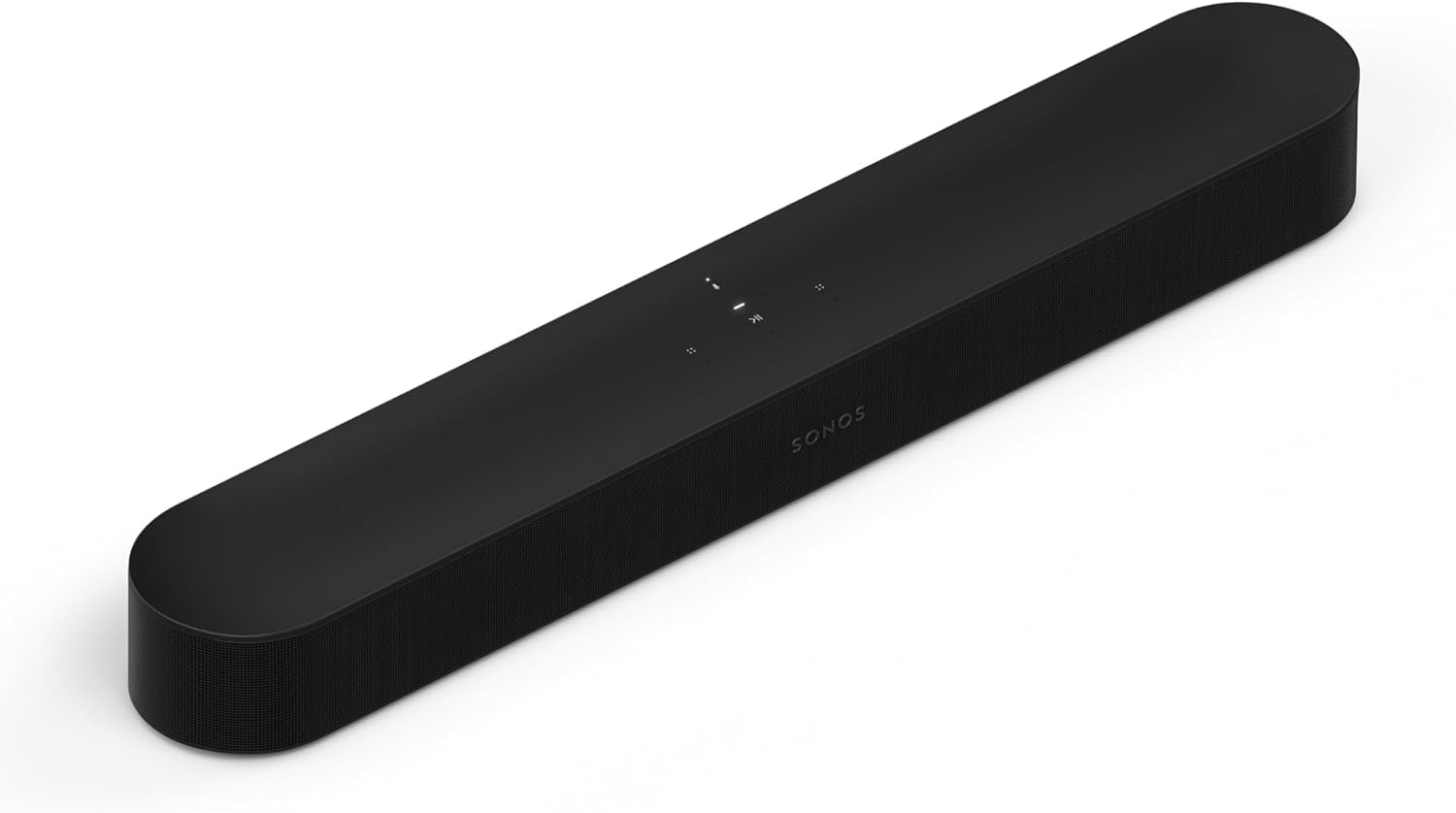
the Sonos Beam (Gen 2)
Sonos’s Beam guide lists five amplifiers, four woofers and one tweeter. It doesn’t list any up-firing drivers, unlike the Arc Ultra’s two.
Sonos’s support article also notes one app quirk: its DTS support isn’t available on products set up with the old Sonos S1 app. A new Beam set up with the current app avoids that limit.
Can You Add Rear Speakers or a Subwoofer Later?
Those nine cards split into complete systems and bars you can grow, and the makers say which is which. The LG S90TR, S95TR and Samsung HW-Q990F already list rear speakers and a subwoofer, while the SC9S, Sonos Arc Ultra, Sony Theatre Bar 8 and Bose Smart Ultra each name an add-on route in their own documents.
LG’s SC9S specification page lists the SPQ8-S rear speaker kit with its own wireless receiver, sold separately. Sonos’s Arc Ultra guide suggests adding a Sonos Sub and Era 300 rear speakers, and Sony’s help guide has a chapter on using the Theatre Bar 8 with an optional subwoofer and rear speakers, including the SA-RS5 rears.
Bose’s product page lists the Bass Module 700 as an accessory, and its FAQ says the Smart Ultra and Bose’s bass modules use the same wireless connection. The Polk Signa S4 pages read here don’t describe a rear-speaker add-on, so treat it as a finished system; for the Beam (Gen 2), check Sonos’s home theater setup pages before counting on one.
Here’s a real scenario. If you’re buying for a 65-inch C3 in a rented apartment and expect to move, the SC9S or Arc Ultra lets you start with one box and add rears in the next home, while the S90TR puts four boxes in your living room on day one.
Where should the extra boxes go?
Bose’s owner’s guide gives the plainest placement advice of the makers read here: don’t put the soundbar in an enclosed cabinet or diagonally in a corner. The FAQ on Bose’s product page asks for a bass module on the same wall as the TV and soundbar, on the floor rather than a shelf, with an outlet nearby.
LG’s S90TR and S95TR specifications list a power requirement for the wireless subwoofer and for each wireless rear speaker. So plan an outlet for every box before you buy, not just for the bar.
Where Should the Soundbar Sit Under a C3?
Placement is the last fit question after width, and the C3 gives you three options: on the stand, on the wall, or on LG’s bracket. LG’s SC9S manual describes two ways to install the bar with an LG TV, standing and wall-mounted, using the same TV synergy bracket.
On a wall, the bar needs its own bracket or mounting kit. Sonos’s Arc Ultra guide walks through screwing its bracket to the wall with the arrows pointing up, Bose sells a Soundbar Wall Bracket for the Smart Ultra, Sony’s help guide has a wall-mounting chapter for the Theatre Bar 8, and Samsung’s listing photo shows a wall mount kit in the Q990F’s box.
Bose adds a caution that applies to every pick: make sure the bar doesn’t block the TV’s ventilation openings. If the C3 sits on a narrow console, the bar’s depth matters too, and LG’s manuals give it, from 4.9 inches for the SC9S to 5.3 inches for the S90TR.
Should you change the C3’s own sound settings?
LG’s Installation Type setting, Stand or Wall-mounted, tunes only the TV’s internal speakers, according to LG’s webOS 23 guide. With the bar as the only output, it changes nothing, but with WOW Orchestra it’s worth setting to match how the C3 is installed, since the TV’s speakers are still playing.
Does WOW Orchestra Make an LG Soundbar the Better Choice?
That Installation Type tip only matters when the TV’s speakers keep playing, and on a C3 that happens with LG’s own WOW Orchestra. LG’s webOS 23 guide lists it under Sound Out as HDMI(ARC) Device + TV Speaker: an LG soundbar with WOW Orchestra plays together with the C3’s own speakers.
LG’s SC9S and S90TR manuals add the conditions. WOW Orchestra works only over an HDMI cable or LG WOWCAST, it runs on whatever audio codec the TV supports, and you should enable eARC on the TV.
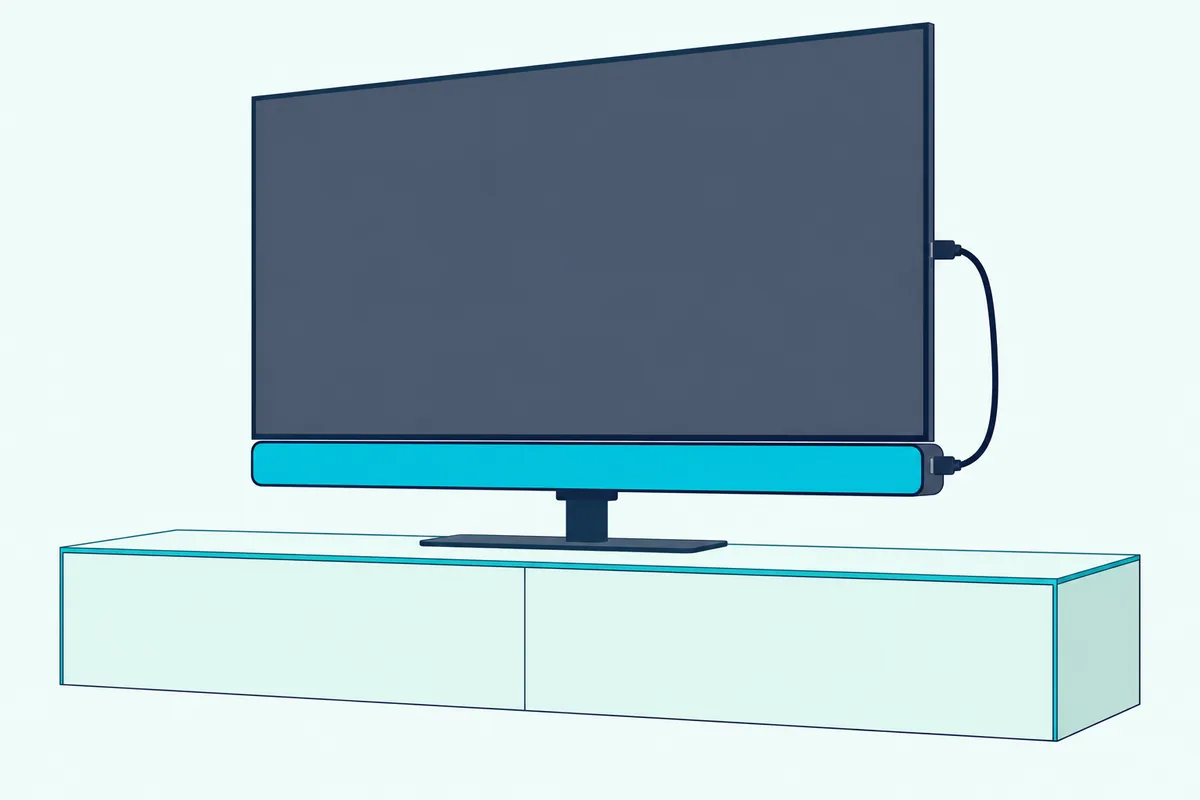
Think of it as a choir: the TV’s speakers and the bar sing together instead of the TV going quiet. LG’s guide says the setting connects automatically when an LG soundbar is plugged into the HDMI (eARC/ARC) terminal.
What else do LG bars add on a C3?
The webOS 23 guide lists TV Sound Mode Share, which lets the TV’s sound mode play on an LG soundbar connected to HDMI (eARC/ARC). With it on, the C3’s Equalizer, Automatic Volume Adjustment and AI Game Sound settings also apply to the bar, which LG says only works with LG soundbars that support Sound Mode Share.
The guide also lists LG WOWCAST Device as a wireless Sound Out choice for soundbars that support it. LG recommends a 5 GHz Wi-Fi network and warns that WOWCAST disconnects on 2.4 GHz if you use screen sharing or Wi-Fi Direct.
Is WOW Interface in the C3’s manual?
LG’s marketing also names a WOW Interface feature, but the webOS 23 user guide read for this page doesn’t describe it. So this guide doesn’t claim anything about it, and you’d need LG’s own product page for your bar to see what it adds.
If WOW Orchestra matters to you, the choice is simple: buy an LG bar from the first three picks. If object-based DTS, a specific brand’s app or a smaller bar matters more, the non-LG picks still use the C3’s eARC port in full.
How Do You Set Up a Soundbar With the LG C3?
The WOW features switch on by themselves, but everything else follows a short routine, and the LG menu-by-menu hookup guide walks through each LG menu. Start with both the TV and bar off, since LG’s 2023 safety manual for the C3 says to turn devices off and unplug them before connecting HDMI.
- Connect the bar’s HDMI eARC/ARC jack to the C3’s HDMI (eARC/ARC) port with a certified cable.
- Turn both on, then set Sound Out > Use Wired Speaker > HDMI(ARC) Device.
- Turn eARC Support on under Sound > Advanced Settings.
- Set Digital Sound Output to Auto or Pass Through.
- Play a title you know is in Atmos and check the format on the bar or in its app.
Step 5 is the practical test from earlier. The Bose guide, for example, says to check the Bose app’s Now Playing screen to confirm Atmos, and Sonos’s app shows what type of audio is being decoded.
Will the C3’s remote control the soundbar?
Usually yes, over HDMI. LG’s webOS 23 guide says SIMPLINK lets one remote manage a soundbar connected by HDMI, and that turning off the TV also turns off a SIMPLINK device, a feature “only available in certain devices.”
LG’s SC9S and S90TR manuals list what the TV remote controls on those bars: power on and off, volume and mute. Sonos’s TV requirements say its HDMI bars need a TV with an HDMI ARC port to use CEC, and Samsung’s guide describes a TV-remote volume feature that works only with IR remotes, not ones paired over Bluetooth.
What if the picture and sound drift apart?
LG’s Match Screen and Sound setting adjusts the timing of the speaker in use, and LG says that “the closer the value is set to 60, the slower the voice output speed will be.” Its Bypass option outputs sound with no delay, which LG notes can make audio arrive before the video.
A quick test: watch a close-up of someone talking and nudge the value a few steps at a time. If lip sync is fine on streaming but off on one HDMI source, LG’s advice is to set that input’s audio format to PCM.
Can you use Bluetooth instead?
You can, but LG’s own guide lists its limits. The C3’s Bluetooth output codecs are SBC and aptX, and if Picture mode is Game Optimizer when you choose a Bluetooth device, LG says the mode changes to Standard.
LG also warns that some Bluetooth devices may play out of sync, and recommends a wired connection, optical or HDMI eARC/ARC, if problems continue. So Bluetooth is a backup, not the way to hear Atmos from a C3.
Which Pick Suits Gaming on the C3?
LG’s Bluetooth note from the setup section already rules out one route for games, so the gaming answer starts with the cable plan. RTINGS lists four full-bandwidth HDMI 2.1 ports on the C3, so the simplest layout keeps consoles in the TV and lets eARC carry their sound to the bar.
That layout keeps the C3’s own game features in charge of the picture. LG’s webOS 23 guide also lists AI Game Sound under the Game Optimizer menu, which applies to an LG soundbar only when it supports TV Sound Mode Share and sits on HDMI (eARC/ARC).
If the TV’s inputs are full, two picks take a console directly. LG lists 4K at 120 Hz pass-through, in YCbCr 4:2:0, on the S90TR’s and S95TR’s HDMI input, and Sony’s guide says the Theatre Bar 8’s HDMI input carries 8K video with Dolby Atmos and Dolby TrueHD.
Try this before you rewire anything: run the console through the TV first, check lip sync with the Match Screen and Sound setting from the setup section, and only then move it to the bar. One change at a time tells you which link caused any delay.
Does the Same Advice Carry Over to the LG C4 and C5?
Most of it does, because LG’s later user guides repeat the same tables. The webOS 24 guide’s Digital Sound Output chart shows DTS:X reaching the bar intact only over HDMI eARC, and as the older core format over optical or ARC, just as the C3’s guide does.
LG’s webOS 25 guide, the 2025 edition, repeats that row and keeps WOW Orchestra under the same HDMI(ARC) Device + TV Speaker option. It also keeps TV Sound Mode Share, so the LG picks above behave the same on a newer C.
The bracket is where the generations split. LG’s SC9S manual lists the 55, 65 and 77-inch C2, C3 and C4, but no C5, so a C5 owner should check LG’s bracket list for the newer bars before counting on that fit; soundbar picks for the LG C4 covers that year’s matches.
Should You Keep the C3’s Own Speakers?
Some C3 owners ask whether they need a bar at all, and that’s a fair question with a sourced answer only on the TV side. RTINGS notes the C3 can up-mix 2-channel audio into virtual 7.1.2 channel sound using LG’s AI Sound.
The TV’s own Sound Mode list in LG’s guide includes AI Sound Pro, Cinema and Clear Voice Pro, and the guide’s Installation Type setting tunes the speakers for a stand or a wall. If those modes cover your viewing, a bar is optional; if you want discrete height channels or rear speakers, every pick here adds hardware the TV doesn’t have.
This guide doesn’t offer its own listening verdict. The format chart is the objective part: the C3 can pass object-based formats and TrueHD to a bar over eARC, and its own speakers play whatever the TV decodes itself.
How Were These Soundbars Checked?
That format chart drove the shortlist, and the rest of the check was paperwork rather than listening. Every bar had to take HDMI eARC, decode Dolby Atmos, and have a maker’s manual or spec page that could be read and saved on 24 October 2026.
Each pick then had to pass the house rules on Amazon the same day: 4.0 stars or more, at least 50 reviews, and in stock. The Polk MagniFi Max AX was left out because its listing showed no availability when checked.
No bar was tested by Burton Acoustix, and no sound-quality ranking appears here. The order follows how closely each bar uses what LG’s guide says the C3 can send: LG’s matched bars first, then non-LG bars with every format the C3 sends, then Atmos bars without DTS:X.
The Bottom Line
The best sound bar for an LG C3 is the one plugged into the HDMI (eARC/ARC) port with eARC Support on, because that’s the only path LG’s chart gives DTS:X and Dolby TrueHD. For a 55, 65 or 77-inch C3, the LG SC9S fits LG’s bracket and keeps WOW Orchestra.
If you want rear speakers, the LG S90TR or S95TR keeps the LG features, and the Samsung HW-Q990F does the same job outside LG. The Sonos Arc Ultra is the single-bar pick, and the Beam (Gen 2) is the one to buy for a 42-inch screen.
Frequently Asked Questions
Which soundbar goes best with an LG C3?
For the 55, 65 and 77-inch sizes, the LG SC9S, because LG’s own manual lists those C3 models for its TV synergy bracket. It also takes Dolby TrueHD and Dolby Atmos over eARC and supports WOW Orchestra with the TV.
For a 42 or 48-inch C3, the bracket doesn’t apply. The Sonos Beam (Gen 2) fits under a 42-inch screen, and the SC9S or Polk Signa S4 fit under a 48-inch one.
Is it better to use an LG soundbar with an LG TV?
It’s better if you want WOW Orchestra and TV Sound Mode Share, two features LG’s webOS 23 guide ties to LG soundbars. The C3 sends the same formats over eARC to any bar that can decode them, so a Sonos, Samsung, Sony, Bose or Polk bar loses only those LG extras.
Which is better for a C3, a 2.1 or 5.1 soundbar?
A 5.1 system adds rear speakers, which a 2.1 bar doesn’t have, so it places sound behind you rather than only in front. On a C3 the bigger question is eARC, since LG’s chart shows even a 7.1.4 bar on plain ARC getting DTS:X in its older core format.
If you can’t place rear speakers, a bar with up-firing drivers, such as the SC9S or Arc Ultra, is the middle ground.
Can you connect a soundbar to an LG C3 with an optical cable?
Yes, if the bar has an optical input, and LG’s guide adds LG Sound Sync for LG bars over optical: the TV remote sets the bar’s volume, and a bar with auto-power on turns on and off with the TV. LG’s own chart shows the trade-off: over optical, Dolby Atmos and Dolby TrueHD arrive as Dolby Digital.
Does a Sonos soundbar work with an LG C3?
Yes, over HDMI. Sonos’s TV requirements say the Arc Ultra and Beam (Gen 2) need a TV with an HDMI ARC port to use CEC control, and that they play Dolby Atmos over HDMI ARC or eARC; the Arc Ultra’s Dolby TrueHD and multichannel PCM need eARC, so turn on the C3’s eARC Support setting.
Does the LG C3 support DTS:X to a soundbar?
Yes, over HDMI eARC. LG’s webOS 23 guide lists DTS:X as an eARC output and shows it reduced to the core format over optical or ARC; LG notes some models may not support it, so check your C3’s port label for eARC.
Do you need a soundbar for an LG C3?
Not necessarily, since RTINGS notes the C3 can up-mix stereo to virtual 7.1.2 sound with AI Sound. A soundbar adds physical speakers, including up-firing and rear speakers on some picks, that the TV’s built-in speakers don’t have.