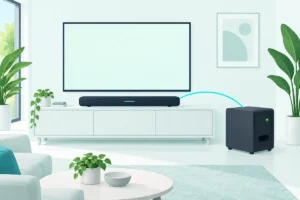
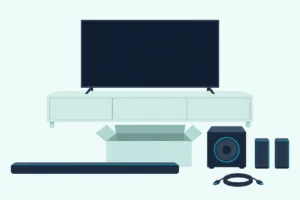
The LG SC9S is the best soundbar for a 55-, 65- or 77-inch LG C4, because it fits LG’s synergy bracket with Dolby Atmos and DTS:X.
The picks
LG SC9S
LG S90TR
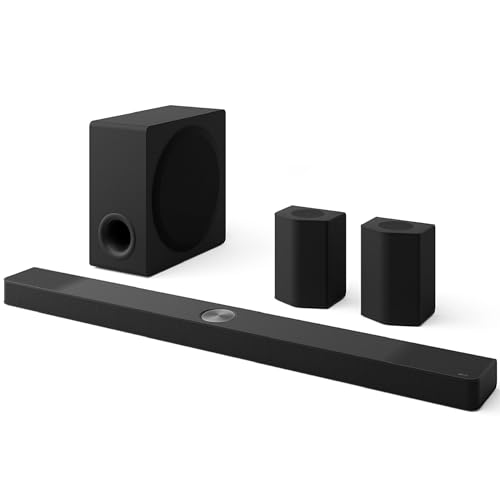
LG S95TR
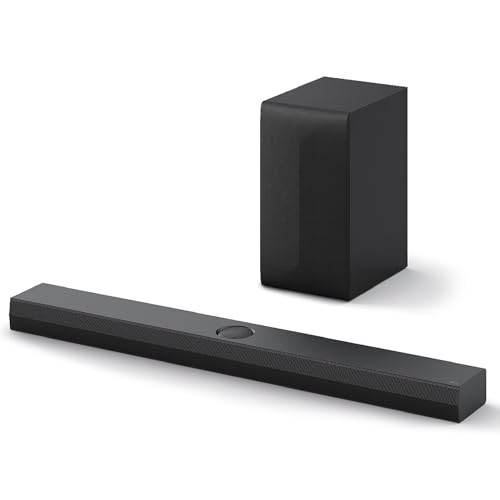
LG S70TY
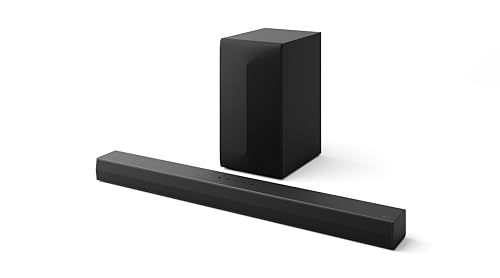
LG S60T
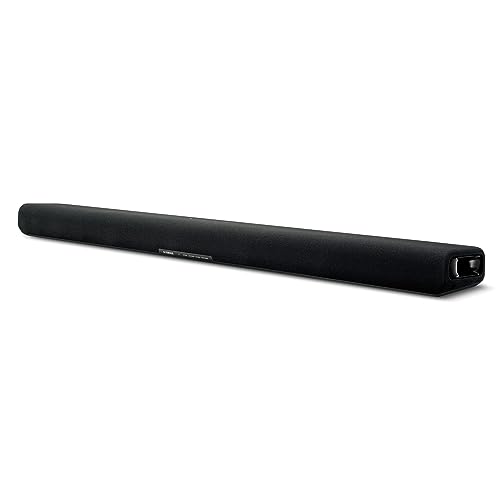
Yamaha SR-B30A
Picking the best soundbar for LG C4 owners starts with two numbers on LG’s own spec sheet: which HDMI jack carries eARC, and how wide your screen size is.
Get either wrong and DTS:X drops to its older core format on the way to the bar, or a 49-inch bar hangs past both edges of a 55-inch set.

Get both right and the C4 hands the bar the formats it can decode, the TV remote runs the volume, and on supporting models an LG bar plays through the TV’s own speakers too.
The first check is quick: find your C4’s size in the width table below, then go straight to the bars that fit it.
After the picks come the port and format rules, LG’s bracket list, WOW Orchestra and WOWCAST, add-on speakers, placement, setup and the console question.
What Is the Best Soundbar for an LG C4?
That width check settles most of the answer. The best soundbar for an LG C4 on a 55-, 65- or 77-inch set is the LG SC9S, because LG’s SC9S manual lists those three C4 sizes for its synergy bracket and its spec sheet gives it Dolby Atmos, DTS:X and HDMI eARC.
On a 65-inch or larger C4, the LG S90TR and S95TR put rear speakers in the box. On the 48-inch set the LG S70TY fits under the screen, and on the 42-inch the LG S60T or the Yamaha SR-B30A does.
| Pick | Use | C4 sizes it fits under | TV connection | Rear speakers |
|---|---|---|---|---|
| LG SC9S | LG’s bracket under the screen | 48 in and up (bracket: 55, 65, 77) | HDMI eARC, optical | SPQ8-S kit, sold separately |
| LG S90TR | Rear speakers in the box | 65 in and up | HDMI eARC, WOWCAST, optical | Included |
| LG S95TR | Up-firing rear speakers | 65 in and up | HDMI eARC, WOWCAST, optical | Included, with up-firing drivers |
| LG S70TY | Dolby Atmos on a 48 in set | 48 in and up | HDMI eARC, optical, Bluetooth | SPT8-S kit, sold separately |
| LG S60T | Center channel on a 42 in set | 42 in and up | HDMI ARC, optical, Bluetooth | None on its sheet |
| Yamaha SR-B30A | No separate subwoofer box | 42 in and up | HDMI eARC, optical, Bluetooth | None; a subwoofer output instead |
Read the table by your screen size first, then by the rear-speaker column, because a separate rear kit is something you add later. Every pick met Burton Acoustix’s rating, review and stock checks on 5 November 2026.
The descriptions come from the makers’ manuals and spec pages.
What Width of Soundbar Fits Each LG C4 Size?
Those size columns come straight from LG’s numbers. A soundbar fits a C4 when it’s no wider than the screen, and LG’s C4 spec sheet gives the widths as 36.7 inches for the 42-inch set, 42.2 for the 48, 48.1 for the 55, 56.7 for the 65, 67.4 for the 77 and 72.9 for the 83.
| C4 size | Screen width (LG) | Picks no wider than the screen | SC9S bracket |
|---|---|---|---|
| 42 in | 36.7 in | S60T (33.5 in), SR-B30A (35.9 in) | Not listed |
| 48 in | 42.2 in | S60T, SR-B30A, S70TY (37.4 in), SC9S (38.4 in) | Not listed |
| 55 in | 48.1 in | S60T, SR-B30A, S70TY, SC9S | Listed |
| 65 in | 56.7 in | Every pick, including S90TR and S95TR (49.2 in) | Listed |
| 77 in | 67.4 in | Every pick | Listed |
| 83 in | 72.9 in | Every pick | Not listed |
The 55 row is the tight one. The S90TR and S95TR measure 49.2 inches on LG’s sheets, about 1.1 more than that screen, so each end overhangs by roughly half of that.
If rear speakers matter more than a flush fit on that size, LG’s S80TR sheet lists them in the box on a bar 39.3 inches wide. The other route is a narrower pick now and a rear kit later, which the add-on section below lays out.
Width isn’t the only measurement when the TV stands on furniture. LG gives the 48, 55 and 65 a depth of 9.1 inches on the stand, so a bar 5.3 deep like the S90TR needs about 14.4 inches of shelf.
The stands differ by size, too. LG lists the 77’s stand as 20.5 inches wide and the 83’s as 47.2, so check where the stand meets the shelf before you center a bar in front of it.

Will a Soundbar Block the Bottom of the C4’s Screen?
It can, if the bar shares the shelf with the stand. LG’s sheet gives the 65-inch C4 as 34.6 inches tall on its stand and 32.5 without it, a lift of about 2.1, while every LG bar here is 2.5 inches tall and the Yamaha 2 5/8.
That puts the top of a bar in front of the stand a little above the screen’s lower edge, by about 0.3 to 0.4 inches on the 48, 55 and 65. The lift is only 1.2 on the 83 and 1.4 on the 42.
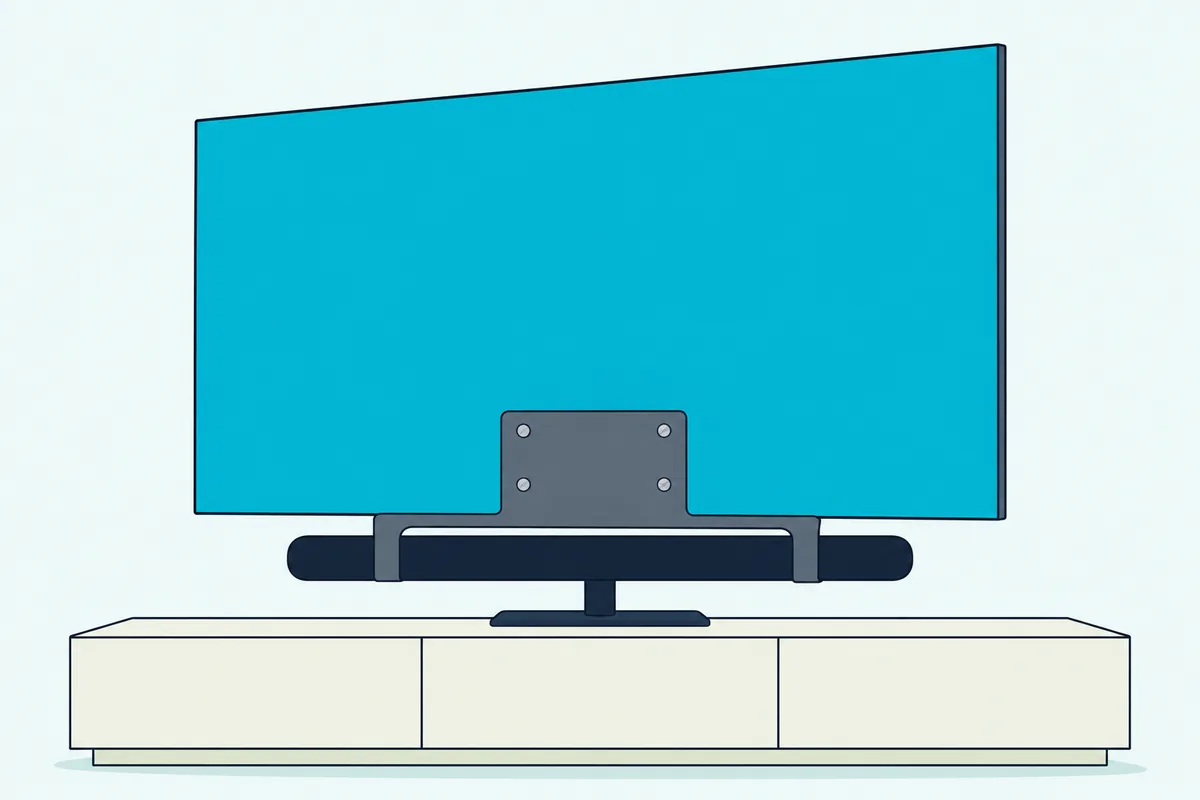
A wall mount for both, or a lower shelf for the bar, keeps the bottom of the picture clear. LG’s synergy bracket takes a third route on the SC9S, fixing the bar to the TV itself, standing or on the wall.
Which LG Soundbars Are Made to Match the C4?
Once your width is set, LG’s own matching labels narrow the field. LG’s SC9S sheet calls it a matching sound bar for the OLED evo C2, C3 and C4 series, the S90TR’s listing calls it OLED evo TV matching, and the S70TY’s sheet carries LG’s QNED TV matching label.
The labels describe pairings, not limits. Every LG pick here connects to the C4’s HDMI 2 jack, and the format rules further down decide what each one receives.
LG SC9S
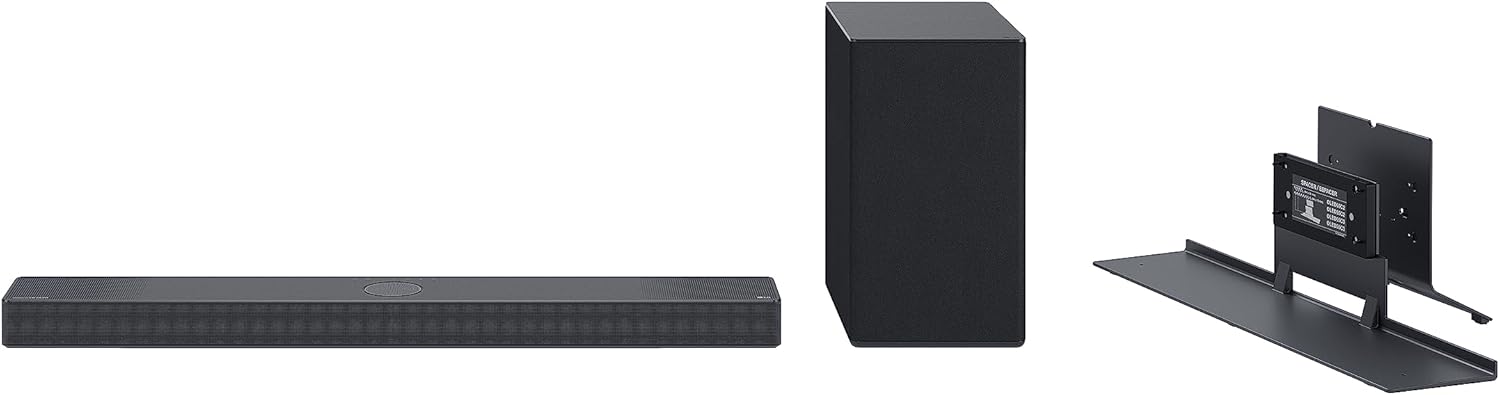
For a 55-, 65- or 77-inch C4, the LG SC9S is the bar LG builds a bracket for.
LG SC9S
LG’s SC9S manual lists the OLED55C4, OLED65C4 and OLED77C4 for its TV synergy bracket, alongside the same three sizes of the C2 and C3. It gives two ways to install the pair: standing, and fixed to the wall.
LG’s SC9S manual leaves the 42-, 48- and 83-inch C4 off that list, and the guide to LG soundbar mounts for other TVs covers the bars and sets it leaves out.
LG’s SC9S spec sheet lists 3.1.3 channels, Dolby Atmos, DTS:X and IMAX Enhanced, HDMI eARC with 4K pass-through, a wireless subwoofer and a bar 38.4 inches wide. Rear speakers are the separate SPQ8-S kit, and the sheet marks the bar WOWCAST compatible where the S90TR and S95TR sheets say built in.
The bracket asks for one bit of planning. LG’s manual says cables get hard to reach once the bar and TV are assembled, so it tells you to connect them first.
For TV sound over HDMI, the same manual has you press the Function button until LED1 and LED2 light white. Then you set the TV’s speaker menu to HDMI ARC.
LG S90TR
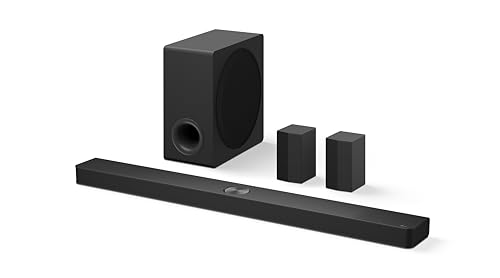
For a 65-inch or larger C4 with room behind the seats, the LG S90TR puts the rear speakers in the box.
LG S90TR
LG’s S90TR spec sheet lists 7.1.3 channels across 13 speaker units, a wireless subwoofer and rear surround speakers, Dolby Atmos and DTS:X, and WOWCAST built in with wireless Dolby Atmos. Its one HDMI input passes 4K at 120 Hz with VRR and ALLM, so a console can plug into the bar if the C4’s inputs are full.
That bar width is why the table starts it at the 65: it’s wider than the 55’s screen. The rear speakers are small, 3.9 by 6.9 by 4.7 inches on LG’s sheet.
LG’s S90TR quick guide sets the power-up order: wireless subwoofer first, then the rear speakers, then the bar, and the subwoofer’s and rears’ LEDs turn green once they link. A built-in microphone on the bar runs AI room calibration from the LG ThinQ app.
LG S95TR
The LG S95TR keeps the S90TR’s bar size and adds height to the speakers behind you.
LG S95TR
LG’s S95TR spec sheet lists 9.1.5 channels across 17 speaker units, with rear surround and up-firing speakers included. It shares the S90TR’s HDMI eARC, WOWCAST built-in, AI Room Calibration and 4K 120 Hz pass-through rows.
Dolby describes height speakers as ones in the ceiling or ones that fire upward to bounce sound off it, and LG’s S95TR manual lists a rear top speaker in each wireless rear unit, beside its rear and side speakers. Those units are also bigger: 6.3 by 8.8 by 5.6 inches, against the S90TR’s 3.9 by 6.9 by 4.7, so measure the spots behind the sofa first.
LG S70TY
On a 48-inch C4, the LG S70TY fits under the screen with nearly 5 inches to spare.
LG S70TY
LG’s S70TY spec sheet lists 3.1.1 channels, Dolby Atmos and DTS:X, HDMI eARC, WOW Orchestra, a wireless subwoofer and a bar 37.4 inches wide. LG’s sheet calls it a QNED TV match, and it’s the QNED pick in our sound bars for every LG TV line, yet on a C4 it uses the same HDMI eARC jack as the OLED-matched bars.
Its box list has a wall bracket but no HDMI cable, so have one ready for that jack.
LG’s S70TY manual names the SPT8-S as its rear speakers, sold separately, so this bar can grow later. It also pairs over Bluetooth with LG Sound Sync, and the manual says the LG TV remote then adjusts the volume.
LG S60T
For the 42-inch C4, the LG S60T stays inside the screen with about 3 inches to spare.
LG S60T
LG’s S60T spec sheet lists 3.1 channels with a wireless subwoofer, Dolby Digital, DTS Digital Surround and LPCM, HDMI ARC rather than eARC, and LG Sound Sync over Bluetooth or optical. LG suggests it for TVs from 49 inches, but on the 42 it’s the one LG pick here narrower than the screen.
Dolby says a center speaker mainly carries dialog, and the S60T’s listing names a dedicated center channel, while LG’s sheet gives the 42’s own speakers 2.0 channels at 20 watts. LG’s S60T manual describes WOW Orchestra over an HDMI cable, though the spec sheet has no WOW Orchestra row, so check the TV’s Sound Out menu once it’s connected.
The box includes an optical cable and a wall bracket, per LG’s sheet. Its one HDMI jack is the TV connection, with no HDMI input for a console.
Can a Non-LG Soundbar Work With the LG C4?
Every bar so far is LG’s, but the C4’s eARC jack doesn’t check the badge. A non-LG bar works on HDMI 2 the same way: LG’s webOS 24 guide sends sound to an eARC audio device on the HDMI (eARC/ARC) port once Sound Out is set to HDMI(ARC) Device, and the format table further down applies unchanged.
What a non-LG bar gives up is LG’s tie-ins. The SC9S manual describes WOW Orchestra as sound through both an LG TV and an LG sound bar that support it at the same time.
Remote control runs through SIMPLINK, LG’s name for HDMI-CEC. LG’s webOS 24 guide says it works only with devices carrying the SIMPLINK logo, so check the bar’s own manual for how it follows an LG remote.
Yamaha SR-B30A
If you’d rather skip the subwoofer box, the Yamaha SR-B30A builds two subwoofers into a bar narrow enough for even the 42-inch C4.
Yamaha SR-B30A
Yamaha’s SR-B30A specs list four front drivers, two tweeters and two built-in subwoofers at 120 watts, a width of 35 7/8 inches, one HDMI eARC/ARC connection, optical and Bluetooth. Its format list includes Dolby Atmos, Dolby TrueHD and Dolby Digital Plus but not DTS Digital Surround.
For DTS sources, the C4’s PCM setting is the route the documents support, since LG’s table shows PCM output turning every input into PCM. Yamaha’s SR-B30A user guide also says Dolby Atmos and HDMI control don’t work over an optical cable, so HDMI 2 is its jack too.
The guide’s SUBWOOFER OUT jack takes an external subwoofer later, with sound from both the built-in subwoofers and the added one. That makes it the one pick here that grows with a subwoofer rather than with rear speakers.
Which HDMI Port on the LG C4 Is the eARC One?
That HDMI 2 advice covers every pick above. The eARC jack on the C4 is HDMI 2: LG’s C4 sheet lists four HDMI inputs that support 4K 120 Hz and gives the audio return channel as eARC (HDMI 2).
In the webOS 24 user guide, LG’s steps are to connect an eARC audio device to the HDMI (eARC/ARC) port, choose HDMI(ARC) Device under Sound Out, and set eARC Support to On under Sound, Advanced Settings. If the jacks on the bar’s side are the puzzle, HDMI versus HDMI ARC for a soundbar explains why only the ARC or eARC port returns TV sound.
A quick check once it’s wired: play a Dolby Atmos title from a C4 app and watch the bar. The SR-B30A, for one, lights its DOLBY ATMOS indicator green when Atmos arrives during surround playback, according to Yamaha’s guide.
What Does eARC Carry That ARC and Optical Don’t?
The difference shows up in LG’s Digital Sound Output table. In the webOS 24 guide, Dolby TrueHD and DTS:X reach the bar intact only over HDMI eARC, while plain ARC and optical send DTS:X as core DTS.
| Source format | Optical | HDMI ARC | HDMI eARC |
|---|---|---|---|
| Dolby Digital Plus / Atmos | Dolby Digital | Dolby Digital, Dolby Digital Plus, Atmos | Dolby Digital, Dolby Digital Plus, Dolby MAT, Atmos |
| Dolby TrueHD (HDMI only) | Dolby Digital | Dolby Digital, Dolby Digital Plus, Atmos | Dolby Digital, Dolby Digital Plus, Dolby TrueHD, Dolby MAT, Atmos |
| DTS-HD MA | DTS | DTS | DTS, DTS-HD MA |
| DTS:X | DTS | DTS | DTS, DTS-HD MA, DTS:X |
So plain ARC still carries Atmos inside Dolby Digital Plus, while Dolby TrueHD and DTS:X need eARC. LG adds that some models may not support TrueHD, eARC, Atmos or DTS, and that over eARC the output depends on what the connected device supports.
The 2023 C3 follows the same rule in LG’s webOS 23 guide, which sends DTS:X and Dolby TrueHD only over eARC, and the best sound bar for LG C3 sorts nine bars by that rule and by C3 screen size.
Does the LG C4 Pass DTS:X and Dolby Atmos to a Soundbar?
That table answers most of this, and the C4’s own sheet adds one detail. It passes both: LG’s C4 sheet lists Dolby Atmos and marks DTS:X as by-pass only, which matches the guide’s table, where DTS:X goes out to a bar on the eARC jack.
The table also marks Dolby TrueHD as an HDMI-only input, so a TrueHD movie soundtrack comes from a device such as a disc player plugged into the C4, and it reaches the bar only over eARC. Among the picks, the SC9S, S90TR, S95TR and S70TY sheets list DTS:X, the S60T lists DTS Digital Surround over ARC, and the Yamaha’s list has no DTS at all.
Dolby MAT, which shows up only in the eARC column, is a form LG says the output can take depending on the device and the input. The C4’s sheet also lists α9 AI Sound Pro, described as a virtual 9.1.2 up-mix.
A bar’s up-firing drivers are what Dolby calls height speakers, the ones that fire upward to bounce sound off the ceiling. LG’s S90TR and S70TY manuals mark them as top speakers in their speaker-position lists, the S70TY’s as a top center speaker for overhead sound.
How Does WOW Orchestra Work With the LG C4?
Those formats work with any eARC bar, but WOW Orchestra is the part that needs an LG one. In LG’s webOS 24 guide, WOW Orchestra sits under Sound Out as HDMI(ARC) Device + TV Speaker: the TV’s internal speakers and an LG soundbar on the HDMI (eARC/ARC) jack play at the same time, and LG says the bar connects automatically.
The bar manuals add the conditions. LG’s S90TR manual says it’s available on some LG TV and soundbar models, follows the audio codec the TV supports, works only over an HDMI cable or with a TV that supports LG WOWCAST built in, and needs eARC enabled on the TV.
The S70TY and S60T manuals limit it to an HDMI cable, and the SC9S manual names an HDMI cable and an LG WOWCAST connection. Neither the guide nor those manuals split the sound by frequency; they describe both sets of speakers playing at once.
The C4’s own spec sheet has no WOW Orchestra row, and LG’s guide says the configurable items differ by model. So the quick test is the Sound Out menu: if HDMI(ARC) Device + TV Speaker appears once an LG bar is connected, your set offers it.
Same goes for the bars: the SC9S, S90TR, S95TR and S70TY sheets carry a WOW Orchestra row, and the S60T’s manual describes it although its sheet doesn’t. Both the C4’s sheet and every LG bar’s sheet here also list Sound Mode Share.
The same menu lists two options that work beyond LG bars. Optical Out Device + TV Speaker plays the TV’s speakers alongside an audio device on the optical output, and Bluetooth Device + TV Speaker does the same with a Bluetooth speaker.
What Is WOWCAST, and Does the C4 Have It?
WOWCAST is LG’s wireless link between TV and bar. The webOS 24 guide lists LG WOWCAST Device under Use Wireless Speaker, where LG says a soundbar that supports it plays without degraded quality, and it recommends a 5 GHz Wi-Fi network.
The same page warns that screen sharing or Wi-Fi Direct on a 2.4 GHz network disconnects WOWCAST, and that it doesn’t run on 6 GHz or DFS channels. It also says an LG WOWCAST dongle, if one is connected, connects first.
On the bar side, the S90TR and S95TR sheets say WOWCAST built in, the SC9S sheet says WOWCAST compatible, and the S70TY and S60T sheets have no WOWCAST row. LG’s S90TR quick guide lists LG WOWCAST beside HDMI ARC, optical and external speaker as the TV’s output choices.
The C4’s sheet doesn’t list WOWCAST either way, so the same menu check applies. Look for LG WOWCAST Device under Use Wireless Speaker.
Can You Add Rear Speakers or a Subwoofer Later?
That menu covers wireless links to the bar, and the next question is what the bar itself can add. It depends on the bar: for surround sound out of the box, the S90TR and S95TR already include rear speakers, while LG’s manuals list the SPQ8-S kit for the SC9S and the SPT8-S for the S70TY, each sold separately.
The S60T’s sheet lists no rear kit. The Yamaha grows a different way, through its SUBWOOFER OUT jack.
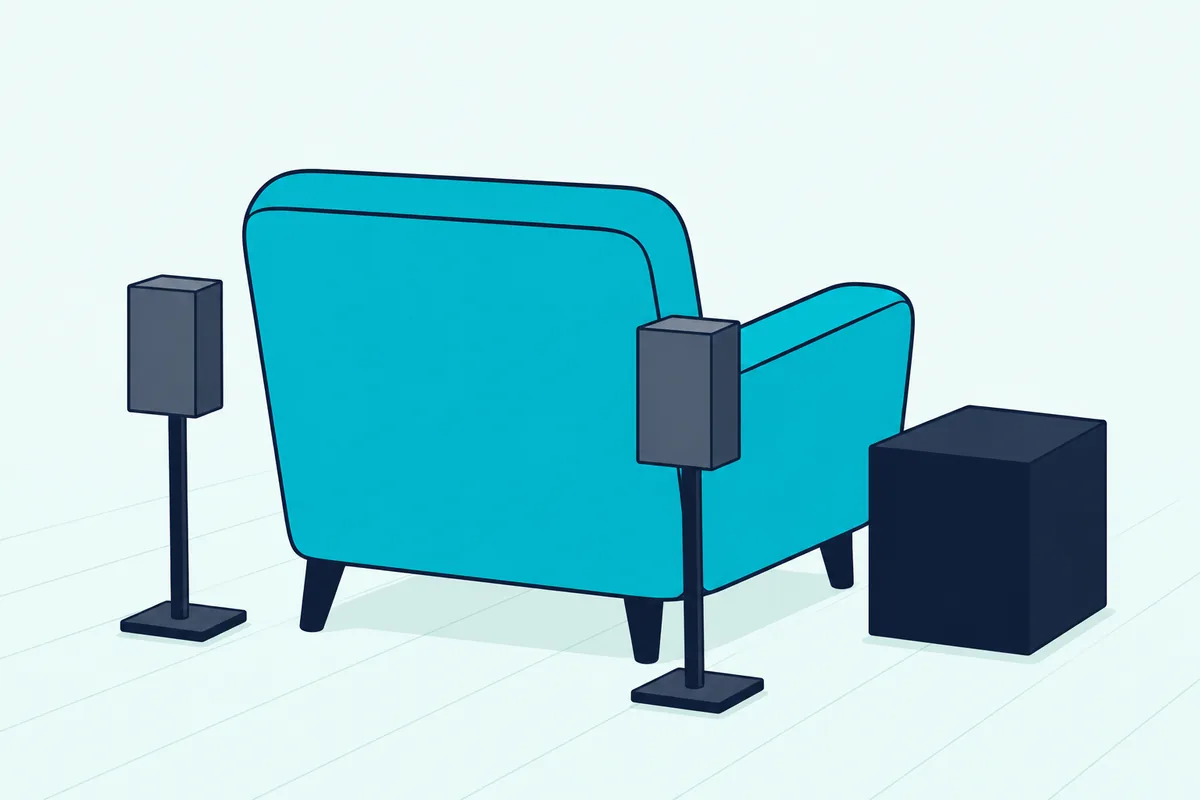
Dolby’s speaker setup guide puts surround speakers behind or beside the listener and says bass isn’t directional, so a subwoofer can go almost anywhere in a room. The options for where the subwoofer box can go start from that rule, and LG’s wireless units reconnect with the steps for pairing an LG soundbar to its subwoofer.
Here’s how that plays out on a 65-inch C4. Start with the SC9S and the SPQ8-S kit can join later without changing the bar, while an S60T owner who wants rears would be changing bars.
The C4 also has routes that skip a soundbar entirely. Its sheet lists WiSA Ready up to 2.1 channels, which the webOS 24 guide says needs an exclusive dongle, and Bluetooth Surround Ready.
Where Should the Soundbar Sit With a C4?
Those extra boxes can go around the room, but the bar belongs right under the screen. Dolby’s setup guide puts the center speaker just below or above the TV so the sound comes directly at you, and that’s the speaker the S60T’s listing and the S70TY and S90TR manuals place in the bar.
On a wall, the C4’s sheet gives VESA mounting of 300 by 200 for the 42 to 77 and 400 by 400 for the 83. The S90TR, S95TR, S70TY and S60T sheets each list a wall mount bracket for the bar.
The SC9S is the exception, since its bracket hangs it from the TV. LG’s manual says to connect the bar’s cables to the TV and then mount the TV to the wall.
A quick test before drilling: hold the bar under the mounted TV and sit in your usual seat. If it covers the bottom of the picture from there, lower it.
How Do You Set Up a Soundbar With the LG C4?
Once the bar and any extras are in place, setup on a C4 follows LG’s guide and the bar manuals. Connect the bar’s HDMI eARC jack to the C4’s HDMI 2, then set Sound Out to HDMI(ARC) Device and turn on eARC Support and SIMPLINK.
- Run a high-speed HDMI cable from the bar’s HDMI eARC (or ARC) jack to HDMI 2 on the C4; LG’s guide says SIMPLINK needs a high-speed HDMI cable with CEC.
- On the TV, go to Settings, All Settings, Sound, Sound Out, Use Wired Speaker and choose HDMI(ARC) Device.
- Under Sound, Advanced Settings, set eARC Support to On, and leave Digital Sound Output on Auto or Pass Through unless the bar needs PCM.
- Under General, External Devices, HDMI Settings, turn SIMPLINK (HDMI-CEC) on so the TV remote can handle the bar.
For WOW Orchestra, the extra step is choosing HDMI(ARC) Device + TV Speaker under Use External Speakers with TV Speaker, as the earlier section described. LG warns that with Pass Through on, sound effects may not be output.
Menu names on older LG sets differ, and Burton Acoustix’s LG TV connection walkthrough covers those menus and the optical route.
What If the Bar Plays No Sound?
Start with the menu, not the cables. LG’s guide only offers Digital Sound Output when Use Wired Speaker is set to Optical Out Device or HDMI(ARC) Device, so check that setting first, then eARC Support, then the bar’s input.
If one format plays silent while others work, try Digital Sound Output set to PCM, which LG’s table applies to every input. On the S90TR, the Function button picks the input, and LED1 lights white for the TV and golden yellow for a device on the bar’s HDMI input.
Will the C4’s Remote Control the Soundbar?
Usually, through SIMPLINK. The SC9S manual lists power on and off, volume and mute as what a SIMPLINK-compatible LG TV remote controls, and the webOS 24 guide limits SIMPLINK to devices carrying its logo.
The Yamaha’s guide describes HDMI control for running the bar from the TV’s remote, over HDMI only. Over Bluetooth, the S70TY manual says the LG TV remote adjusts the volume when the bar is connected with LG Sound Sync.
Can You Use Bluetooth Instead?
You can, under Sound Out, Use Wireless Speaker, Bluetooth Device, and the C4’s sheet lists Bluetooth 5.1 and LG Sound Sync. The webOS 24 guide gives the Bluetooth codecs as SBC and aptX and warns that video and audio may fall out of sync on some devices.
It also switches Game Optimizer to Standard while a Bluetooth device is the output, and recommends a wired connection if problems continue. With only SBC and aptX listed, the Dolby and DTS formats in that table stay on the HDMI cable.
Should a Console Plug Into the C4 or the Soundbar?
That Game Optimizer note points gamers back to the TV. Plug the console into the C4: LG’s sheet gives the TV four HDMI 2.1 inputs with 4K 120 Hz, VRR and ALLM, and the eARC jack sends the console’s sound back to the bar.
The SC9S, S90TR, S95TR and S70TY sheets list one HDMI input with 4K pass-through at 120 Hz, VRR and ALLM, so a second console can go through the bar, while the S60T has no HDMI input. The C4’s sheet lists VRR up to 144 Hz, above the bars’ 120 Hz rows, so anything running faster than 120 Hz belongs on the TV’s own inputs.
Does the LG OLED C4 Need a Soundbar?
All of this assumes you want a bar at all, so here’s what the C4 brings on its own. It doesn’t need one to make sound: LG’s sheet gives every C4 from 48 to 83 inches a 40-watt, 2.2-channel speaker system and the 42-inch a 20-watt, 2.0-channel one, firing downward except on the 83, which fires forward when standing.
The same sheet lists α9 AI Sound Pro, a virtual 9.1.2 up-mix, and Clear Voice Pro. What a bar adds is physical: a center channel, which Dolby says mainly carries dialog, up-firing height drivers and a subwoofer, which Dolby says delivers low bass.
Whether you need one is a listening question no spec sheet settles, so try a simple test. Play a dialogue-heavy scene at your usual volume with Clear Voice Pro on and off; if speech still gets lost, a center channel is the add-on to look for.
On a desk, the 42- and 48-inch sets are also the only C4s with a headphone output on LG’s sheet, another way around the small speakers. If channel counts like 3.1.1 and 9.1.5 are new, the soundbar guide explains how to read them.
The Bottom Line
Start with the width table and the HDMI 2 jack, and the rest follows. For a 55-, 65- or 77-inch C4 on LG’s bracket, the SC9S is the match LG designed; for rear speakers in the box on a 65 or larger, the S90TR, or the S95TR for up-firing rears.
On the 48 the S70TY fits under the screen, and on the 42 the S60T or the Yamaha SR-B30A, which skips the subwoofer box but lists no DTS. Whichever you pick, turn eARC Support on and check Sound Out for WOW Orchestra, which LG describes as both sets of speakers playing together on supporting models.
Frequently Asked Questions
Which soundbar should you pair with an LG C4?
Pair by screen size first. LG’s SC9S manual lists the 55-, 65- and 77-inch C4 for its synergy bracket, so that’s the LG match on those sets. For rear speakers in the box on a 65 or larger, the S90TR and S95TR fit under the screen, and on the 48 the S70TY does. On the 42, the S60T and the Yamaha SR-B30A are narrower than the screen. Whatever you choose, connect it to HDMI 2, the eARC jack on LG’s C4 sheet.
Does the LG SC9S fit the LG C4?
It fits the 55-, 65- and 77-inch C4 on LG’s TV synergy bracket, which the SC9S manual lists by model as the OLED55C4, OLED65C4 and OLED77C4. The 42, 48 and 83 aren’t on that list, so on those sizes it sits on the furniture in front of the TV instead. LG’s spec sheet calls the SC9S a matching bar for the C2, C3 and C4 series, and lists HDMI eARC, so it connects to HDMI 2 like any other pick here.
Does a Sonos or Samsung soundbar work with an LG C4?
Yes, through the HDMI (eARC/ARC) jack, and LG’s format table applies to any bar there. What you lose are LG’s own tie-ins, such as WOW Orchestra and WOWCAST, which LG’s manuals describe between LG TVs and LG soundbars. Remote control can take a setting change: Sonos’s support article on the LG Magic Remote says that remote talks to the TV by radio frequency or Bluetooth rather than infrared, and walks through the TV’s Device Connector steps for a Sonos speaker on HDMI-ARC. For any other brand, check the bar’s manual.
Is a 2.1 or 5.1 sound bar better for an LG C4?
Neither is better in general; they add different speakers. A 2.1 bar adds a subwoofer to left and right channels, while a 5.1 system adds a center speaker, which Dolby says mainly carries dialog, and surround speakers behind or beside you. On a C4, the S60T is a 3.1 bar with a center channel, and the S90TR and S95TR add rear speakers and height channels. Pick by room: rears need spots behind or beside the seats.
Does the LG C4 have an optical output?
Yes. LG’s C4 sheet lists one optical digital audio output, and the webOS 24 guide’s table shows what it carries: Dolby Digital in place of Dolby Atmos, Dolby TrueHD and Dolby Digital Plus, and core DTS in place of DTS:X. Yamaha’s SR-B30A guide also says Dolby Atmos and HDMI control don’t work over optical. Use it only when the bar has no HDMI ARC or eARC jack.
Is an LG soundbar better than another brand on a C4?
It does more with the TV rather than promising better sound. LG keeps WOW Orchestra and WOWCAST for its own bars on supporting TVs, and its manuals describe WOW Orchestra as the TV’s speakers and the bar playing together. If you won’t use those, the deciding rows are the ones in the width and format tables: whether the bar fits under your screen and whether it has HDMI eARC for DTS:X and Dolby TrueHD.