How to Connect an LG Soundbar to a TV (or Any Bar to an LG TV)

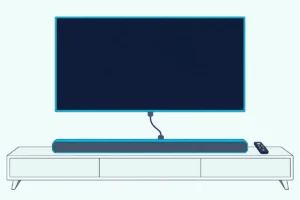
If you’re working out how to connect an LG soundbar to a TV, run one HDMI cable from the bar’s TV port to the TV’s HDMI port marked ARC, then set the TV’s Sound Out to HDMI(ARC) Device.
Leave Sound Out on the TV’s own speakers and the bar sits on the right input in silence, so a good cable looks broken.
Get that setting right and the TV remote’s power, volume and mute buttons run the bar through SIMPLINK, LG’s name for HDMI-CEC.
LG has renamed and moved these menus between webOS versions, so every path below comes from LG’s own TV guides for 2020 to 2025 sets and its soundbar manuals.
Start with the six steps, find your TV’s year in the menu table, then check the bar’s lights or display.
How to Connect an LG Soundbar to an LG TV With HDMI ARC
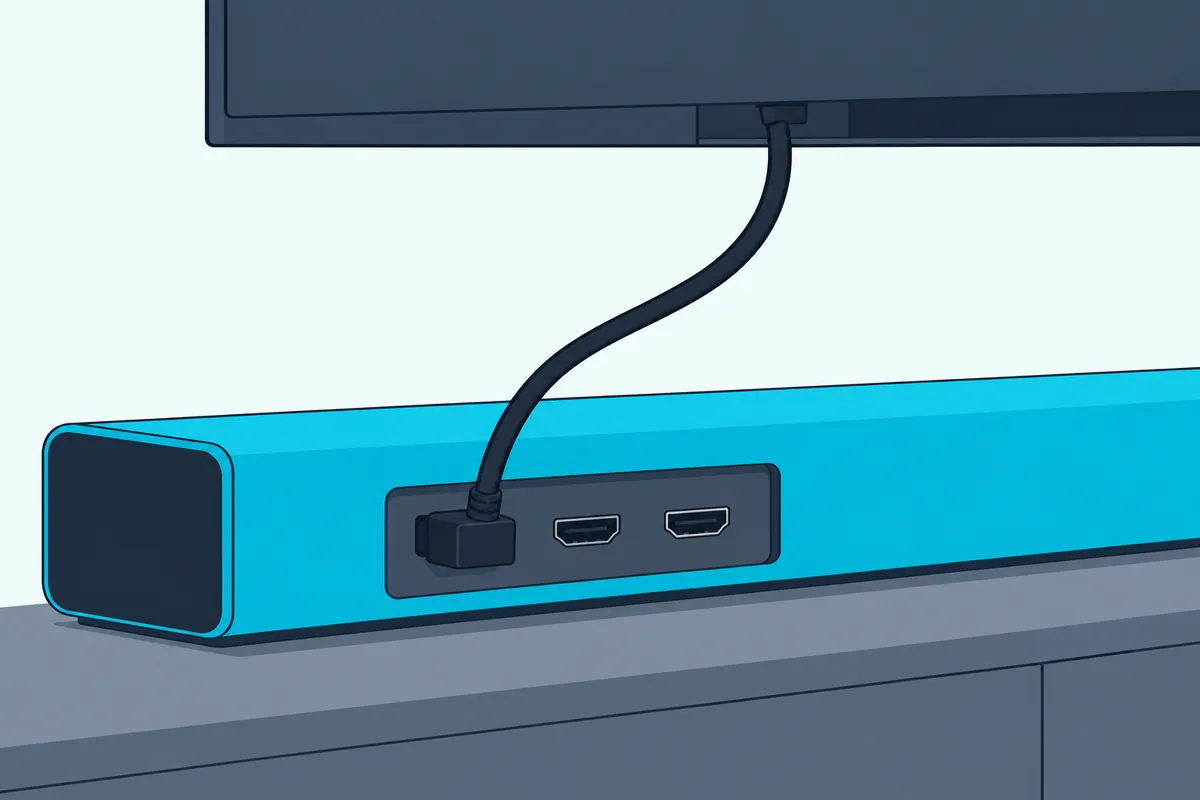
Those six steps follow LG’s soundbar manuals and TV guides in order. To connect an LG soundbar to an LG TV, plug the bar’s TV (eARC/ARC) or TV (ARC) port into the TV’s HDMI (eARC/ARC) port, select the bar’s Optical/ARC input, then choose HDMI(ARC) Device under Sound Out.
If the bar is still in its box, our guide on how to install an LG sound bar covers what comes before these steps, from LG’s wall bracket to the order in which the subwoofer and rear speakers get power.
| Step | What to do | What LG’s documents add |
|---|---|---|
| 1 | Connect the bar’s HDMI port marked TV (eARC/ARC) or TV (ARC) to the TV’s HDMI (eARC/ARC) port | Use a certified cable with the HDMI logo |
| 2 | Press the bar’s Function button until its Optical/ARC input is selected | OPT/HDMI ARC on text displays, a white light on bars with status lights |
| 3 | On the TV, open Settings > All Settings > Sound > Sound Out > Use Wired Speaker | The path on 2021 to 2025 sets |
| 4 | Choose HDMI(ARC) Device | This switches SIMPLINK on by itself |
| 5 | If the bar has an eARC port, set Sound > Advanced Settings > eARC Support to On | Only for an audio device that supports eARC |
| 6 | Play something from a built-in TV app and watch the bar | ARC or E-ARC appears on text-display bars |
A built-in app makes the cleanest first test because it leaves any cable box or console out of the chain. The bar’s port name changes by model: LG’s S75QR calls it HDMI OUT (TV eARC/ARC), while the S60T and S20A have a single HDMI TV (ARC) port, so step 5 doesn’t apply to them.
Step 4 does more than route the sound: LG’s guides say choosing HDMI(ARC) Device turns SIMPLINK on, and switching SIMPLINK off sends the TV’s output back to its default speakers. That link needs a High-Speed HDMI cable with the CEC function, LG’s TV guides add, and its soundbar manuals ask for a certified cable with the HDMI logo.
Neither the S60T nor the S20A lists an HDMI cable in its box on Amazon. If your bar came without one, UGREEN’s 6.6 ft Ultra High Speed HDMI cable is a certified option for the run from the TV’s ARC port to the bar.

UGREEN’s 6.6 ft Ultra High Speed HDMI cable
A cable box or console can plug into the bar instead, but only bars with an HDMI IN take one: the S75QR and S95TR have it, the S60T and S20A don’t. A regular HDMI port on the bar accepts audio from the source while the ARC/eARC port sends audio back from the TV, so the two ports do different jobs.
If the box is a DirecTV receiver, its Dolby Digital setting and remote steps are covered in our page on how to hook up a soundbar to DirecTV.
Which LG TV Menu Sends the Sound to the Soundbar?
Step 3 is the one that changes between TVs, because the menu’s shape depends on the TV’s year. The menu that sends the sound to a soundbar is Sound Out, under Settings > All Settings > Sound, and on 2021 to 2025 sets the bar sits one level deeper, in Use Wired Speaker or Use Wireless Speaker.
| LG TV year (webOS) | HDMI ARC | Optical | Bluetooth | SIMPLINK switch |
|---|---|---|---|---|
| 2023, 2024, 2025 (webOS 23, 24, 25) | Sound Out > Use Wired Speaker > HDMI(ARC) Device | Sound Out > Use Wired Speaker > Optical Out Device | Sound Out > Use Wireless Speaker > Bluetooth Device | General > External Devices > HDMI Settings |
| 2022 (webOS 22) | Sound Out > Use Wired Speaker > HDMI(ARC) Device | Sound Out > Use Wired Speaker > Optical Out Device | Sound Out > Use Wireless Speaker > Bluetooth Device | General > Devices > HDMI Settings |
| 2021 (webOS 6.0) | Sound Out > Use Wired Speaker > HDMI(ARC) Device | Sound Out > Use Wired Speaker > Optical Out Device | Not in LG’s surviving 2021 pages | Not in LG’s surviving 2021 pages |
| 2020 (webOS 5.0) | Sound Out > HDMI ARC | Sound Out > Optical | Sound Out > Bluetooth | Connection > Device Connection Settings |
Every path starts with the remote’s Settings button and All Settings, and the switch itself is labeled SIMPLINK (HDMI-CEC). LG’s developer site dates each version by year: webOS TV 22 in 2022, 23 in 2023, 24 in 2024, 25 in 2025, 6.x in 2021 and 5.x in 2020.
The 2022 to 2025 rows come from LG’s current guides, such as its webOS 24 page on Use Wired Speaker. The 2021 and 2020 rows come from the Internet Archive’s copies of LG’s own pages, which no longer load on LG’s site, so cells they don’t cover stay empty.
Think of Use Wired Speaker as a folder: the 2020 guide lists HDMI ARC and Optical straight under Sound Out, and the 2021 guide files them inside it.
2023 sets add a shortcut: LG’s webOS 23 guide says the Input button opens Home Hub, where Sound Out shows the current speaker and links to its settings. If your TV’s labels still differ, LG’s guides point you to the User Guide built into the TV.
Get Studio Tips Weekly
Join 5,000+ creators getting acoustic treatment advice every week.
No spam. Unsubscribe anytime.What Should the LG Soundbar Show Once It’s Listening to the TV?
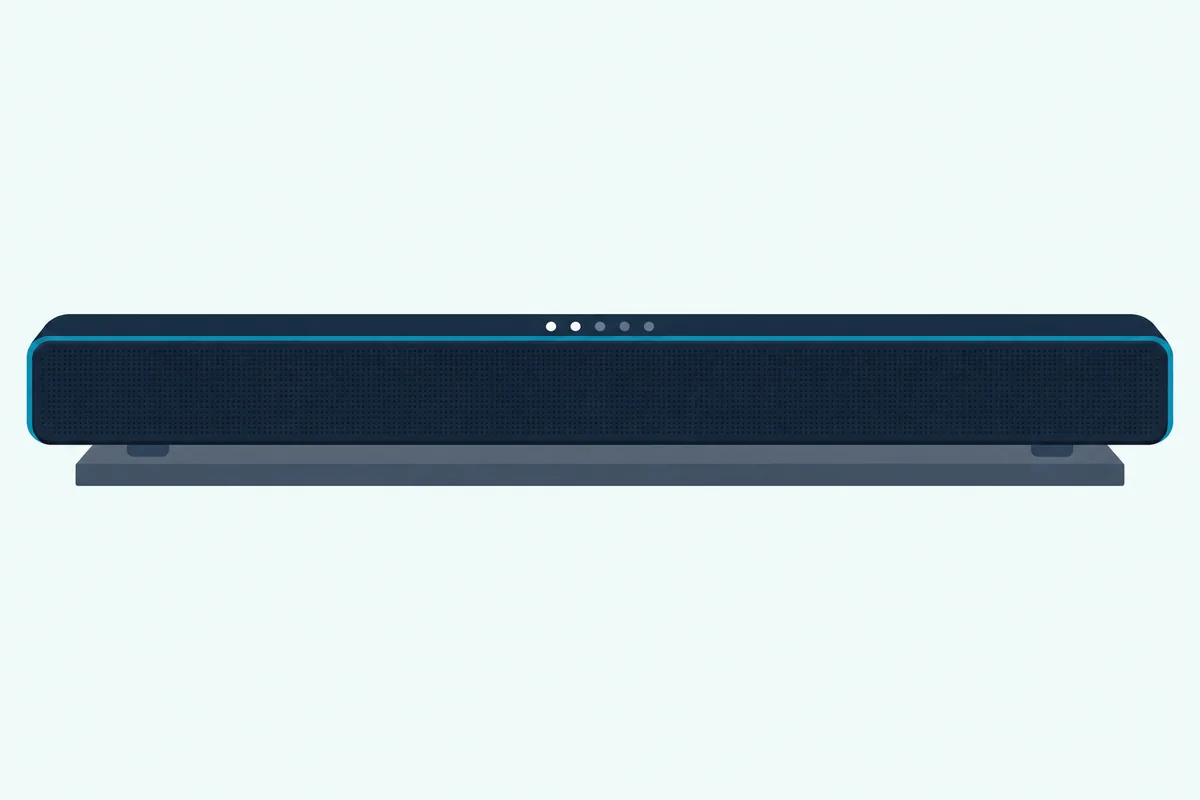
The TV menu is only half of that handshake, because the bar has to be on its TV input too. An LG soundbar that’s listening to the TV shows its Optical/ARC input: OPT/HDMI ARC on bars with a text display, then ARC or E-ARC once the HDMI link is up, and a white status light on bars such as the SC9S, S60T, S95TR and S20A.
| LG bar | Display | TV input selected | Bluetooth pairing |
|---|---|---|---|
| S75QR | Text display | OPT/HDMI ARC, then ARC or E-ARC over HDMI, LGOPT over optical with an LG TV | BT READY, then PAIRED |
| SC9S | Status lights | LED1 and LED2 white | LED2 blinks blue, then all lights blue |
| S60T and S95TR | Status lights | LED1 white | LED1 and LED2 blink white, then stay white |
| S20A | Status lights | LED1 white, an input LG calls HDMI ARC | LED1 and LED2 blink white, then stay white |
The code isn’t shared across models. The SC9S lights LED1 and LED2 for the same input that lights LED1 alone on the S60T, so read the row for your bar before deciding the input is wrong.
Two more codes save guessing: on the SC9S, S60T, S95TR and S20A, every light blinking orange means mute, and LED1 blinking red marks the power going on or off. All five manuals also say the bar turns itself off after 15 minutes without an input signal, so a dark bar after a long pause isn’t necessarily faulty.
LG’s S75QR manual page on HDMI connections shows the text-display version: OPT/HDMI ARC while you pick the input, then ARC or E-ARC once the TV is properly connected.
Which LG TV Sound Settings Matter With a Soundbar?
Once the bar shows its TV input, the rest happens under one submenu. The LG TV sound settings that matter with a soundbar are eARC Support, Digital Sound Output and, for LG bars, TV Sound Mode Share and LG Sound Sync, all under Settings > All Settings > Sound > Advanced Settings on 2022 to 2025 sets.
Digital Sound Output is available only when Use Wired Speaker is set to Optical Out Device or HDMI(ARC) Device. PCM turns every source into PCM, while Auto and Pass Through send these formats, per LG’s webOS 24 page on Digital Sound Output:
| Source sound | Out over optical | Out over HDMI ARC | Out over HDMI eARC |
|---|---|---|---|
| Dolby Digital Plus or Atmos | Dolby Digital | Dolby Digital, Dolby Digital Plus or Atmos | Adds Dolby MAT |
| Dolby TrueHD, from HDMI devices | Dolby Digital | Dolby Digital, Dolby Digital Plus or Atmos | Adds Dolby TrueHD and Dolby MAT |
| AAC or HE-AAC | Dolby Digital | Dolby Digital or Dolby Digital Plus | Adds Dolby MAT |
| DTS:X | DTS | DTS | DTS, DTS-HD MA or DTS:X |
So a Dolby Digital Plus stream with Atmos can reach an ARC bar as Atmos, while TrueHD and DTS:X need eARC at both ends. LG adds that Dolby TrueHD, eARC, Atmos and DTS aren’t supported on some models, and that over eARC the format depends on what the bar supports.
If the bar still won’t show Atmos after those settings, the five checks for getting Dolby Atmos on a soundbar run from the streaming plan to the bar’s own indicator.
That headroom is why step 5 exists. HDMI Licensing Administrator lists eARC’s capacity as up to 192 kHz and 24-bit, uncompressed 5.1 and 7.1, and 32 channels, plus DTS-HD Master Audio, DTS:X, Dolby TrueHD and Dolby Atmos.
PCM converts everything, but it isn’t a cure-all. LG’s S60T manual says a bar that sounds quiet should get Auto or Bitstream instead, and LG warns that with Pass Through on, sound effects may not be output.
The difference is who decodes: PCM hands the bar a pre-decoded stereo or surround track, while bitstream sends the raw codec for the bar to decode.
TV Sound Mode Share plays the sound mode chosen on the TV through an LG soundbar that supports it on the HDMI (eARC/ARC) port. That matters if you’ve been weighing LG’s Standard and Cinema sound modes.
Can You Connect an LG Soundbar to a TV Without HDMI?
That format table also shows what optical gives up, and optical is still the cable answer when HDMI ARC isn’t an option. Yes, an LG soundbar connects to a TV without HDMI: run an optical cable from the TV’s OPTICAL OUT to the bar’s OPTICAL IN, select the bar’s Optical/ARC input, and choose Optical Out Device under Use Wired Speaker, or pair it over Bluetooth.
LG’s manuals start with a small step: pull the covers off both ends of the cable first. On a 2020 set the TV setting is plain Optical under Sound Out, and the S75QR reads LGOPT when an LG TV is connected that way.
TV-remote volume over optical takes one more switch on 2021 to 2025 sets: LG Sound Sync, set to On under Settings > All Settings > Sound > Advanced Settings, for a bar that supports it. With the bar’s auto-power feature on, LG’s guides say the bar then turns on and off with the TV.
For a bar of any brand on an LG set, how to connect a soundbar to an LG TV with an optical cable adds LG’s Digital Sound Output table for the optical port and the checks for a silent bar.
Leave both cables in and the bar picks HDMI, since LG’s soundbar manuals say the ARC signal takes priority when optical and ARC arrive together. One current bar can’t take optical at all: the S20A has only an HDMI TV (ARC) port and a USB port, in its manual and in its Amazon listing’s photo of the ports.
The S60T, by contrast, lists an optical cable in its box. If yours is missing, KabelDirekt’s 6 ft TOSLINK optical cable runs from the TV’s optical output to the bar’s OPTICAL IN.
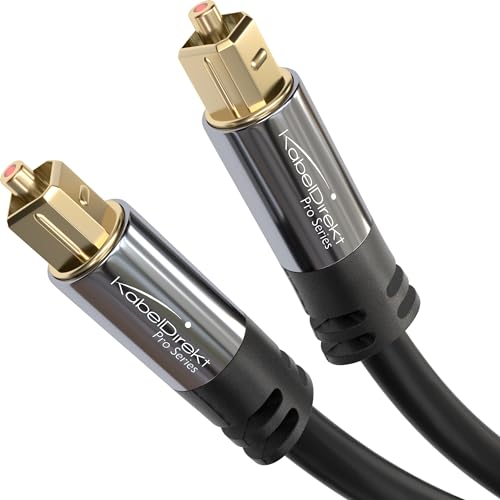
KabelDirekt’s 6 ft TOSLINK optical cable
For the full comparison, see what HDMI ARC carries that optical can’t.
How Do You Pair an LG Soundbar to an LG TV With Bluetooth?
Bluetooth is the other route without HDMI, and LG’s steps start on the bar. To pair an LG soundbar to an LG TV with Bluetooth, press the bar’s Bluetooth pair button, then on a 2022 to 2025 set open Settings > All Settings > Sound > Sound Out > Use Wireless Speaker > Bluetooth Device and pick the bar from the list.
The bar shows BT READY on the S75QR or two blinking white lights on the S60T, S95TR and S20A, and LG gives the pair button a three-minute window. It appears on the TV under its Bluetooth name, such as LG_Speaker_S95TR_XXXX for the S95TR or LG US20A(XX) for the S20A.
On a 2020 set the choice is Bluetooth under Sound Out, with the remote’s DEVICE LIST button showing what you can connect. LG’s guides recommend connecting its own audio devices in their LG TV or LG Sound Sync mode.
The S75QR has an LG TV input for that, and the TV’s speaker menu then offers LG Sound Sync (Wireless), in which the TV remote sets the bar’s volume, per the S75QR and S60T manuals.
Bluetooth has limits LG spells out. Its guides list the codecs as SBC and aptX, and choosing Bluetooth Device moves a Game Optimizer picture mode back to Standard.
LG also warns that distance, obstacles and a microwave oven or wireless LAN can make the sound stutter, and recommends a wired connection if problems continue. If the bar later moves to another brand of TV, the pairing flow on Samsung, Vizio, and TCL TVs follows the same pattern as LG once both devices are in pairing mode.
What Is WOW Orchestra, and Which LG Soundbars Support It?
Bluetooth and optical work with any brand, but LG keeps one extra for an LG TV and an LG bar together. WOW Orchestra is LG’s mode that plays sound through the TV’s speakers and an LG soundbar at the same time, and on 2022 to 2025 sets it sits under Sound Out > Use External Speakers with TV Speaker > HDMI(ARC) Device + TV Speaker.
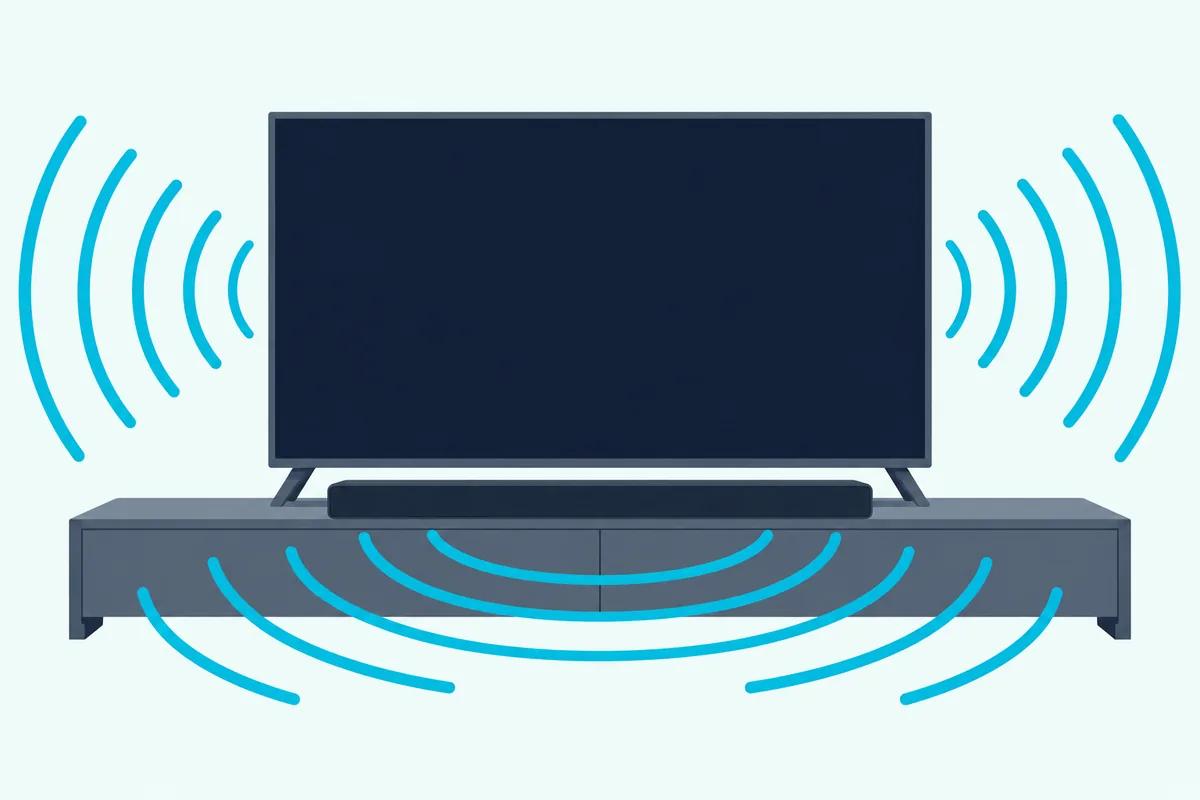
LG’s guides say an LG soundbar on the HDMI (eARC/ARC) port connects to it automatically, and the 2023 to 2025 guides add that setting Sound Out back to Use TV Speaker or Use Wired Speaker turns it off.
Each bar’s manual sets its own conditions. The S60T and S20A run WOW Orchestra over an HDMI cable only, while the SC9S, S75QR and S95TR also run it over LG WOWCAST and ask for eARC to be enabled on the TV.
All five call it available on some LG TV and soundbar models, working to the audio codec the TV supports, as LG’s S95TR manual page on HDMI puts it. On 2025 sets, Settings > All Settings > Sound > Soundbar App opens the bar’s app when a bar that supports it is connected.
If you’re choosing an LG bar for it, both listings below show WOW Orchestra with LG’s note that it’s only on select models. Each pick had at least 4.0 stars and 50 reviews on Amazon and was in stock on 8 October 2026, and no prices appear because they change.
LG’s S60T with its wireless subwoofer adds a center channel and keeps an optical input for older TVs.
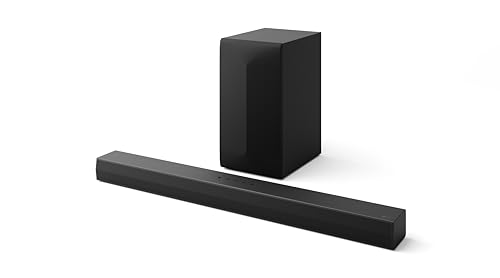
LG’s S60T with its wireless subwoofer
LG’s S20A suits a TV with HDMI ARC and a narrow stand, at 25.6 inches wide.
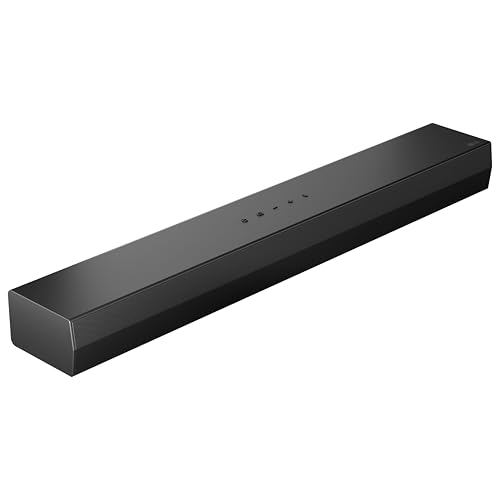
LG’s S20A
If your LG model is the C4 specifically, the OLED-tuned picks line up against its WOW Orchestra and DTS:X passthrough capability. For other sets, the LG-aligned soundbar picks ranked by eARC, Simplink, and WOW Orchestra integration cover the wider range.
Does a Samsung, Sony or Other Soundbar Work With an LG TV?
Everything before WOW Orchestra is plain HDMI, optical or Bluetooth, which is why other brands’ bars connect too. Yes, a Samsung, Sony or other soundbar works with an LG smart TV over HDMI ARC or eARC, optical or Bluetooth, using the same Sound Out choices, and only LG’s extras need an LG bar.
LG’s soundbar manuals list the HDMI-CEC names each TV maker uses, LG SIMPLINK, Sony BRAVIA Sync, Philips EasyLink and Samsung Anynet+, so a non-LG bar’s menu won’t say SIMPLINK.
LG’s TV guides are cautious here: SIMPLINK works only with devices carrying the SIMPLINK logo, and other products may cause problems in operation. So TV-remote control of a non-LG bar isn’t something LG promises, and WOW Orchestra, TV Sound Mode Share and LG Sound Sync appear in its guides only for LG bars that support them.
With a Samsung bar, our steps for how to connect a Samsung soundbar to an LG TV add the bar’s own side, from the TV ARC message on its display to Samsung’s infrared fallback when the LG remote won’t run the volume.
For a non-LG bar, the brand-neutral ARC enable sequence (port label, HDMI-CEC under any vendor name, Sound Out set to the external device) works as a clean checklist. The reverse also holds: on Samsung, Sony, TCL, or Vizio TVs, the same ARC-first, optical-fallback order applies — only the Sound Out menu labels change.
If it’s the bar that’s LG and the TV that isn’t, an LG soundbar on a Samsung TV has its own walkthrough.
Why Is My LG Soundbar Not Working With My LG TV?
When none of that produces sound, LG’s troubleshooting tables come before any reset. When an LG soundbar isn’t working with an LG TV, LG’s manuals point first to the bar’s volume, mute and input, then the TV’s Sound Out setting.
If those checks pass and the bar still won’t behave, reset an LG soundbar with the button its manual names, then rejoin its app if it’s a Wi-Fi bar.
| Check | Where to look | What LG’s documents say |
|---|---|---|
| Input | The bar’s Function button | Select the function that matches the connected device |
| Mute | Every light blinking orange | Press Mute to unmute |
| Sound Out | TV: Settings > All Settings > Sound > Sound Out | Pick HDMI(ARC) Device or Optical Out Device, not Use TV Speaker |
| Power | Unplug the bar and the devices connected to it, then plug them back in | The S60T manual’s first general fix |
Two details from earlier explain odd cases: ARC wins over optical, and turning SIMPLINK off resets the TV’s output.
If every connection fails, swap the bar onto a known-good audio source — a phone over Bluetooth, a streaming stick over HDMI, or any TV that is not the LG before assuming the LG settings are the problem. If the bar behaves strangely after settings changes, restart the soundbar before trying a factory reset.
A red light on the wireless subwoofer means it isn’t connected to the bar, per the S60T manual, and the steps to pair an LG soundbar to its subwoofer cover that. If the link works but the bar still cuts out, changes volume or turns itself off, the LG soundbar fixes by symptom are the next page.
The Bottom Line
Whatever the year, an LG soundbar plays the TV’s sound when three things agree: the cable is in the TV’s ARC port, the bar is on its Optical/ARC input, and Sound Out points at the bar. After that, eARC Support, Digital Sound Output and WOW Orchestra are refinements.
For the wider map of connection and setup pages, the soundbar hub is the broader cluster starting point.
Frequently Asked Questions
Which HDMI port on an LG TV is the ARC port?
LG’s 2022 to 2025 guides call it the HDMI (eARC/ARC) port, and an external audio device connects there. LG’s 2020 guide calls it HDMI (ARC), and on the bar the matching port is named HDMI OUT (TV eARC/ARC) on the S75QR and HDMI TV (ARC) on the S60T and S20A.
Can the LG TV remote control an LG soundbar’s volume?
Yes. Over HDMI, SIMPLINK gives the TV remote power, volume and mute, per LG’s soundbar manuals. Over optical, turn on LG Sound Sync under Sound > Advanced Settings, and over Bluetooth, use the LG Sound Sync (Wireless) mode on bars such as the S75QR and S60T.
Should LG Digital Sound Output be PCM, Auto or Pass Through?
Auto or Pass Through lets Dolby Digital Plus and Atmos reach an ARC bar, and TrueHD and DTS:X reach an eARC bar, per LG’s format table, while PCM sends every source as PCM. LG’s S60T manual suggests moving from PCM to Auto or Bitstream if the bar sounds quiet.
Does an LG soundbar turn on and off with the TV?
It can. The Auto Power setting in the S60T, S20A and S95TR manuals turns the bar on or off with the TV or an external device, and LG’s TV guides say an LG Sound Sync bar with auto-power on follows the TV over optical.
How do you connect an LG soundbar to a TV wirelessly?
Press the bar’s Bluetooth pair button, then choose Bluetooth Device under Sound Out > Use Wireless Speaker on a 2022 to 2025 LG TV. Some LG bars also offer LG Sound Sync (Wireless), and LG’s 2023 to 2025 guides list LG WOWCAST Device for bars that support it.