How to Connect a Soundbar to a Toshiba TV, Model by Model
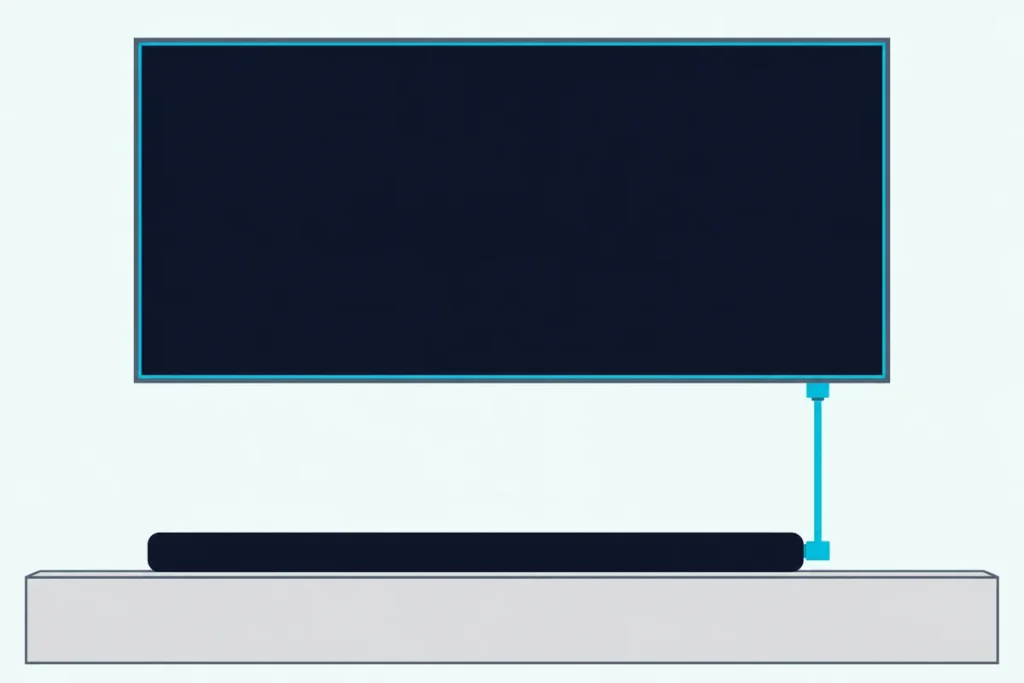
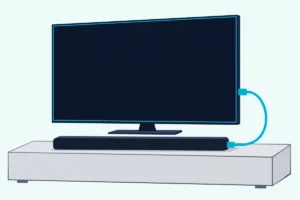
Here’s how to connect a soundbar to a Toshiba TV: run one HDMI cable from the TV’s port marked ARC or eARC to the bar’s matching socket, then turn on HDMI-CEC in the TV’s menu.
That port doesn’t stay put: Toshiba’s documents place it on HDMI 1, HDMI 2 or HDMI 3 depending on the set, and its manuals say ARC works only through that one input.
Get the port and the switch right, and the TV’s remote runs the bar’s volume while the TV’s own speakers go quiet.
Below are the ports by model, the menus for Fire TV, Android TV, Smart TV and older sets, and the format to try for a silent bar.
After that come the optical, headphone and Bluetooth routes, six bar brands, Toshiba’s own bars, and the fixes for silence, a dead volume key, lip sync and Atmos.
How to Connect a Soundbar to a Toshiba TV
That ARC or eARC port is where Toshiba’s instructions start. Toshiba’s Android TV operating instructions tell you to connect the audio system to the HDMI2 input to enable ARC, and say the TV then mutes its other audio outputs and directs the remote’s volume buttons to the connected device.
Here’s the full order to hook it up, drawn from Toshiba’s manuals and the Fire TV pages:
- With the TV and the bar both off, connect the TV’s ARC or eARC port to the bar’s ARC socket, as Toshiba’s manuals ask for any connection.
- Turn on HDMI-CEC, which Toshiba’s manuals call HDMI control, CEC or Enable HDMI CEC, and Fire TV menus call HDMI CEC Device Control.
- Send the sound out with the switch named for your system below: eARC on Android TV, Sound Output on Smart TV, TV Speakers on Fire TV.
- Switch both on, select the bar’s ARC or HDMI input, and play something with sound.
Amazon’s HDMI ARC and CEC page warns that these steps may vary from model to model or change when the TV’s software is updated.
The steps come from the makers’ manuals and support pages. For a TV from another maker, hooking a soundbar up to any other TV lays out each brand’s menu.
Which HDMI Port on a Toshiba TV Has ARC or eARC?
Those steps lean on one port, and Toshiba’s documents give it a different number by region and year. Its US quick setup guides write the jack as “HDMI 1 (ARC)” or “HDMI 1 (eARC/ARC),” so check the label beside each jack first, then find your set in this table.
| Toshiba TV | System | Port with ARC or eARC | Other audio outs |
|---|---|---|---|
| C350N series (US) | Fire TV | HDMI 3, eARC | Digital audio, earphone or audio out |
| 43LF621U21, 50LF621U21, 55LF621U21 (US) | Fire TV | HDMI 1, eARC/ARC | Optical, analog audio |
| 32LF221U19, 43LF421U19, 49LF421U19 (US) | Fire TV | HDMI 1, ARC | Optical, analog audio |
| 55UA3D63DB, 65QA5D63DB (UK) | Android TV | HDMI 2, eARC | Optical, headphone |
| 55UA2B63DB (UK) | Android TV | HDMI 2, ARC | Headphone |
| UL2B, UL3B, UL30 series (UK) | Smart TV | HDMI 2, ARC | S/PDIF optical, headphone |
| L28, L38, D28, D38, W28, W38 series (UK) | Smart TV | HDMI 2, ARC | Optical, headphone |
| 55QV3F63DB (UK) | VIDAA | HDMI 2, eARC | Optical, headphone |
| L4200U, L5200U series (US) | Toshiba’s own | No ARC in its guide | Digital Audio Out |
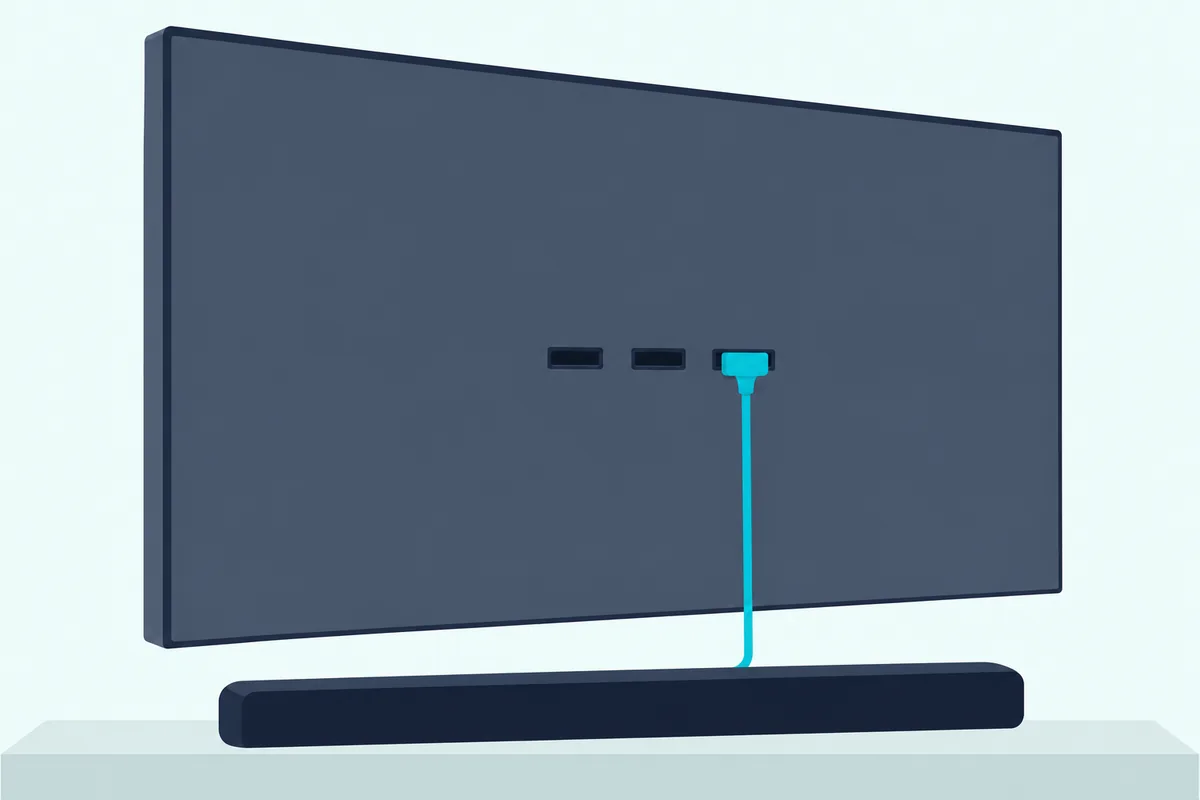
So a bar moved from an older Fire TV to a C350N needs a new socket: HDMI 1 on the first, HDMI 3 on the second, according to Toshiba’s C350N spec sheet. A European set isn’t always HDMI 2 either, since Toshiba’s older MB120 manual puts ARC on HDMI3.
The model number is on the back of the TV, Toshiba’s US FAQ says, and on the front cover of the user’s manual and quick start guide. On a newer US set such as the Z670R or G700S Fire TV, trust the label on the set.
Which System Does Your Toshiba TV Run?
That table splits Toshiba’s range by system, and the system decides your menu names. Toshiba’s US site lists Fire TV sets, while its UK site sorts its range into Android TV, Smart TV and VIDAA models.
The remote and the menus give it away. Toshiba’s Fire TV quick setup guides list a Voice Remote with Alexa, an Android TV’s paths run through Device Preferences, and a Smart TV’s sound settings sit under Settings > Sound.
An older US LED set like the 40L5200U opens from the remote’s MENU button into Toshiba’s own menus.
For a VIDAA set, Toshiba’s 55QV3F63DB page lists eARC through HDMI2 and HDMI CEC. Amazon’s page gives one Toshiba route that names no model, so try it on a VIDAA set or any Toshiba whose remote has a Menu button:
- Press Menu, then open Settings > System > HDMI & CEC Functions and set CEC Control to On.
- Open Settings > System > Sounds > Speakers and set Audio output to ARC.
What Do You Set on a Toshiba Fire TV?
That Voice Remote means Amazon’s menus rather than Toshiba’s. Amazon’s Fire TV Smart TV audio settings page puts the controls you need under Settings > Display & Sounds, with TV Speakers and Digital Audio Format among the audio output options.
Nakamichi, a soundbar maker, has a setting page for Toshiba Fire TVs that gives this order for a bar on HDMI ARC, and its Insignia Fire TV page adds the CEC step:
- Connect the TV’s HDMI ARC port to the bar’s ARC or eARC input.
- Open Settings > Display & Sounds > Audio Output > Digital Audio Format and pick a format.
- In the same Audio Output menu, set TV Speakers to Off.
- Turn on HDMI CEC Device Control, under Settings > Display & Sounds > External Inputs.
Nakamichi picks Dolby Digital for its own bars on a Toshiba Fire TV and Auto on an Insignia, so treat the format as a starting point. Its Fire TV 4K page puts the same CEC switch straight under Display & Sounds, so check there if External Inputs isn’t on your screen.
Where Are the Settings on a Toshiba Android TV?
Those Fire TV switches have direct counterparts on Toshiba’s Android sets, under different names. They sit under Settings > Device Preferences on the Home Screen, or TV options > Settings > Device Preferences in Live TV mode, and there are three to set:
- In Inputs, scroll to Consumer Electronic Control (CEC) and switch HDMI control on.
- In Sound, set eARC to Auto, which also activates plain ARC.
- Still in Sound, set Digital Output to the format your bar takes.
The manual says the TV tries eARC first and starts ARC by itself if the bar supports only ARC. When eARC is active, the TV mutes its other outputs, and an “eARC” indicator can appear on the connected device’s on-screen display.
If the eARC item isn’t in the menu, your model doesn’t support it, and connecting the audio system to HDMI2 is what enables ARC.
How Does a Toshiba Smart TV Send Sound to the Bar?
That eARC switch becomes a plain list on Toshiba’s Smart TV sets. Toshiba’s Smart TV operating instructions for the UL2B, UL3B and UL30 series use Settings > Sound > Sound Output, with TV, S/PDIF, HDMI ARC, Headphone Only and Lineout as the choices.
Pick HDMI ARC. The manual says that switches CEC on if it’s off, mutes the TV’s speakers and sends the remote’s volume buttons to the bar, as long as the bar supports System Audio Control.
The other choices matter too, because the manual says there’s no sound output except through the selected option and the headphone jack. CEC itself lives at Settings > System > Device Settings.
Older Smart sets behave differently. Toshiba’s manual for the L28, L38, D28, W28, D38 and W38 series says the TV doesn’t mute its other outputs when ARC is active, so you turn the TV’s volume down to zero by hand.
Where Is Regza Link on an Older Toshiba?
That by-hand mute is only the start on older sets, because some have no ARC at all. Amazon’s list calls Toshiba’s CEC CE-Link or Regza Link, while Toshiba’s user’s guide for the L4200U and L5200U series uses Setup > HDMI CEC Setup > Enable HDMI CEC.
That guide names no ARC, and its audio route is the DIGITAL AUDIO OUT terminal, so a bar on those sets goes on optical. Its Speaker Preference item, in the same CEC menu, sets the output to Audio Receiver and lets the TV remote adjust or mute the volume, but it stays grayed out unless a CEC-compatible audio receiver is connected.
Should the TV Send PCM, Dolby Digital or Auto?
Those menus all end at the same choice, the audio format, and it’s the setting to change when a connected bar stays silent. Start on Auto, which picks a format for the connected device on a Fire TV, and try PCM if the bar is still quiet.
| Toshiba system | Menu name | Choices |
|---|---|---|
| Fire TV | Digital Audio Format | PCM, Dolby Digital, Passthrough, Auto |
| Android TV | Digital Output | Auto, Bypass, PCM, Dolby Digital Plus, Dolby Digital |
| Smart TV | Digital Out | Sets the digital out audio type |
| L4200U, L5200U series | Digital Output Format | Dolby Digital, PCM |
Think of the setting as who does the decoding. Amazon says PCM passes uncompressed audio, Dolby Digital passes Dolby Digital audio and Passthrough leaves the source’s format unchanged, so the bar decodes those last two.
Other makers lean both ways, so your bar’s manual breaks the tie. Vizio’s M51a-H6 manual tries PCM on the digital input, and Samsung’s HW-Q990D manual recommends Dolby Digital over PCM for sound quality when a broadcast is in that format.
Toshiba’s L5200U guide adds a warning for old gear: some audio systems may not be compatible with Dolby Digital bitstream signals, and a high noise level may damage speakers. How PCM and bitstream differ goes through the trade-off.
Do You Need to Buy a Cable?
That format test assumes the right cable is already in, and a new Toshiba TV won’t bring one. Toshiba’s UK support page puts it plainly: “Our TVs do not come with an HDMI cable.”
Some bars include theirs and some don’t. Bose’s Smart Soundbar box holds both cables, JBL’s Bar 1000MK2 supplies HDMI only, and Samsung’s HW-Q990D marks its HDMI cable as not supplied.
For eARC, Toshiba’s Android TV manual asks for an HDMI cable with eARC support, naming HDMI High Speed Cables with Ethernet and Ultra High Speed cables. If you’re buying one, Zeskit’s 6 ft Maya cable is listed as compatible with soundbar eARC.
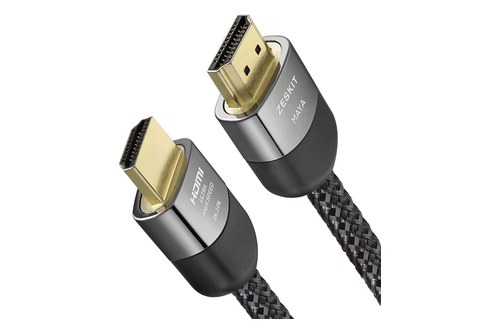
Zeskit’s 6 ft Maya cable
For the optical route below, Toshiba’s L5200U guide asks for the larger TosLink connector, not the smaller mini-optical one. Cable Matters’ 6 ft Toslink cable has that plug at both ends in its photo. Both cables met Burton Acoustix’s rating, review and stock checks on 4 November 2026.
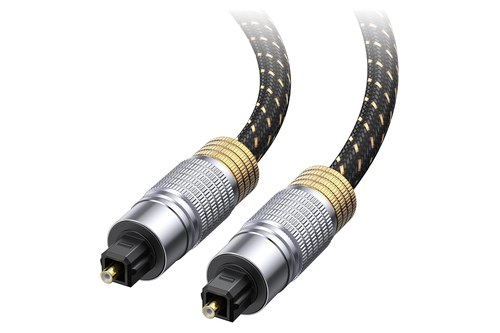
Cable Matters’ 6 ft Toslink cable
What If Your Toshiba TV or Soundbar Has No ARC?
That optical cable is Toshiba’s own fallback. Connect the TV’s optical output to the bar’s optical input, as its US quick setup guides show under “Using digital audio,” and its UK support page names coaxial as another route.
On the TV’s side, you then send the sound out, with the format from the table above:
| Toshiba system | Send the sound out |
|---|---|
| Fire TV | Display & Sounds > Audio Output > TV Speakers > Off |
| Android TV | SPDIF (Optical Out) socket on the back |
| Smart TV | Settings > Sound > Sound Output > S/PDIF |
| L4200U, L5200U series | DIGITAL AUDIO OUT terminal, format under Sound > Audio Setup |
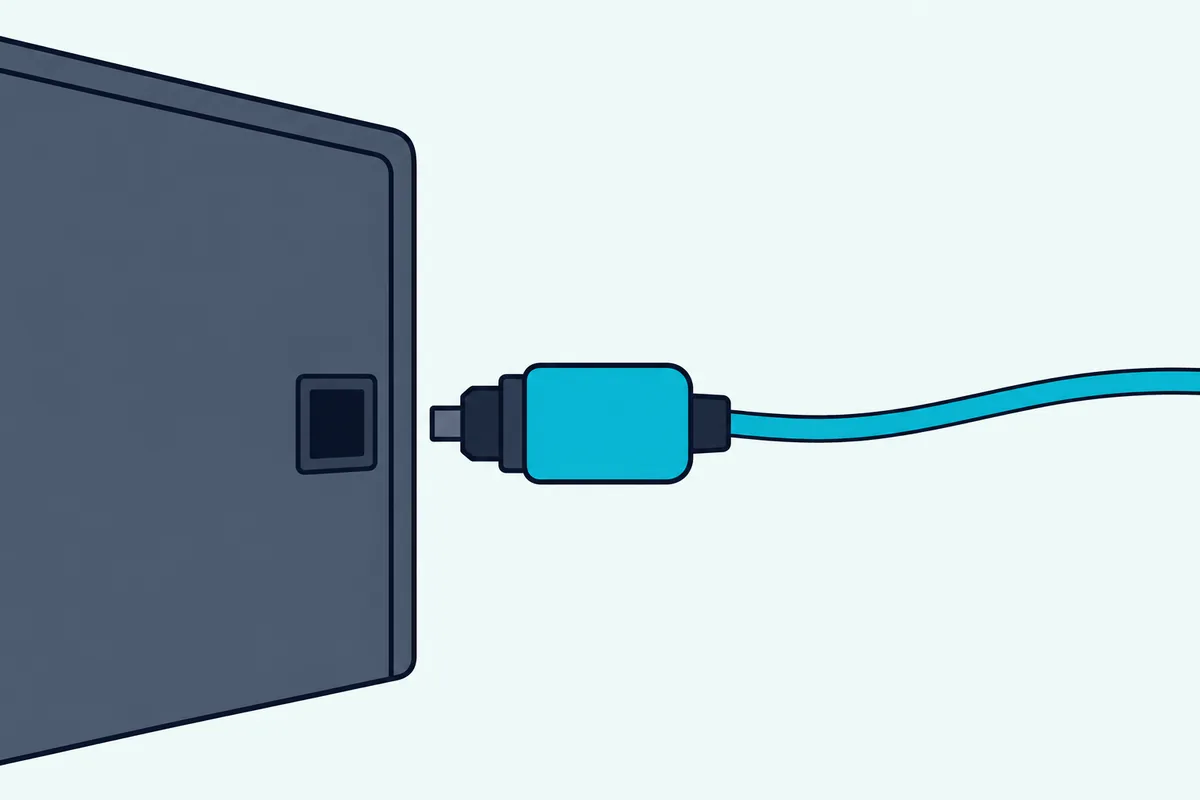
Optical gives up the one-remote convenience. Toshiba’s Android TV manual says devices must be connected by HDMI for CEC, so you’ll likely need the bar’s own remote or a learned TV remote for volume.
The aux cable route comes last. Toshiba’s UK support page says all its TVs have a 3.5 mm headphone jack, and its US quick setup guides show “Using analog audio” to reach a bar’s audio input.
Set the jack up before you trust it. Amazon’s Fire TV page offers Fixed, where only the bar sets the volume, or Variable, where the Fire TV remote can too, and Toshiba’s Smart TV manual calls it Lineout, warning that the socket then runs at maximum, which could damage your hearing with headphones.
Can a Soundbar Connect to a Toshiba TV by Bluetooth?
That leaves the one wireless route, and Toshiba’s systems differ on it. Its Smart TV manuals are the plain yes, with a Bluetooth item in the Sound menu for wireless sound devices.
- Put the bar in pairing mode, using its own manual.
- Open Settings > Sound > Bluetooth and start the device discovery.
- Select the bar from the list and press OK.
- Wait for the “Device connected” message, and try again if the connection fails.
Toshiba asks you to unplug or switch off any other connected audio device first. Its UK support page adds that only some Toshiba TVs have Bluetooth, and it calls the pairing menu Audio Link, under System > Sound.
Its Android TV manual uses Bluetooth Remotes & Accessories > Add accessory and names headphones without naming soundbars, so try a bar there. On the C350N, the spec sheet lists Bluetooth 5.0 and Amazon’s audio page has a Bluetooth Audio Sync setting.
Toshiba’s L4200U and L5200U guide doesn’t mention Bluetooth at all, so a cable is the route on those. Pairing a TV and soundbar over Bluetooth covers the bar’s side.
Soundbar Steps for Samsung, LG, Vizio, JBL, Bose and Sonos Bars
Those TV menus are half the job, and each bar brand adds a step or a quirk. If yours isn’t here, its own HDMI ARC instructions are the place to start.
Samsung soundbars. The HW-Q990D manual connects its HDMI TO TV (eARC/ARC) socket with both devices off, then shows “TV ARC” or “TV eARC” on the display. Its ALL-TV REMOTE mode names Toshiba among the supported TV brands, set by pushing the WOOFER button up for 5 seconds, but it works with IR remotes only.
LG soundbars. LG’s sound bar guide lists Toshiba among the TV brands whose remotes can run volume and mute, with the TV’s audio output set to External Speaker. LG warns that this function may not work well when the unit and TV are joined by HDMI.
Vizio sound bars. The M51a-H6 manual runs the TV’s ARC port to the bar’s HDMI (eARC) port and sets the TV’s audio to Dolby Digital or Bitstream, noting that steps differ by TV maker. It also wants the TV’s output on Fixed or Standard, not Variable.
JBL soundbars. The Bar 1000MK2 goes into the TV’s HDMI ARC or eARC input, and JBL says full compatibility with all HDMI-CEC devices isn’t guaranteed. For a TV without HDMI-CEC, the Cinema SB190’s manual offers TV remote learning for an infrared remote.
Bose soundbars. Bose prefers eARC or ARC on its Smart Soundbar, with optical as the fallback, and says your TV may call CEC by another name. On a Toshiba, look for HDMI control, CEC or HDMI CEC Device Control.
Sonos soundbars. Sonos says the Arc, Arc SL, Arc Ultra and Beam need an HDMI ARC port for CEC control, while the Ray needs a digital optical output. On optical, Sonos has you set up the TV remote by hand in its app.
How Do You Connect a Toshiba Soundbar to a TV?
Those brand notes leave Toshiba’s own bars, which its US site lists as the C210WR 2.1-channel and M510WR 5.1-channel models. You connect one from the TV’s side like any other bar, using the ARC port and the menus above for your set, while the bar’s manual names its sockets.
Toshiba’s overview pages for the two bars describe features rather than sockets. They do pitch the pair together: the C210WR page says one remote commands both your Toshiba TV and the soundbar.
On another brand’s TV, that TV’s own ARC and CEC steps decide what its remote can do.
Why Is There No Sound From the Soundbar?
That leaves the faults, and a silent bar means working back through the steps above. Go down this table in order, since the early checks take seconds and the later ones take minutes.
| Check | What to do | Source |
|---|---|---|
| Port | Use the correct port: the one marked ARC or eARC, HDMI 1, 2 or 3 by model | Toshiba’s manuals |
| CEC | HDMI control, CEC or HDMI CEC Device Control on | Toshiba’s manuals, Nakamichi |
| Output | eARC on Auto, Sound Output on HDMI ARC, or TV Speakers on Off | Toshiba’s manuals, Amazon |
| Format | Switch to PCM, then back to Auto | Amazon, Vizio |
| Mute | Check the volume isn’t muted or set to zero | Toshiba’s Android TV manual |
| Wiring | Check the TV’s audio output goes to the audio input on the bar | Toshiba’s Android TV manual |
| Refresh | Unplug the bar’s power cord, wait 2 minutes, plug it back in | Nakamichi |
| Old link | If the TV was connected to another sound system, try a full reset of the TV | Nakamichi |
Save that last row until the others have failed. If none of this works, the no-sound fixes beyond the TV’s menus go further.
Why Won’t the Toshiba Remote Change the Bar’s Volume?
That table’s CEC row is usually the answer here too. Toshiba’s Android TV manual says the remote’s volume buttons go to the connected audio device once eARC or ARC is active, and its Smart TV manual adds that the bar has to support System Audio Control.
The fix on older sets is a setting or a source. Toshiba’s L28 and L38 manual says to select the connected device from the source list to change its volume, and the L5200U guide wants Speaker Preference on Audio Receiver.
On a Fire TV, Amazon’s route is Settings > Equipment Control > Manage Equipment > Add Equipment, then the on-screen steps for the bar. The Fire TV remote’s equipment control steps go through it in more detail.
Toshiba’s Android TV manual also says CEC might not work with all devices, so a bar may never respond. The IR routes from the brand section (Samsung’s ALL-TV REMOTE, LG’s TV remote function, JBL’s learning mode) are the fallback, as long as your Toshiba remote sends infrared.
How Do You Fix Lip Sync on a Toshiba TV?
That remote can’t fix timing, but the TV’s menus sometimes can, depending on the system. Toshiba’s Android TV manual lists Digital Output Delay for that output and Speakers Delay for the TV’s speakers, both in the Sound menu.
Amazon’s Fire TV audio page lists Bluetooth Audio Sync for a Bluetooth audio device, and Toshiba’s UL2B manual gives no delay setting in its Sound menu. On those, the bar’s own menu is the place to look.
Toshiba’s L5200U guide takes the same line for an A/V receiver with a programmable audio delay, and says to tell your provider if the problem occurs only on certain channels.
Does Dolby Atmos Reach the Bar Over eARC?
That lag isn’t the only reason to care about the link, because Atmos leans on it too. Atmos can reach the bar over eARC, though Toshiba’s Android TV manual describes what eARC adds without naming it: much higher bandwidth than ARC, so the audio signal doesn’t have to be compressed.
The bar and the cable both have to keep up, since the manual says the connected device should also support eARC and that some HDMI cables lack the bandwidth. Toshiba’s C350N spec sheet lists Dolby Atmos and eARC, and its M510WR page describes a bar with Dolby Atmos and DTS:X.
Sonos says its Atmos bars need ARC or eARC to play Atmos, and Bose asks you to check that the TV’s advanced audio settings let Atmos pass through to the bar. On a Fire TV, Amazon says the TV defaults to 5.1-channel output and that Passthrough supports a maximum of 7.1 channels.
For the best chance, use the eARC port, set the format to Auto, Bypass or Passthrough, and use a cable rated for eARC. The bar’s own display or app is the test.
Frequently Asked Questions
How do you enable HDMI ARC on a Toshiba TV?
It depends on the system, but the port comes first. On an Android TV, connect the bar to HDMI 2 and set eARC to Auto under Settings > Device Preferences > Sound. On a Smart TV, set Sound Output to HDMI ARC under Settings > Sound, which turns CEC on as well. On a Fire TV, use the jack labeled ARC, set TV Speakers to Off and turn on HDMI CEC Device Control.
Does a Toshiba TV have HDMI ARC?
Yes, on nearly every model in the port table above, though the port number changes from set to set. The L4200U and L5200U series guide names no ARC, so optical is the route there.
Why is a Toshiba TV not recognizing a sound bar?
Start with the port, CEC and the output. Toshiba’s Android TV manual says a device must support HDMI CEC and be connected by HDMI, and that the input is renamed with the device’s name when it’s recognized. If the link is up but silent, try PCM in the audio format setting.
How do you connect a Samsung soundbar to a Toshiba TV?
Connect the bar’s HDMI TO TV (eARC/ARC) socket to the Toshiba’s ARC or eARC port with both off, turn on CEC, and look for “TV ARC” or “TV eARC” on the bar’s display. Samsung’s HW-Q990D manual also names Toshiba among the brands supported by its ALL-TV REMOTE mode, which works with IR remotes only.
How do you connect an LG soundbar to a Toshiba TV?
Use the same ARC or eARC port, turn on CEC on the Toshiba, and set the TV’s output to the external speaker or bar. LG’s sound bar guide lists Toshiba among the brands whose remotes can run its volume and mute, though it warns that this may not work well over HDMI.
How do you connect a Vizio soundbar to a Toshiba TV?
Run an HDMI cable from the Toshiba’s ARC or eARC port to the bar’s HDMI (eARC) socket, turn on CEC on the TV, and select that input on the bar. Vizio’s M51a-H6 manual sets the TV’s audio to Dolby Digital or Bitstream, and tries PCM if the bar’s optical input is silent. Its Program Remote setting can also learn your Toshiba remote’s volume keys.
How do you connect a Toshiba sound bar by Bluetooth?
Put the bar in pairing mode using its manual, then start the search from the TV. On a Toshiba Smart TV, that’s Settings > Sound > Bluetooth, and Toshiba asks you to unplug or switch off any other connected audio device first. Not every Toshiba TV has Bluetooth, so check your model’s specification first.
Can you connect a soundbar to a Toshiba TV without HDMI?
Yes. Use the optical output, the 3.5 mm jack, or Bluetooth on the sets that support it. Toshiba’s US quick setup guides show both an optical and an analog route to a soundbar, and its L5200U guide asks for a full-size TosLink plug on the optical cable.