How to Pair a Philips Soundbar With a Roku TV, Step by Step
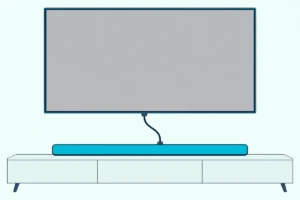
Here’s how to pair a Philips soundbar with a Roku TV: run one HDMI cable from the bar to the TV’s HDMI ARC port and switch both on, and the TV starts its own on-screen setup for a Roku TV Ready model.

Use any other HDMI port and Roku says the bar and the TV can’t talk to each other, so you get a wrong-port warning or no sound at all.
Get that port right and the Roku remote can run the bar’s volume and mute, while a certified bar’s sound modes appear on screen.
Below are the Philips models Philips calls Roku TV Ready, the Roku TV menus that send the sound out, and the optical route when ARC can’t work.
Then come the subwoofer, Bluetooth, a Philips-brand Roku TV, and the checks Roku and Philips give when the bar stays silent.
How to Pair a Philips Soundbar With a Roku TV
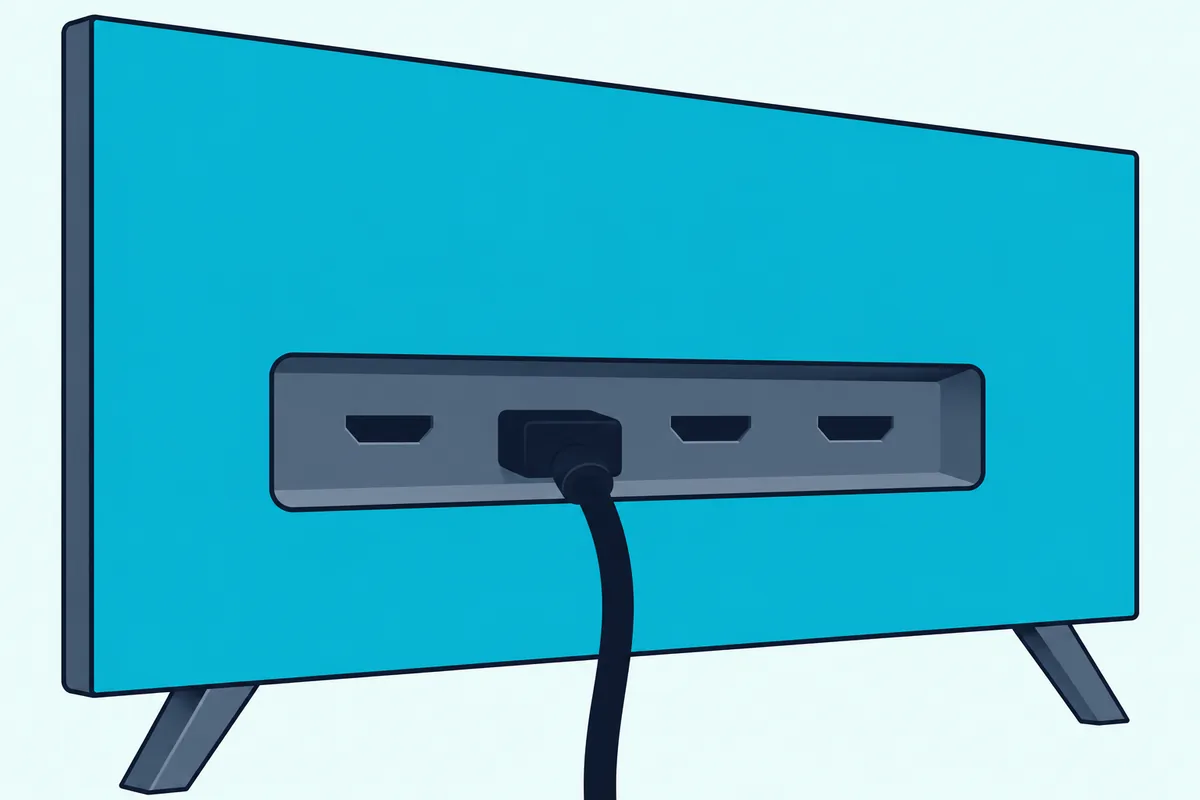
That ARC port does the pairing, since Roku says it’s the only HDMI port that lets a soundbar and a Roku TV communicate back and forth. Philips’s manuals use the same single cable:
- Find the port labeled HDMI ARC or ARC (HDMI eARC on some Roku TVs), and move any device already in it to another port.
- Connect the bar’s HDMI out (ARC) socket to it with a High Speed HDMI cable, version 1.4 or above per Philips’s ARC article.
- Plug in the power cords last, since Philips’s manuals ask for every connection to be made with the power disconnected.
- Switch both on and follow the setup the Roku TV starts when it detects a Roku TV Ready bar.
Any Roku wireless speakers have to go first, because Roku says they work only with Roku-branded products. Remove them under Settings > Remotes & devices > Audio devices & Speakers > About > Forget device, then unplug them.
Check the box for a cable, too: Philips’s US pages list an HDMI cable in the box only for the TAB6200 and TAB7568.
If you need one, Highwings’ 6.6 ft Certified Ultra High Speed HDMI cable is a type Roku’s surround guide names for both ARC and eARC.
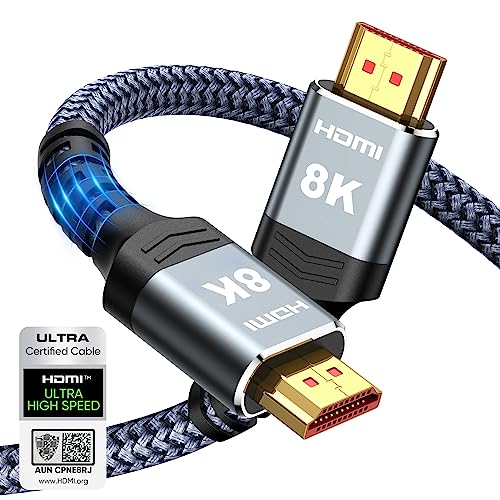
Highwings’ 6.6 ft Certified Ultra High Speed HDMI cable
Which Philips Soundbars Are Roku TV Ready?
That automatic setup needs a certified bar, and Roku’s Roku TV Ready guide says to look for the logo on the box, in the manual or on the maker’s product page. Philips’s US product pages list Roku TV Ready on the TAB4000, TAB4500, TAB5106, TAB5109, TAB5306, TAB5309, TAB6200 and TAB7568, but not on the TAB4208.
Philips adds a region note: the TAB5106, TAB5306 and TAB7568 are Roku TV Ready-supported in the United States, Canada and Mexico, and the other five in the United Kingdom and Brazil too.
A TAB4208 still pairs over HDMI ARC, and its page promises volume from the TV remote, but Roku describes the automatic setup and on-screen sound modes for certified bars. Set it up by hand in the next section, or compare Roku TV Ready picks from other brands.
Still choosing? The Philips B5306 2.1 Channel Soundbar with Wireless Subwoofer is the TAB5306 under its Amazon name, and Philips’s TAB5306 leaflet lists HDMI ARC, optical, a 3.5 mm audio-in and Bluetooth 4.2.
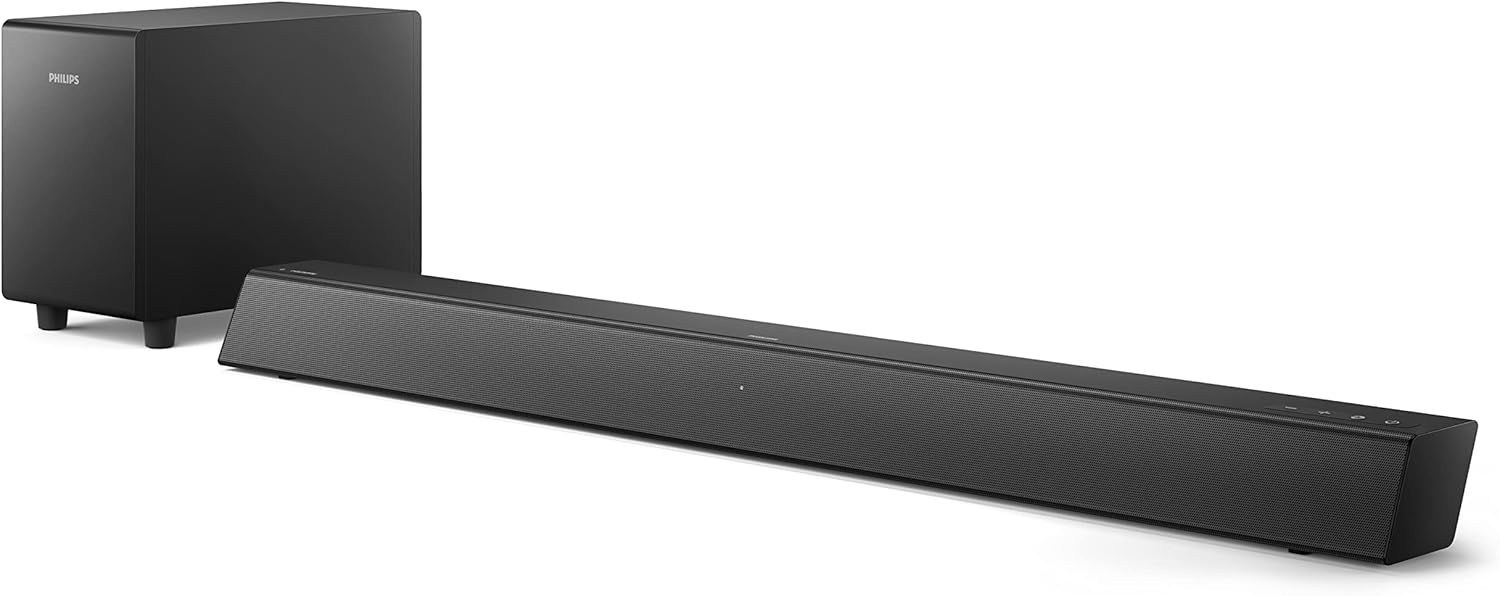
Philips B5306 2.1 Channel Soundbar with Wireless Subwoofer
Which Roku TV Settings Send the Sound to a Philips Soundbar?
That hand setup starts with HDMI-CEC, the link Roku says lets its remote run the bar. Open Settings > System > Control other devices (CEC) and check ARC (or eARC), System audio control and 1-touch play.
Roku’s HDMI-CEC guide sets eARC under Settings > Audio > Audio Output on models that have it, and that menu’s ARC or Optical choice turns the TV speakers off.
With CEC on, Roku says its remote changes the bar’s volume and mutes it, with the level and mute status shown on screen. CEC runs over the same HDMI cable that carries the TV’s sound, so the remote’s commands reach the bar on it.
What Audio Format Should a Roku TV Send a Philips Soundbar?
Once that link is up, the format menu decides what travels over it. Leave Settings > System > Audio > S/PDIF and ARC on Auto detect, Roku’s default, unless the bar’s light flashes with no sound.
That flashing light is Philips’s sign of a format the bar can’t play: the TAB4208 manual says to turn on PCM output on the TV, and the TAB7568 manual adds Dolby Digital or DTS. Roku’s matching fix is a specific format, for a bar that Auto detect misreads when you know what it supports.
For four Philips bars that’s simple, because the TAB4000, TAB4500, TAB5106 and TAB5306 pages list only LPCM 2ch over HDMI ARC, the uncompressed stereo kind in PCM and bitstream explained. The TAB5109 and TAB5309 add Dolby Digital, Dolby Digital Plus and DTS, and the TAB6200’s eARC port adds Dolby Atmos and TrueHD, whose full-resolution versions Roku says need eARC on both ends.
How Do You Connect a Philips Soundbar to a Roku TV With an Optical Cable?
When the ARC port can’t be used, optical is the fallback, and Roku’s surround sound guide says every Roku TV has a digital audio output for it. It’s usually labeled Digital audio out or Digital output and takes an optical cable, also called TOSLINK.
Philips’s manuals run it from the bar’s Optical connector to the TV’s Optical out, which may be labeled SPDIF. Pull the cap off each plug first, since Roku warns a cap left on can cause a faulty connection or damage the port.
Then pick optical on the bar, with the TAB4208 remote’s Optical button or the Source button Philips’s support articles use on other models. Optical gives up two things: Roku lists remote volume and mute among HDMI ARC’s benefits over it, and it stops at 2-channel PCM or 5.1 Dolby Digital or DTS.
The TAB4000 and TAB4500 list no optical input or 3.5 mm audio-in, so HDMI ARC is their only wired route to a Roku TV.
What Can the Roku Remote Do With a Philips Soundbar?
That volume control is what ARC and the badge add. Over HDMI ARC with CEC on, the Roku remote changes the bar’s volume and mutes it, and a Roku TV Ready bar adds its sound modes to the TV’s menus.
Press Star, move to Sound settings (Volume modes on some Roku TVs), press OK and pick a mode, and Roku says the soundbar changes a moment later. On a TV Ready bar, the on-screen volume level also matches the bar’s actual volume.

If a Philips mode is missing, Roku points to out-of-date software on the TV or the bar. For a streaming stick’s remote, voice volume and other Roku remotes, how each Roku remote handles soundbar volume goes remote by remote.
How Do You Pair the Philips Subwoofer?
That menu leaves the subwoofer out, because Roku says a subwoofer bundled with a Roku TV Ready soundbar connects to the soundbar, not the TV. So it pairs through Philips’s steps, and the TAB7568 manual shows how: it pairs by itself when both units are plugged in and the bar is switched on.
Its light shows the result:
| Subwoofer light | Meaning |
|---|---|
| Fast blink | Pairing mode |
| Solid | Connected |
| Slow blink | Pairing failed |
With no bass, pair it by hand: unplug both for 3 minutes, plug them back in, hold Pair on the subwoofer’s back for 3 seconds until the light blinks fast, then switch the bar on. The manual also asks for the subwoofer within 6 m (19.7 ft) of the bar with nothing in between.

On a TAB4500, TAB5306, TAB5309 or TAB6200, which also list a wireless subwoofer, Roku’s advice is the same: follow that model’s manual. Roku adds a limit: its Wireless Bass and Wireless Bass Pro can’t connect while a Roku TV Ready bar is in place.
Does a Philips Roku TV Pair Differently?
Those steps cover a Philips bar, but the Philips name may be on the TV instead. A wired bar pairs the same way on a Philips-brand Roku TV, through the ARC port and the CEC menu, since Roku makes Roku TV models with partner brands and writes its steps for any Roku TV.
Those sets carry the maker’s name on the front and a Roku TV logo in the corner, and Settings > System > About shows the model and the TV maker’s support contact.
Roku’s own TV Wireless Soundbar pairs wirelessly: plug it in, press and hold Home on the TV remote for 5 seconds and select Wireless soundbar, on Roku OS 10.0 or higher. If pairing stalls, Roku’s fixes include fresh remote batteries, a spot within 30 feet of the TV away from routers, and a 10-second press of the bar’s Reset button if it was paired to another TV.
Why Won’t a Roku TV Pair With a Philips Soundbar?
Whichever bar you have, Roku’s and Philips’s checks lead back to those steps: the HDMI port, CEC, leftover Roku wireless speakers and the audio format.
| What you notice | What to check |
|---|---|
| A wrong-port message | Move the cable to HDMI ARC or eARC (Roku) |
| No sound, light flashing | PCM output, or a specific format under S/PDIF and ARC (Philips, Roku) |
| Roku remote won’t change the volume | ARC, System audio control and 1-touch play in the CEC menu (Roku) |
| TV Ready setup never starts | Forget Roku wireless speakers; use the ARC port (Roku) |
| Echo or distorted sound | Mute the TV, or set Audio output to ARC or Optical (Philips, Roku) |
| Bar switches off after 15 minutes | Raise the TV’s volume, since a weak signal triggers it (Philips) |
| Lips out of step with the sound | The bar’s Audio sync setting, on the TAB5109, TAB5309, TAB6200 and TAB7568 (Philips) |
If CEC still misbehaves, Roku’s reset is to unplug every HDMI device and the TV for about a minute, then plug in the TV, the soundbar and the other sources in that order. Roku also suggests a TV firmware update, and Philips’s ARC article adds the bar’s software.
For a delay the bar’s setting doesn’t cure, Roku’s sync article for its own soundbars says TV settings that convert one audio format to another can introduce a sync error, and its surround guide says Auto passthrough avoids delay from processing in the TV. These steps to fix a soundbar’s audio delay go further.
Frequently Asked Questions
How do I put my Philips soundbar in pairing mode?
A Roku TV doesn’t need it: pairing mode is for Bluetooth from a phone or tablet. Philips’s article for all its soundbars says to press Bluetooth on the remote, or Source until the bar shows Bluetooth, then pick the bar’s name on your device and wait for the voice prompt.
Holding the Bluetooth or Source button, depending on the model, drops every paired device and starts pairing again. Philips asks for Bluetooth 4.2 or newer within 4 meters of the bar.
Can you hook up a Bluetooth speaker to a Roku TV?
Roku’s Bluetooth and Headphone Mode articles give no steps for sending a Roku TV’s sound to a Bluetooth soundbar. Its Bluetooth article covers phones, tablets and computers playing audio into a Roku device.
For wireless TV sound, Roku points to its own wireless speakers and TV Wireless Soundbar, and for private listening to Bluetooth headphones (version 4.2 or later) in Headphone Mode on the Select Series 4K (2025), Plus Series and Pro Series TVs. That’s why a Philips bar goes on the HDMI ARC port.
Do you still need the Philips remote after pairing?
Mostly for its own buttons. For a Roku TV Ready bar, Roku says the soundbar’s remote can change the sound mode or volume at any time, with changes shown in the Roku TV’s sound menu, though its power and input buttons control only the soundbar.
Over optical it’s also the volume control, since Roku counts Roku-remote volume and mute among HDMI ARC’s benefits.
The descriptions come from the makers’ manuals and spec pages.