If you’re asking what is a DJ mixer, Pioneer DJ’s beginner guide gives the short answer: it’s the unit that lets two or more decks play so the audience can hear them all at once.
Products in this guide
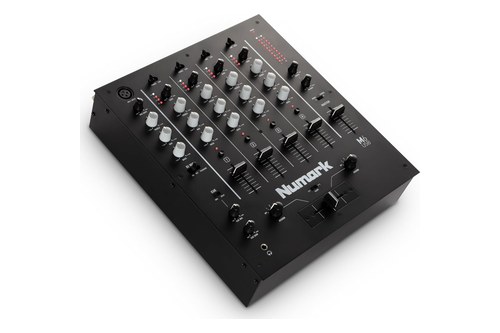
- Four channels, each with gain, three-band EQ and LED metering
- USB connection plays and records with a Mac or PC
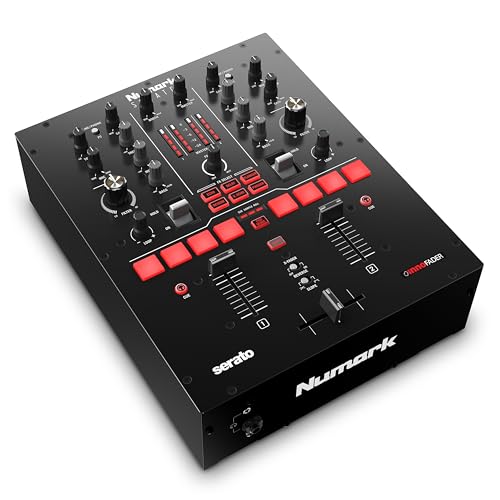
- Innofader crossfader with slope and reverse switches
- Comes with Serato DJ Pro and is Serato DVS ready
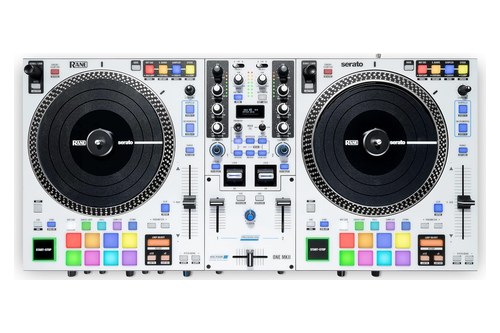
- Deck Source switch picks USB A, USB B or Line
- Rear Line/Phono selectors add the amplification turntables need
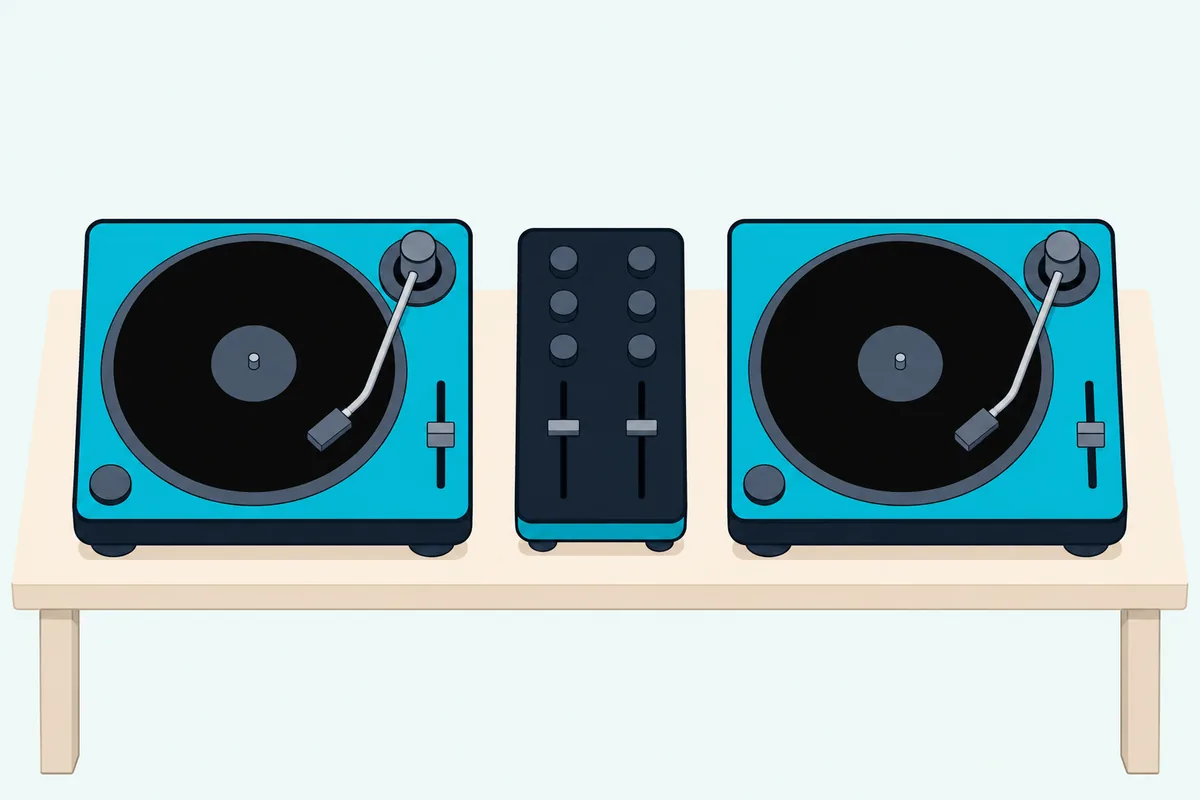
The catch is that one word covers three things, a standalone box, a section of a DJ controller and a panel inside DJ software, and each one connects differently.
Learn to read one channel strip and you can read them all, because each control keeps its job even when one maker prints TRIM and another prints Gain.
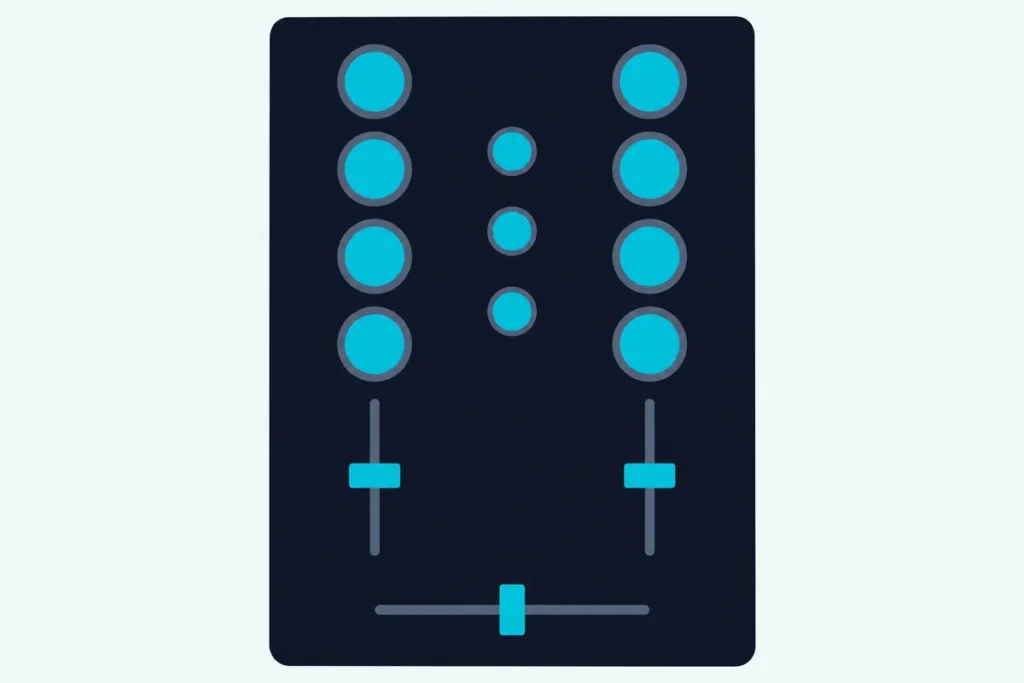
The strip comes first, control by control, with the names from Pioneer DJ’s, Numark’s and Rane’s manuals, and then the sockets on the back.
After that you’ll see how two-channel and four-channel mixers differ, where a controller and DJ software fit, and who needs a standalone mixer at all.
What Is a DJ Mixer?
That short answer leaves out the hardware itself. A DJ mixer is an audio device with two or more channels, each taking one source such as a turntable, a media player or a laptop, and it blends them into one output for your speakers while you listen ahead in headphones.
Pioneer DJ’s total beginner’s guide to DJ gear places the mixer in a chain of four parts. Decks play the music, the mixer joins them, monitor speakers let you hear what the audience hears, and headphones let you cue the next track without playing it through the speakers.
A mixer makes no sound of its own, which is the easiest way to picture it. Numark’s M2 quick start lists turntables and CD players as the input sources on one side and amplifiers, speakers or other output devices on the other, with the mixer between them.
Think of a road junction: every source arrives on its own road, and the faders decide which roads reach the room. The rest of this page is a tour of that junction.
What Does a DJ Mixer Do?
That junction handles four jobs at once. A DJ mixer sets the level of each source, shapes its tone, blends the sources into one master output, and sends a separate signal to your headphones so you can line up the next track first.
The basic steps in Pioneer DJ’s DJM-250MK2 manual run in that order. You pick the input on each channel, turn the TRIM control, raise the channel fader, set the crossfader and turn the MASTER LEVEL control.
Headphones run on their own path. Press a channel’s CUE button and that channel reaches your headphones, while the HEADPHONES MIXING control balances it against the master sound.
Picture one record playing to the room on channel 1 while a second record plays on channel 2 in your headphones alone. When it’s ready, the faders bring it in, and our walkthrough on how DJ mixing works on a two-channel mixer sets every step in order.
None of this needs a computer on a mixer like the M2, whose quick start lists no USB port. Numark’s Scratch guide says the same of a model that does have USB: its Line/Phono inputs let you mix audio from external devices without a computer.
What Does Each Control on a DJ Mixer Do?
Those steps used one maker’s labels, so the names need sorting out first. Each control on a DJ mixer does one job for one channel or for the whole mix, and the names change far more than the jobs: Pioneer DJ’s TRIM is Numark’s Channel Gain and Rane’s Deck Level.
| The job | Pioneer DJ DJM-250MK2 | Numark M2 | Rane Seventy |
|---|---|---|---|
| Pick the source | Input selector switch | Input Selector | Deck Source |
| Set the incoming level | TRIM | Channel Gain | Deck Level |
| Shape the tone | ISO (HI, MID, LOW) | Channel Treble, Mid, Bass | Deck EQ High, Mid, Low |
| Filter the channel | COLOR | No filter listed | Deck LP/HP |
| Set the channel’s volume | Channel Fader | Channel Fader | Channel Fader |
| Blend two channels | Cross fader | Crossfader | Crossfader |
| Change how the blend fades | CROSS F.CURVE | Crossfader (CF) Slope | Crossfader Contour |
| Choose what you pre-listen to | CUE button | Cue Slider | Cue Slider |
| Balance cue and master | HEADPHONES MIXING | Cue Mode Selector (one or the other) | Cue Mix |
| Set headphone volume | HEADPHONES LEVEL | Cue Gain | Cue Level |
| Set the main volume | MASTER LEVEL | Master Volume | Main |
| Set the booth volume | No booth output | No booth output | Booth |
Those names come from the DJM-250MK2 manual, Numark’s M2 quick start and the Rane Seventy user guide. Read across any row and the job holds, so the sections below use the plain name first and the makers’ labels beside it.
Input Selector
Each channel plays one source at a time, and the input selector picks it. On the DJM-250MK2 the choices are USB, LINE and PHONO, and on the Rane Seventy the Deck Source knob picks USB A or B, PH/CD or Aux.
So a second source needs a second channel, however many sockets sit on the back. That one fact explains most of the numbers in the channel section further down.
Trim or Gain
Trim sets how much signal enters the channel, ahead of everything else on the strip. Numark’s M2 guide and Rane’s Seventy guide both describe it as pre-fader and pre-EQ, and Rane says to reduce it if the meter reaches the red “clipping” part.
The meter reads before the fader too: the DJM-250MK2 manual says the channel level indicator shows the volume before passing the channel fader. That gives you a simple test, because you can set a track’s level with its fader down and nothing from it reaching the room.
Three-Band EQ
Three knobs on each channel turn the treble, mids and bass up or down. The ranges vary by model: the DJM-A9 lists -26 dB to +6 dB on each band, while the DJM-250MK2 and DJM-S5 run from -∞ dB to +6 dB, so a band can be muted outright.
Pioneer DJ calls that design an isolator, and the DJM-A9’s EQ CURVE switch picks between isolator and equalizer. Allen & Heath’s Xone:96 goes to four bands on its main channels, and its Xone:43 puts Total Kill on each of three.
Filter
A filter is one knob that sweeps away the highs or the lows. On the Rane Seventy, turning Deck LP/HP left applies a low-pass filter, turning it right applies a high-pass filter, and 12:00 switches it off.
The DJM-250MK2 does the same job with a COLOR control on each channel and a FILTER button. The Xone:96’s Xone:VCF filters offer high-pass, band-pass and low-pass modes with resonance control, and all six main channels can go to either filter.
Channel Fader
The channel fader sets how much of that channel goes into the mix. Numark’s M2 guide says it adjusts the audio level sent to the Program mix, which is Numark’s word for what the audience hears.
Some mixers let you change how quickly the volume rises along the fader. The DJM-A9’s CH FADER switch has three curves, and the Rane Seventy’s Channel Fader Contour knobs run from a smooth fade to a sharp cut.
One exception is the rotary mixer, which swaps the slider for a knob. AlphaTheta’s euphonia is a 4-channel example, with channel rotary faders doing the same job.
Crossfader and Curve
The crossfader is the horizontal slider that blends one side into the other. Numark’s M2 guide puts it simply: slide it left and channel 1 plays, slide it right and channel 2 plays.
A curve control changes how quickly that swap happens. Numark’s switch reads left for a smooth fade (mixing) and right for a sharp cut (scratching), and Rane’s guide calls the center of its Crossfader Contour knob a typical setting for club performances.
A reverse switch swaps the two sides, as the DJM-250MK2’s CROSS F. REVERSE switch does.
The Rane Seventy’s Tension Knob sets how heavy the crossfader feels. On a four-channel mixer you also choose which channels sit on which side: the DJM-A9’s CROSSFADER ASSIGN switch offers A, THRU and B, and THRU bypasses the crossfader altogether.
Cue and Headphones
Wikipedia’s entry on the DJ mixer names cue as the feature that sets it apart from larger audio mixers: a channel goes to your headphones and not to the speakers. Press CUE on the channel you want, then use the mix control to set how much of that channel and how much of the master you hear.
Here’s a quick way to learn it. The DJM-S5 manual says to set its MIX knob to CUE to monitor only the channel sound and to MASTER to monitor only the master sound, so sweep it end to end with a different track on each.
The DJM-A9’s MONO SPLIT button goes a step further, with the cue channel in your left ear and the master in your right. The Rane Seventy’s Split Cue switch does the same.
Master and Booth
Master sets the volume of the whole mix leaving the mixer, and booth sets a separate volume for a monitor beside you. The DJM-250MK2 manual says its CLIP indicator flashes when the volume is too loud: slow flashing means the sound will become distorted, and fast flashing means it already is.
Booth controls aren’t universal. The DJM-A9 has a BOOTH LEVEL knob plus booth EQ from -12 dB to +6 dB, while Numark’s M2 guide lists no booth output at all.
What Plugs Into a DJ Mixer?
That strip only comes alive once a source reaches it, so turn the mixer around. A DJ mixer takes phono-level sources such as turntables, line-level sources such as media players and CD players, one or more microphones and, on many models, a computer over USB.

Socket names vary as much as knob names did. Here’s what each type is for, in the order you’re likely to meet them.
Phono and Line Inputs
Phono and line aren’t interchangeable, and the manuals say so plainly. The DJM-250MK2 manual says to connect a phono-level (MM cartridge) device to PHONO and not to input line-level signals there, while a DJ player or line-level component goes to LINE.
Some mixers share one pair of RCA jacks with a switch. The Rane Seventy calls it the PH/CD Selector and the DJM-S5 calls it the LINE/PHONO switch, and each has to match what’s plugged in.
Turntables often bring one more wire. Numark’s M2 guide says a low hum or buzz could mean your turntables aren’t grounded, and that some turntables carry the ground inside the RCA connection, so nothing goes to the terminal.
What Does a Phono Preamp Do?
A phono preamp lifts a turntable’s weak signal up to line level. Mixxx’s hardware manual says turntables output low-voltage phono-level signals that need that amplification before most audio equipment can work with them.
On a DJ mixer that stage sits behind the phono input, and Rane’s Seventy guide says the PH setting provides the additional amplification phono-level signals need. Allen & Heath’s Xone:92 page names the RIAA curve as part of it, and Burton Acoustix’s turntable preamp guide covers the rest.
Not every channel gets one. Pioneer DJ’s DDJ-FLX10 manual limits phono-level devices to CH3 and CH4, and says CH1 and CH2 are for line-level devices only.
USB, Digital and Bluetooth Inputs
USB lets a computer act as a source on the channel strip. The DJM-250MK2’s internal sound card lets you start playing with DJ software over a USB cable, and Numark says the M6 USB works with your computer just like a standard USB sound card.
A club mixer can add digital inputs: the DJM-A9’s DIGITAL CH IN terminals take a coaxial digital output from a multi player. Bluetooth is the wireless version of the same idea, and Reloop says its RMX-10 BT streams music from a smartphone or tablet directly to the mixer.
Microphones
A microphone gets its own socket and its own small set of controls, away from the main channels. The DJM-250MK2 has MIC LEVEL and MIC TONE, Numark’s M2 has Mic Gain, Mic Bass and Mic Treble, and the DJM-A9 takes one mic on XLR or 1/4-inch TRS and a second on 1/4-inch TRS.
Numark’s guide adds a useful tip: if you get feedback at loud levels, try turning down the treble.
What Comes Out of a DJ Mixer?
Every one of those inputs ends up in the same mix, and the outputs decide where it goes next. A DJ mixer sends that mix through master outputs to an amplifier or powered speakers, and many models add a booth output for a monitor, a record output for a recorder and a headphone jack for you alone.
Master outputs usually come in two kinds. On the DJM-250MK2, MASTER1 is balanced, and the manual says to use MASTER2 for an unbalanced input such as RCA, because an XLR-to-RCA converter on MASTER1 may lower the sound quality or add noise.
A booth output is a second feed with its own volume, for a monitor near you. The Rane Seventy uses 1/4-inch TRS jacks and the Numark Scratch uses RCA, while the DJM-S5 shares one RCA pair between BOOTH and MASTER2 and sets it to booth by default.
A record output sends the mix to a recorder. Numark’s M2 guide says its level is based upon pre-master levels, so changing the master volume for the room leaves the recording alone, and our guide to recording a set from the mixer picks up from there.
How Do Two-Channel and Four-Channel DJ Mixers Differ?
Outputs change little from one size to the next, but the top panel doesn’t. A two-channel mixer plays two sources at the same time and a four-channel mixer plays four, and that count means channel strips, not sockets: Numark’s M2 has two channels and four stereo RCA inputs, and its three-channel M4 has six.
Numark calls the four-channel M6 a club-style design that works with turntables and CD players and adds a USB connection. For a plain example of the layout, the Numark M6 USB gives each channel gain, three-band EQ and LED metering.
Numark M6 USB
Here’s how the sizes line up in the makers’ own words, from a two-channel box with no USB to a six-channel analog mixer with two USB connections.
| Mixer | Layout, as its maker describes it | Inputs listed | Outputs listed |
|---|---|---|---|
| Numark M2 | Two-channel DJ scratch mixer | 2 phono/line, 2 line, 1/4-inch mic | RCA master, RCA record |
| Numark Scratch | 2-channel scratch mixer | 2 line/phono, XLR or 1/4-inch mic, USB | XLR and RCA master, RCA booth |
| Pioneer DJ DJM-S5 | Scratch-style 2-channel DJ mixer | 2 line/phono, aux, XLR or 1/4-inch mic, USB | XLR master, RCA booth or master 2 |
| Pioneer DJ DJM-250MK2 | 2-channel DJ mixer with independent channel filter | 2 phono, 3 line, 1/4-inch mic, USB | XLR and RCA master |
| Numark M4 | Three-channel tabletop mixer | 2 phono/line, 4 line, 1/4-inch mic | RCA master, RCA record |
| Numark M6 USB | Four-channel, club-style design | Phono, line, XLR mic, 1/4-inch mic, USB | XLR and RCA master, RCA booth, RCA record |
| Pioneer DJ DJM-A9 | 4-channel professional DJ mixer | 4 phono, 4 line, 2 mic, digital, USB, Bluetooth | XLR and RCA master, TRS booth, RCA record, digital |
| Denon DJ X1850 Prime | 4-channel digital mixer | 4 phono, 4 line, 2 mic, digital, USB | XLR and RCA master, 1/4-inch booth, RCA record, digital |
| Allen & Heath Xone:96 | 6+2 channel analog mixer with interface | 6 stereo channels, 2 stereo returns, 2 USB | Booth outputs, 2 stereo sends, master insert |
Read that table by what you own and not by the size of the number. Serato’s X1850 Prime page puts it in plain terms: up to four media players or turntables along with two mics, each with a dedicated channel, and dual USB ports for changeovers between DJs.
Count your sources first, then add one if a second DJ shares the mixer. The same split on controllers works a little differently, and our page on two-channel vs four-channel controllers explains why.
What Is a Battle Mixer?
The two-channel rows in that table hide a split of their own. A battle mixer is a two-channel mixer built around the crossfader for scratching: Serato calls the Rane Seventy a 2-channel battle mixer, Pioneer DJ calls the DJM-S5 scratch-style, and Numark calls its Scratch a 2-channel scratch mixer.
The feature lists show what that means in hardware. The DJM-S5 has the MAGVEL FADER PRO crossfader with a Feeling Adjust knob that sets its weight, and the Seventy has three MAG FOUR contactless faders with crossfader tension set from outside the case.
Most of the extras on these mixers talk to software. The DJM-S5’s Performance Pads and effect levers work with Serato DJ Pro, though Pioneer DJ says it works as a standalone mixer too, so records still play without the software.
For a two-channel example, the Numark Scratch has an Innofader crossfader, performance pads and toggle paddles. Numark puts two switches above the crossfader for reverse and slope, the same two controls from the crossfader section above.
Numark Scratch
Do DJ Mixers Have Built-In Effects?
Those toggle paddles point at software, and not every mixer works that way. Some DJ mixers have built-in effects and some don’t: the DJM-A9 has Sound Color FX and Beat FX on board, the DJM-250MK2’s Sound Color FX is a filter, and Numark’s M2 guide lists no effects.
Pioneer DJ’s two names mean different things. Sound Color FX puts a filter or an effect on any channel through its COLOR knob, while Beat FX adds effects timed to the tempo (BPM) of the track being played.
Other mixers hand the job to the computer. The Numark Scratch’s Software FX buttons select software effects such as Echo, Flanger and Reverb, while the Rane Seventy’s FX Mode Button switches between its internal Flex FX and software effects.
Send and return sockets are the third route, for an outboard effects unit. The DJM-A9’s SEND and RETURN terminals connect to external effects units, and Allen & Heath’s Xone:96 page lists two stereo sends and four stereo returns.
Is a Controller’s Mixer Section the Same Thing?
Software effects lead straight to the DJ controller, which looks like a mixer with decks attached. A controller’s mixer section usually isn’t the same thing as a DJ mixer: it has the same trim, EQ and fader layout, but Pioneer DJ’s beginner guide says controllers control DJ software running on a laptop or mobile device, where the music is stored.
The back panel tells the story. Pioneer DJ’s DDJ-FLX4 manual lists USB ports, RCA master outputs and a microphone input, with no phono or line input for a turntable or player, so on a controller with a built-in mixer section like that one the music comes from the software.
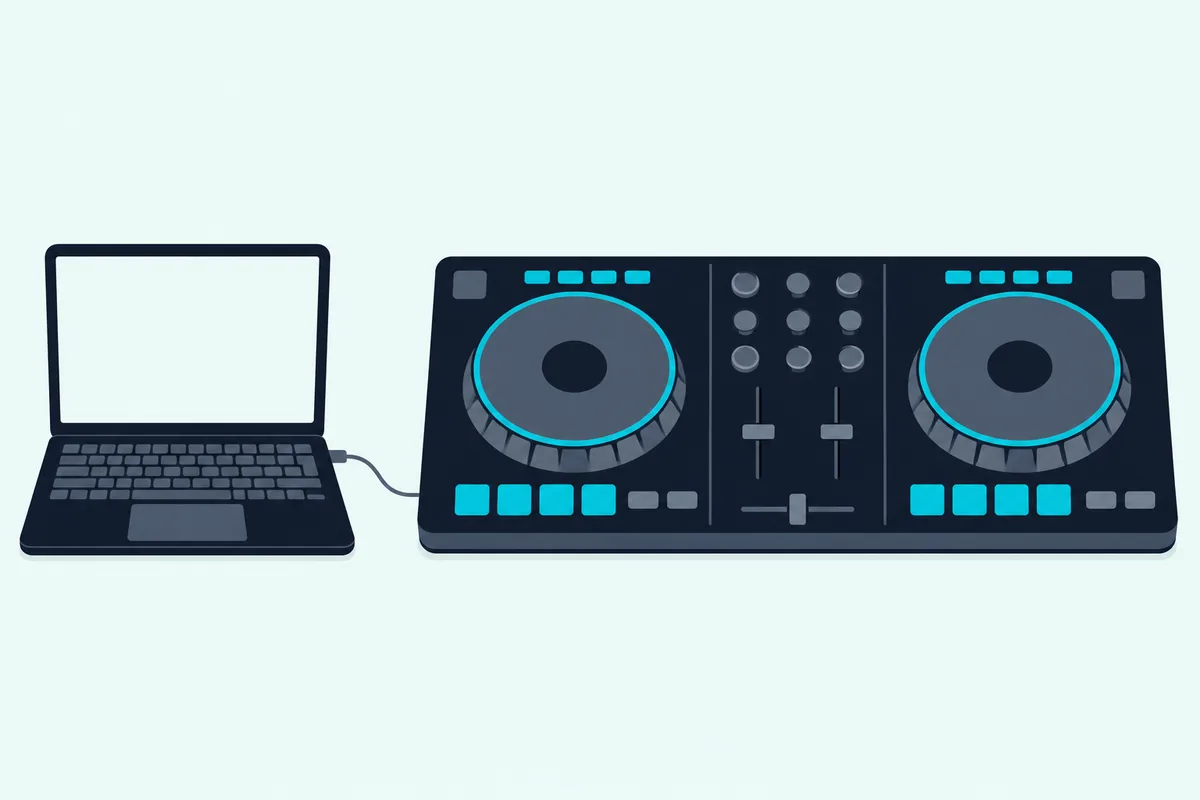
Some controllers also work as a mixer for outside sources. Pioneer DJ’s DDJ-FLX10 manual says its four sets of external inputs take multi players and turntables, and that its 4-channel mixer can mix that sound without it passing through your PC/Mac.
Reloop heads the same idea “Stand-Alone Mixer Inside” on its Mixon 8 Pro page, with 2 phono and 4 line inputs. Rane draws the line most clearly in its ONE FAQ: the ONE needs a laptop running Serato for full use, yet its line/phono inputs let it work as a standalone mixer with functional EQ and filters.
The newer RANE ONE MKII keeps that route in its user guide, with a Deck Source switch for USB A, USB B or Line. The guide also shows the limit, since its Channel FX are software driven and only available for USB sources.
RANE ONE MKII
Our DJ controller vs mixer comparison lines up the inputs, outputs and software side by side. If you already own a controller and a venue has a mixer, plugging a controller into a club mixer shows how it’s done.
How Does DVS Work With a DJ Mixer?
A turntable can steer software too, and that’s where a mixer and a laptop meet. DVS, short for Digital Vinyl System, lets a turntable or media player control digital tracks: rekordbox’s DVS Setup Guide says playback direction, tempo, scratching and playback position all reach the track loaded on the deck.
The one surprise is the input setting. On the DJM-S5 you set the rear LINE/PHONO switch to PHONO for turntables but set the channel’s input selector to USB, and Rane’s ONE MKII guide gives the same instruction.
The kit depends on the software. rekordbox asks for a computer, turntables or CDJ/XDJ players, its own control vinyl or control signal and a DJ unit that supports DVS, while Serato’s DVS expansion uses NoiseMap control vinyl or CDs on supported hardware.
Mixers differ on what’s in the box. The Rane Seventy’s box includes two NoiseMap control records and two control CDs, Numark’s Scratch guide treats them as an extra, and the Xone:96 supports Traktor Scratch Pro 3 right out of the box.
No sound card in your mixer? The rekordbox guide also shows a stand-alone audio interface between the turntables and a mixer’s CD/LINE terminals, and our list of audio interfaces for DJs covers that route.
What Does the Mixer in DJ Software Do?
DVS keeps hardware on the table, but software can take over the mixing as well. The mixer in DJ software does the channel strip’s jobs on screen: rekordbox’s instruction manual lists a channel level indicator, input level, EQ, CUE, channel fader and crossfader on its mixer panel.
That panel comes and goes with your hardware. The manual says it’s automatically hidden when you connect your computer to a DJ controller.
A standalone mixer changes the routing instead. In rekordbox’s Mixer Mode setting, Internal uses the mixer function in the software, while External uses an external DJ mixer or controller and gives a six-way output: track decks 1 through 4, the sampler deck and preview.
Serato has a laptop-only route as well, since Serato DJ Pro’s Practice Mode lets you DJ from your laptop with no hardware needed. That’s a fair way to learn the layout from this page before you own any of it.
Who Needs a Standalone DJ Mixer?
Software and controllers cover a lot of ground, so here’s where standalone hardware still earns its place. You need a standalone DJ mixer when your decks are turntables, CD players or media players, because those sources have no mixer of their own: Pioneer DJ’s guide lists two turntables and a mixer for vinyl, and at least two players and a mixer for a CDJ setup.
You don’t need one to start with a laptop, since a controller’s mixer section or the software’s own panel does the same channel jobs. The exceptions are extra microphones, turntables, a second DJ and a booth monitor, and our page on when a DJ controller still needs a mixer takes them one at a time.
Ready to pick one? To see current two- and four-channel mixers side by side, check which mixer fits your decks and room, and for a first box with turntables or CDJs, try our starter DJ mixer picks.
If the controller route suits you better, the entry-level picks in our budget controller guide show what each small mixer section leaves out.
Which Brands Make DJ Mixers?
Those pages name the same few makers again and again. Pioneer DJ, Allen & Heath, Rane, Numark, Denon DJ and Reloop all make DJ mixers, and each describes its range a little differently.
Pioneer DJ’s DJM range, supported through AlphaTheta’s help center, runs from the 2-channel DJM-250MK2 and the scratch-style DJM-S5 and DJM-S7 up to the 4-channel DJM-A9 and the 6-channel DJM-V10. Its DJM-A9 page names the DJM-900NXS2 as the predecessor.
Pioneer DJ’s beginner guide calls CDJ setups the club standard, and rekordbox is its software. If that’s the booth you’re aiming for, Rekordbox-compatible controllers put you in the same software from day one.
Allen & Heath’s Xone series is the analog side of the picture, where the DJM-A9 lists 32-bit A/D converters on its channel inputs. The Xone:92 is a 4+2 channel mixer with an all-analog signal path, the Xone:43 is a 4+1, and the Xone:96 adds a dual 32-bit USB soundcard with Traktor Scratch certification.
Rane’s Seventy and Seventy-Two MKII unlock Serato DJ Pro and Serato DVS, Numark runs from the M2 to the M6 USB, and Denon DJ’s X1850 Prime is a 4-channel digital mixer. For another brand, the manual’s rear-panel and top-panel pages will tell you everything this page covers.
The Bottom Line
A DJ mixer is the box that takes two or more sources, lets you hear the next one in headphones, and blends them into one output for your speakers. Learn the strip once, from trim to crossfader, and any maker’s panel reads the same way.
Choose by what you plug in. Turntables need phono inputs, players need line inputs, a laptop needs USB or a controller, and the number of channels should match the sources you want playing at once.
The descriptions come from the makers’ manuals and spec pages.
Frequently Asked Questions
What is a DJ mixer used for?
A DJ mixer is used to blend two or more music sources into one continuous output for an audience. You hear the next track in headphones, set its level with trim and EQ, then bring it in with the faders while the room keeps hearing the current one. Many models also carry a microphone, and a USB mixer such as the Numark M6 USB can record your mix to a computer.
What is a DJ board called?
The makers call it a DJ mixer; “DJ board” and “mixing board” are everyday names for the same thing. If the board has decks built in, Pioneer DJ’s beginner guide calls it a DJ controller, or an all-in-one DJ system if it can play music on its own from a USB drive.
What is the difference between a DJ mixer and a DJ controller?
A DJ mixer blends audio from sources plugged into it, such as turntables or media players. A DJ controller puts two deck sections and a mixer in one unit and controls DJ software on a laptop or mobile device, where the music is stored. Some controllers, such as the DDJ-FLX10, have inputs that work without the computer, which is why the line between them isn’t always sharp.
What is the difference between a DJ mixer and an audio mixer?
An audio mixer such as Yamaha’s MG06X balances microphones and line sources: its owner’s manual lists microphone inputs, stereo and mono line inputs, LEVEL knobs for the balance among channels and a STEREO LEVEL knob for the overall output. A DJ mixer adds what mixing records needs, which means a crossfader, cue on each channel for your headphones and, on most models, phono inputs. The MG06X manual shows none of those three.
Is a DJ mixer an amplifier?
No. A DJ mixer sets levels and blends sources, but it needs something else to drive speakers. Pioneer DJ’s DJM-250MK2 manual says to connect the master outputs to a powered speaker or a power amplifier, and Numark’s M2 guide says to connect its master output to a speaker or amplifier system.
Can I use a DJ mixer without turntables?
Yes. Line inputs take CD players, media players, samplers and audio interfaces, and a mixer with USB takes a computer. A mixer can’t play anything by itself, though, so you still need at least two sources to mix. If you’d rather have the decks built in, a controller-mixer with laptop software is the other route.
Can a DJ mixer work without a laptop?
Yes, as long as your sources are turntables, CD players or media players. The Numark M2 has no USB connection to begin with, Numark says the Scratch can mix external devices without a computer, and Pioneer DJ says the DJM-S5 works as a standalone mixer. Features that belong to the software, such as Serato pad modes and software effects, need the laptop.
Do I need a DJ mixer if I have a controller?
Not to start, because a controller’s mixer section already has the crossfader, channel faders and EQ. A separate mixer comes in when you add sources or people the controller can’t take, and the section above on who needs one lists those cases.