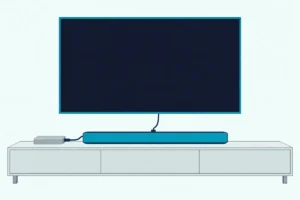
A HomePod works as a TV speaker only through an Apple TV 4K, while a soundbar plugs into the TV’s own eARC, ARC or optical port.
If you’re weighing an Apple HomePod vs soundbar setup for your TV, the deciding part is a third box: a HomePod plays TV sound only through an Apple TV 4K, while a soundbar plugs into the TV itself.
Miss that and you can buy two HomePods before learning that Apple’s tech specs list no HDMI or optical input on any HomePod model.

Know what Apple’s documents ask for, from the box’s generation to the eARC port, and the choice comes down to your setup, your other devices and your household’s phones.
This guide sets Apple’s HomePod and Apple TV 4K documents beside Bose’s and JBL’s soundbar manuals, from hookups and Dolby Atmos to Apple’s new four-speaker surround setup.
First comes whether a HomePod can stand in for a soundbar at all, then the path the sound takes in each setup.
Can You Use a HomePod as a Soundbar?
That third box is the whole condition. Yes, you can use a HomePod as a soundbar, but only through an Apple TV 4K: Apple’s home theater article asks for that box and one HomePod or HomePod mini, or a stereo pair of two, all running the latest software (Apple’s home theater audio setup).
The same article says other AirPlay-compatible speakers aren’t supported for home theater audio. So a soundbar with AirPlay can’t fill a HomePod’s place in Apple’s setup.
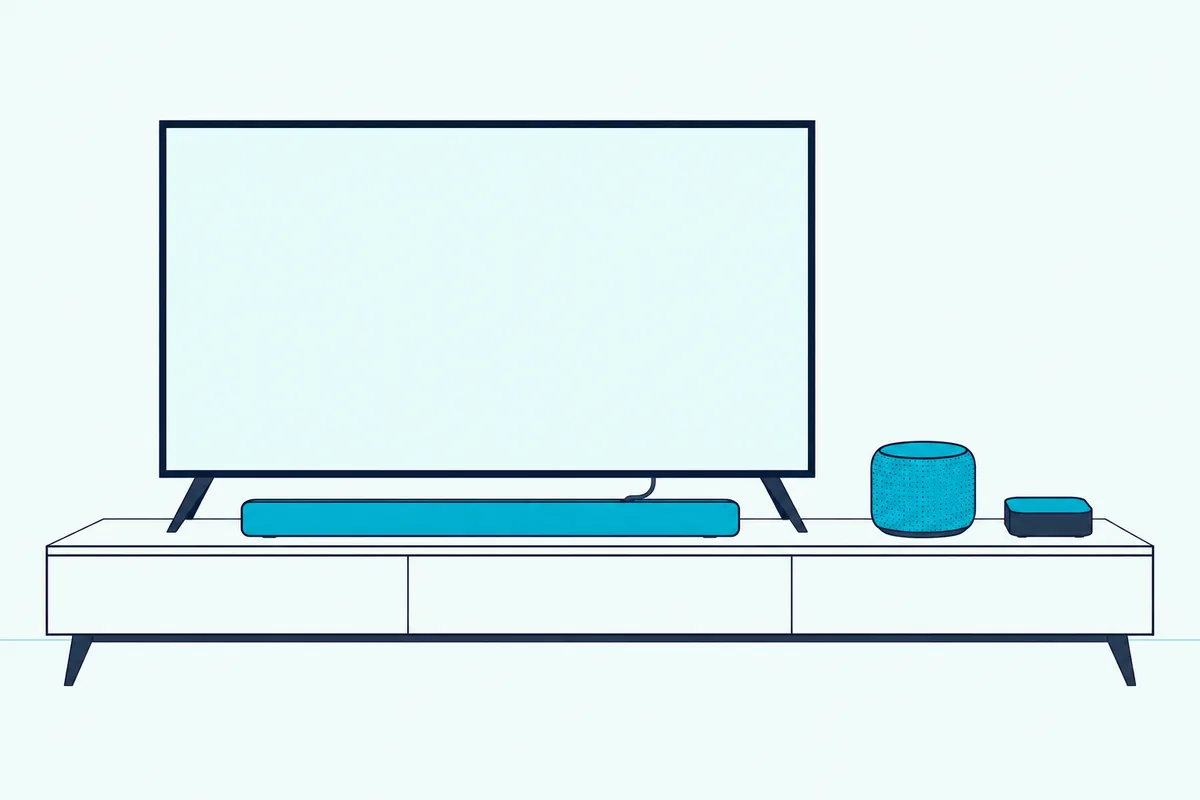
Setting it up takes a few taps. Assign the box and the HomePods to the same room in the Home app, switch the box on and choose Use as TV Speakers when it asks, or pick the speakers later in Settings > Video and Audio > Audio Output.
A soundbar skips the extra box. Bose’s Smart Soundbar guide and JBL’s Bar 500MK2 manual both connect the bar to the TV’s HDMI eARC or ARC port, with optical as the fallback, and both bars come with an HDMI cable in the box.
This table puts the two setups side by side, with Apple’s documents in the HomePod column and those two manuals in the soundbar column.
| HomePods | Soundbar | |
|---|---|---|
| Extra box | Apple TV 4K | None |
| Connection | The Apple TV’s HDMI cable, plus ARC or eARC for other inputs | HDMI eARC or ARC port, or optical |
| HDMI cable in the box | No, sold separately | Yes, with the Bose Smart Soundbar and JBL Bar 500MK2 |
| Volume | Siri or the touch controls on top | The TV remote over HDMI-CEC (Bose) |
| Dolby Atmos | HomePod or a HomePod stereo pair, not HomePod mini | Up-firing and side-firing speakers (Bose), virtual Dolby Atmos (JBL) |
| Phone streaming | AirPlay from an iPhone, iPad or Mac | Bluetooth, plus AirPlay 2 on the Bose |
The connection row hides the most detail. The box handles its own apps by itself, but a console plugged into the television needs one more setting.
How Do HomePods Play a Game Console or DVD Player?
That setting is the audio return channel. An Apple TV 4K (2nd generation or later) can take the television’s sound back over HDMI ARC or eARC and play it through HomePod or HomePod mini speakers, so a game console or DVD player plugged into the television plays through them too (Apple’s ARC and eARC article).
The Apple TV 4K User Guide gives the steps, and they start at the television’s port, not at the speakers:
- Connect the Apple TV 4K to the HDMI port labeled eARC on the television with an eARC-compatible HDMI cable, then make sure its HDMI-CEC setting is on.
- Set the HomePod or HomePod stereo pair as the box’s default audio output.
- On the box, go to Settings > Video and Audio > Audio Output > Audio Return Channel and select Play Television Audio.
- On the television, select the HDMI input of the device you want to hear, such as the game console.
Apple’s article says the setting reads On (ARC) or On (eARC) once it’s working. If it doesn’t, Apple points you to the room assignment in the Home app, the television’s own ARC, eARC or HDMI-CEC settings and a fresh plug-in of both HDMI cables.
One detail matters for the comparison. Those steps put the box on the eARC port, the same port Bose’s and JBL’s guides want for a soundbar, so a television with a single eARC port gives it to one or the other.
Apple’s spec page also says the Apple TV 4K needs an HDMI cable sold separately, and its box holds only the unit, the Siri Remote, a power cord and documentation (Apple TV 4K tech specs). If you need one, Anker’s HDMI 2.1 cable is sold as a 48Gbps Certified Ultra High-Speed cable, per its listing.
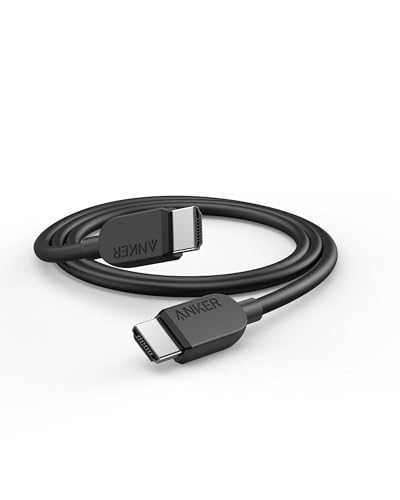
Anker HDMI 2.1 Cable
Every pick met Burton Acoustix’s rating, review and stock checks on 8 November 2026. If that listing doesn’t suit, our roundup of other certified HDMI cables covers the same eARC hookup.
If you’d rather put a soundbar on that port and keep the box, our walkthrough on running the Apple TV into a soundbar instead covers that layout.
How Does a Soundbar Get the TV’s Sound Instead?
That eARC port is where a soundbar lives full time. A soundbar connects straight to the TV’s HDMI eARC or ARC port, or to its optical output when it has neither, so everything the television plays reaches the bar without an extra box (Bose Smart Soundbar owner’s guide).
HDMI Licensing Administrator, which licenses the HDMI specification, describes eARC the same way. It sends audio that starts in a cable box, satellite receiver, streaming device or other source from the television to a soundbar through a single HDMI cable.
Bose’s guide calls HDMI eARC or ARC the preferred connection and optical the second option. It also says your TV remote runs the bar’s power, volume and mute only when the bar sits on the eARC or ARC port.
JBL’s Bar 500MK2 manual calls HDMI the best option, has you switch on HDMI-CEC and eARC in the television’s settings, and adds an HDMI IN on the bar for a set-top box, Blu-ray player or game console of its own (JBL Bar 500MK2 owner’s manual).
Think of it as a direct line versus a relay. The bar hears the television itself, while HomePods hear what the Apple TV passes along.
Our soundbar to TV connection guide walks through each port, and the soundbar setup guide covers the rest of the installation. If you’re new to how soundbars work, that explainer starts from the basics.
Can Two HomePods Play Dolby Atmos and Surround Sound?
Both bar manuals tie Dolby Atmos to that HDMI connection, and Apple sets its own limits by model. Two HomePods can: the Apple TV 4K User Guide says a HomePod stereo pair supports Dolby Atmos, Dolby Digital 7.1 and Dolby Digital 5.1 (Apple’s HomePod home cinema steps).
The same guide says HomePod mini doesn’t support Dolby surround formats and plays them in mono or stereo instead. Apple’s home theater article puts it the same way: no Dolby Atmos, 5.1 or 7.1 on HomePod mini.
For the newest mini, Apple’s store comparison lists Spatial Audio for HomePod and “No Spatial Audio” for HomePod mini 2. The HomePod mini 2 tech specs don’t mention Dolby Atmos either.
A pair needs two speakers of the same model and generation, such as two HomePod mini 2 or two HomePod (2nd generation), per Apple’s HomePod pages. Once they’re paired, Apple’s HomePod User Guide says only one of them answers Siri, plays alarms and works as a speakerphone (Apple’s stereo pair steps).
Placement follows Apple’s guide too. One HomePod goes within 10 inches (25 cm) of a wall and as close to the center of the screen as possible, and a pair goes on either side of it, about a meter apart.
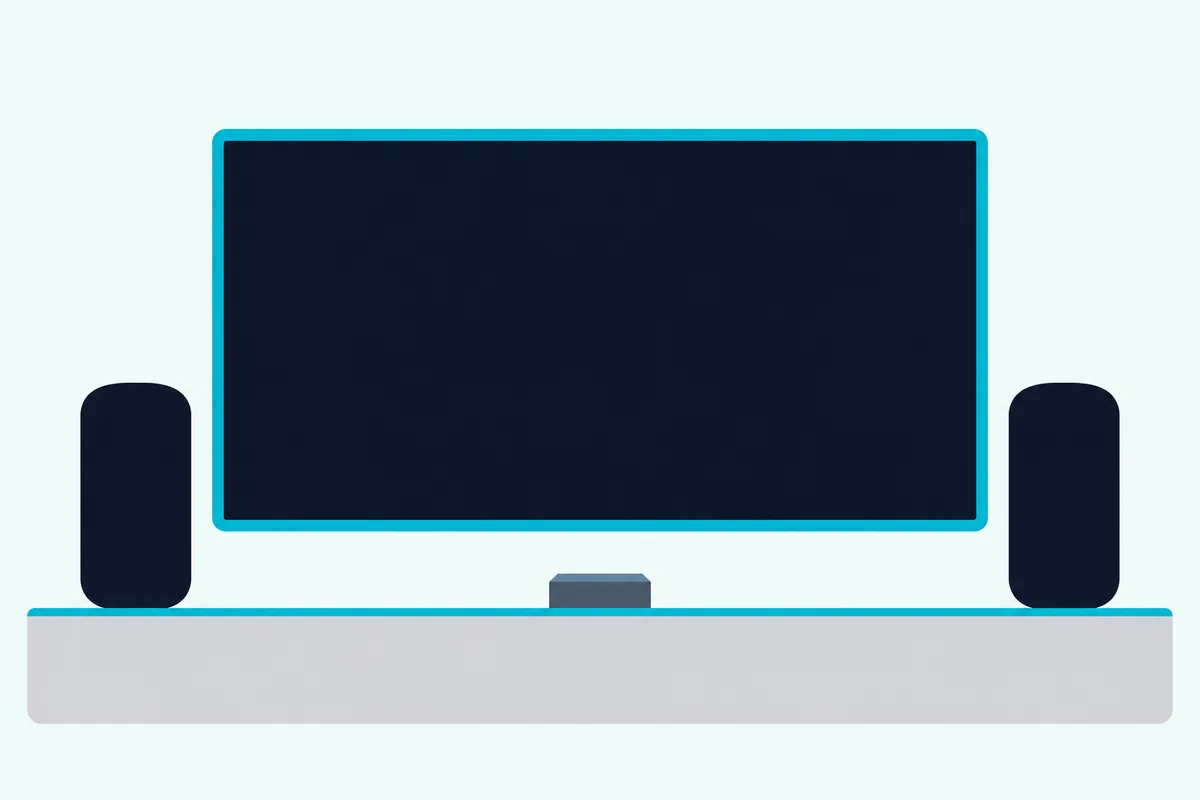
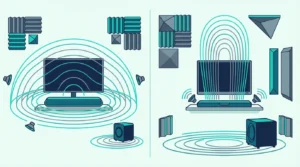
Soundbars reach Atmos height two ways, according to Dolby’s sound bar setup guide. Upward-firing speakers use the ceiling to reflect overhead effects, while virtualized Dolby Atmos processing suggests height with fewer speakers (Dolby Atmos sound bar setup guide).
Bose’s Smart Soundbar uses up-firing and side-firing speakers, and JBL’s Bar 500MK2 manual describes a virtual Dolby Atmos design, so these two bars take one route each. Dolby puts the ideal ceiling for upward-firing bars between 7.5 and 12 feet, and our best Dolby Atmos soundbar guide covers the current bars.
What Changes With Four HomePods and the New Apple TV 4K?
That stereo pair was Apple’s limit for television sound until October 2026. Four HomePods now work as front and rear surround speakers, but only with an Apple TV 4K (4th generation) and four HomePod mini 2 or HomePod (2nd generation) speakers in matching front and rear pairs (Apple’s announcement of the new model).
Apple says the four speakers and the box recognize where each speaker sits and calibrate audio timing and levels to the room automatically. Apple announced the new model on 13 October 2026, with orders opening that day and availability from 13 November.
The same announcement covers mixed sets: HomePod (2nd generation) works in the four-speaker setup as long as the front and rear pairs match. Apple’s product page for the box also describes Whole Room Audio, which spreads sound evenly across the four speakers.
That leaves out the 2018 HomePod and the 2020 HomePod mini, since Apple’s footnote names only HomePod mini 2 and HomePod (2nd generation). The new model keeps the television link, too: its spec page lists HDMI 2.1 with Audio Return Channel, ARC or eARC.
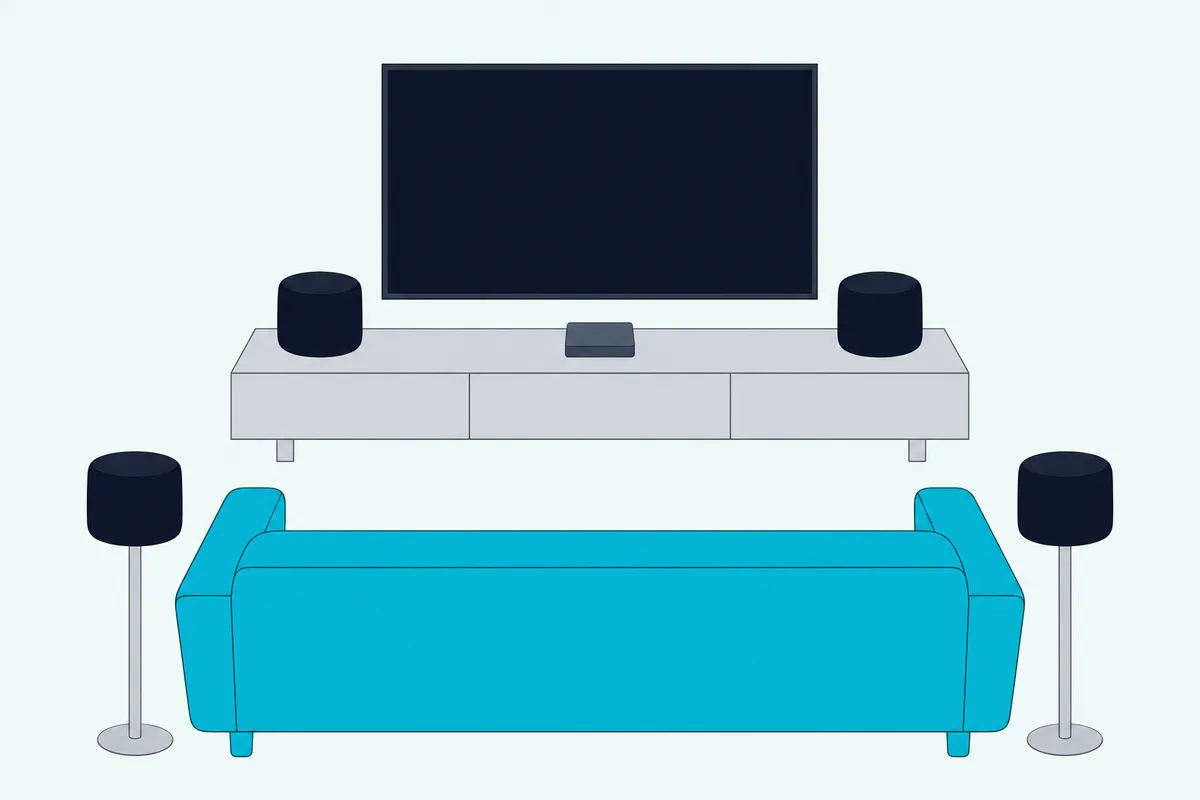
On the soundbar side, Bose adds rear channels with its own accessories. Bose’s guide lists the Bass Module 500 and 700 and two Bose surround speaker models for the Smart Soundbar, and it can use Bose Ultra Open Earbuds for its Personal Surround feature.
For a full set of separate speakers, our soundbar vs home theater comparison and our soundbar vs receiver page cover that route.
Which HomePod Models Work as a TV Speaker?
Those four-speaker rules make the model name matter more than it used to. Apple’s home theater article names both HomePod and HomePod mini for TV sound with an Apple TV 4K, but Dolby Atmos and the four-speaker setup depend on which of Apple’s four models you have (Apple’s HomePod model list).
| Model | Introduced | Spatial Audio with Dolby Atmos | Four-speaker surround |
|---|---|---|---|
| HomePod (1st generation) | 2018 | Yes, with an Apple TV 4K | Not in Apple’s list |
| HomePod mini | 2020 | No | Not in Apple’s list |
| HomePod (2nd generation) | 2023 | Yes, with an Apple TV 4K | Yes, in matching pairs |
| HomePod mini 2 | 2026 | No, per Apple’s store | Yes, in matching pairs |
On 4 November 2026, Apple’s US store sold two of them: HomePod, which Apple’s product page calls HomePod (2nd generation), and HomePod mini 2, which went on sale on 30 October. The 2018 HomePod and the 2020 HomePod mini appear in Apple’s model list but not in its store.
Pairing follows the generations, too. A stereo pair needs two of the same model and generation, so a 2023 HomePod won’t pair with a 2018 one, and a HomePod mini 2 won’t pair with the original mini.
Who Runs the Volume, the TV Remote or Siri?
Once the speakers are picked, the everyday difference is who’s in charge. With HomePods, Siri and the touch controls on top set the volume, per Apple’s HomePod User Guide, while a soundbar on the eARC or ARC port takes power, volume and mute from your TV remote, per Bose’s guide.
The same Apple TV guide adds that setting HomePod as the default output routes all of the box’s sound to it, including system and game audio. It also says HomePod can take Siri commands for the box itself.
An AirPlay soundbar picked as the default output behaves differently. Apple says system alerts and game sounds then stay on the television’s speakers, so if you want AirPlay 2 and an HDMI connection in one box, our best soundbar with AirPlay guide lists bars whose makers document both, with Sonos in a section of its own.
Apple’s spec page says the Siri Remote controls a television or receiver’s power, input, volume and mute over IR or CEC. Our page on letting the Siri Remote run a soundbar covers how that works with a bar.
What Do Apple and the Bar Makers Offer for Clearer Dialogue?
That same remote opens Apple’s dialogue settings. Apple TV 4K offers Enhance Dialogue, with Enhance More, Enhance and Off, and Reduce Loud Sounds, which lowers the overall level by reducing the dynamic range (Apple’s audio settings guide).
Apple’s guide warns that Enhance More can alter the original audio mix, while Enhance keeps the impact on the mix minimal. Apple’s HomePod page adds that with HomePod (2nd generation) and an Apple TV 4K (2nd generation or later), Enhance Dialogue pulls spoken words forward in the center channel.
Bose puts its answer in the bar. Its Smart Soundbar guide describes AI Dialogue Mode, set in the Bose app, which makes voices easier to hear without reducing the impact of immersive sound effects and stays on for every source, even after the bar is switched off.
So both routes carry a dialogue control, each documented by its maker. If voices are your main worry, see our picks of soundbars built around clearer dialogue.
Can a HomePod Play Bluetooth or Audio From an Android Phone?
Dialogue aside, the phones in your house can settle this on their own. Apple’s documents describe neither: HomePod is set up with an iPhone or iPad, it streams over AirPlay from an iPhone, iPad or Mac, and its tech specs list Bluetooth under Wireless but not among its audio sources (Apple’s HomePod streaming steps).
So a household of Android phones has no Apple-documented way to send music to a HomePod. Bose’s and JBL’s bars pair with a phone over Bluetooth, and Bose’s guide says its bar remembers up to eight devices and plays from one at a time.
Bose’s Smart Soundbar also takes AirPlay 2 from an Apple device running iOS 11.4 or later, and Google Cast from apps with a Cast button. Our soundbar Bluetooth guide covers the pairing side.
Apple HomePod vs Soundbar: Which One Fits Your Living Room?
Those phone, remote and port details are what sort a living room into one camp or the other. HomePods fit a television that already runs through an Apple TV 4K with a free eARC or ARC port, while a soundbar fits any set with an HDMI ARC, eARC or optical output, whatever phones are in the house.
Say an Apple TV 4K (2nd generation or later) and a game console already share the screen. Turn on Play Television Audio and a HomePod pair carries both, with Dolby Atmos from the stereo pair.
Say you want sound from behind the sofa. Apple’s route is four matching HomePod mini 2 or HomePod (2nd generation) speakers with the 4th-generation Apple TV 4K, while Bose’s is the Smart Soundbar plus its surround speakers and a bass module.
Say the house mixes Android phones, guests and a cable box. A soundbar on the eARC port takes the TV remote, plays every input the television shows and pairs with phones over Bluetooth.
And say music around the house matters as much as the screen. Apple’s store lists multiroom audio, a smart home hub, Sound Recognition and a temperature and humidity sensor on both HomePods, and Bose’s guide gives its bar Alexa built in and SimpleSync technology for Bose speakers and headphones.
If an Apple TV 4K is already under the screen and you lean toward a bar, Burton Acoustix’s Apple TV soundbar guide shows which bars take the box through their own HDMI input. Our choose a soundbar guide works through the rest of the choice, and our soundbar vs speakers comparison covers stereo speaker setups beyond HomePod.
The Bottom Line
That split comes back to the box. HomePods become a TV speaker system only through an Apple TV 4K, with Dolby Atmos on the larger HomePod and four-speaker surround on the 4th-generation model, while a soundbar works from the television’s own eARC, ARC or optical port with its remote.
The descriptions come from the makers’ manuals and spec pages.
Frequently Asked Questions
Has the HomePod been discontinued?
Apple still sells two HomePods. On 4 November 2026, its US store listed HomePod, the 2nd-generation model introduced in 2023, and HomePod mini 2, introduced in 2026. The original 2018 HomePod and the 2020 HomePod mini appear in Apple’s model list but not in its store. Apple’s four-speaker surround setup needs the 2023 or 2026 models.
Can you use HomePods and a soundbar at the same time?
Not as one system by Apple’s documents. Apple’s home theater article supports HomePod and HomePod mini and says other AirPlay-compatible speakers aren’t supported with home theater audio, so a soundbar can’t join the HomePods in Apple’s setup. Both setups also ask for the television’s eARC port, so a set with a single eARC port gives it to one or the other.
How does a HomePod pair compare with a Bose soundbar?
By the documents, the split is the hookup. Two HomePods need an Apple TV 4K and get Dolby Atmos as a stereo pair, while Bose’s Smart Soundbar connects to the television’s eARC or ARC port, uses up-firing and side-firing speakers for Dolby Atmos and adds AI Dialogue Mode, Bluetooth, AirPlay 2 and Alexa. Bose also lists add-on bass modules and surround speakers, where Apple’s route grows to four HomePods.
Does a HomePod work with an Apple TV HD?
Not for home theater audio. Apple’s home theater article asks for an Apple TV 4K, and its ARC and eARC article needs an Apple TV 4K (2nd generation or later) to play the television’s other inputs through HomePod. Apple’s list of Apple TV models calls the older box Apple TV HD, previously Apple TV (4th generation), introduced in 2015.