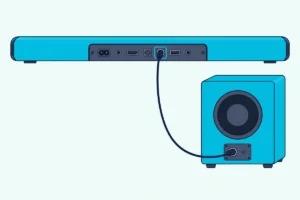
Can You Add Speakers to a Soundbar?
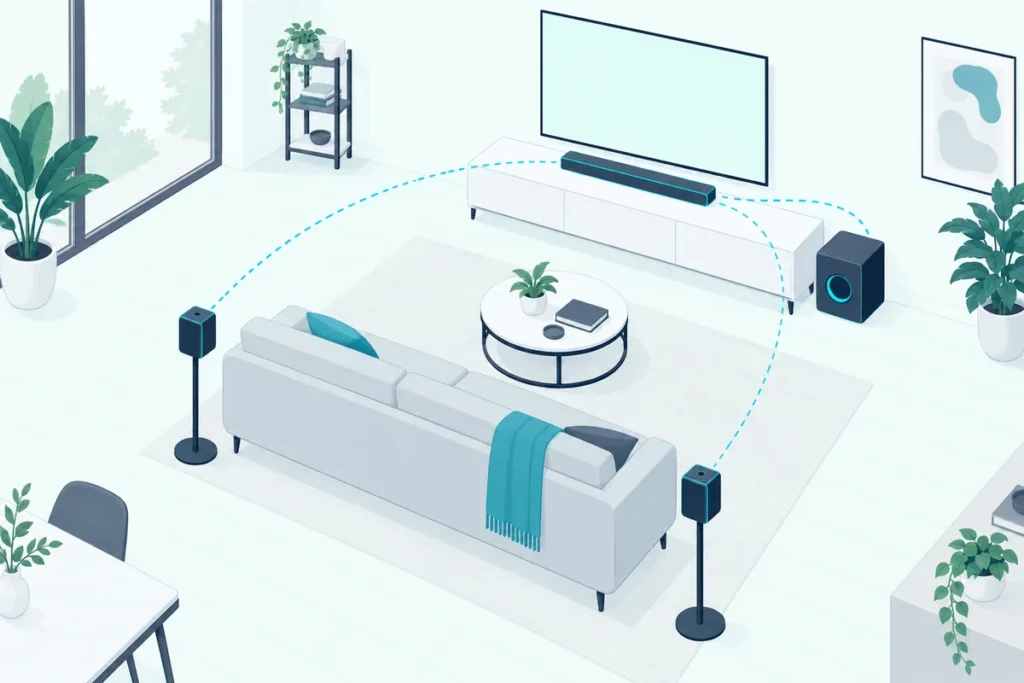
You can add speakers to a soundbar only when the soundbar is built to expand, and then only with the rear speakers or subwoofer its maker designed for it.
That’s the catch most shoppers find after the box is open.
A pair of speakers from another brand, or a model meant for a different bar, usually has no way to link up at all.
The good news is that many mid-range and premium bars do take add-ons, from Samsung’s rear speaker kits to Sonos’s Era speakers.
Below you’ll see which bars expand, how the pairing works on Samsung, Polk, Sonos, Bose, LG and Sony bars, what a stereo-only bar does with rear speakers, and what to try when your bar can’t take any.
Can You Add Speakers to Any Soundbar?
That built-to-expand rule is the whole answer. You can’t add speakers to any soundbar: Samsung, for example, says it’s important to get the rear speaker kit that matches your model, because other kits may not be compatible (Samsung).
Samsung adds a useful rule of thumb. If your model isn’t on its compatibility list, but its specifications or user manual say it works with a kit, then it does.
So the first step is your soundbar’s manual or spec sheet. Look for optional wireless rear speakers or an optional subwoofer; if neither is listed, the bar can’t take them.
Sonos handles it the same way, sending shoppers to its surround sound guidelines to see which of its products can serve as surrounds (Sonos).
Which Soundbars Let You Add Rear Speakers?
Those optional speakers are listed by model, and each brand keeps them in its own family. These are examples from the makers’ own guides:
| Soundbar | Speakers you can add | Source |
|---|---|---|
| Samsung HW-Q and HW-B series | A matching Samsung Wireless Rear Speaker Kit (SWA-9500S, SWA-9200S, SWA-9100S and others) | Samsung’s kit compatibility list |
| Sonos Arc Ultra | A Sonos Sub and Era 300 rear speakers | Sonos |
| Sonos Ray | Other Sonos speakers for surround sound | Sonos |
| Polk MagniFi Max AX | MagniFi Max AX Wireless Surrounds or Polk SR2 Wireless Surrounds | Polk’s manual |
| LG soundbars with a rear speaker option | A wireless receiver and rear speakers (the SPK8-S kit in LG’s manual) | LG’s manual |
| Sony HT-A3000 and HT-S2000 | Sony’s optional wireless subwoofer and rear speakers | Sony’s help guides |
| Bose Smart Soundbar | A Bose Bass Module, sold as a bundle with the Bass Module 500 | Bose |
Samsung’s list is the most detailed. For instance, the SWA-9100S kit works with 2021 and 2022 bars including the HW-B650, HW-B550 and HW-A450, while the SWA-9500S pairs with Dolby Atmos models like the HW-Q800B and HW-Q700A.
Sonos says the Arc Ultra pairs with a Sub and Era 300 rear speakers for full Dolby Atmos surround sound (Sonos). Its smaller Ray is built to grow the same way, with speakers added over time for surround sound (Sonos).
Get Studio Tips Weekly
Join 5,000+ creators getting acoustic treatment advice every week.
No spam. Unsubscribe anytime.How Do Added Speakers Pair With a Soundbar?
That matching kit links to the bar wirelessly, and the pairing follows one of a few patterns. Speakers that come in the box are paired at the factory, so Samsung says you just plug them in and wait for the blue light (Samsung).
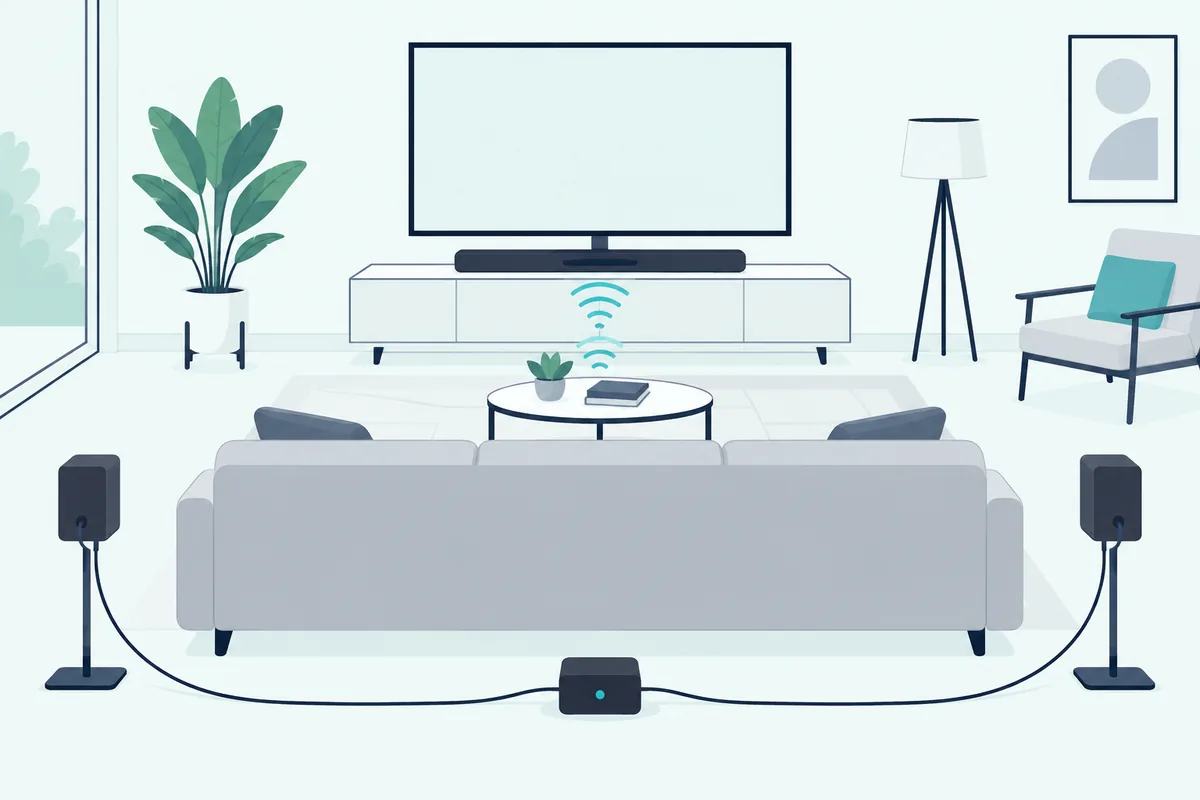
Speakers you add later need a pairing step. On Samsung bars it’s called ID SET: with the soundbar off, you hold a button on its remote for 5 to 6 seconds, then turn the bar back on, and the kit’s LINK light turns solid blue once it connects.
Samsung’s kits also need a little assembly first. Except for the SWA-9500S, the two rear speakers are wired to a small receiver module, which is the part that links to the bar; our guide to adding rear speakers to a Samsung soundbar covers each kit.
Polk’s MagniFi Max AX shows the other common method, a button on the bar and then one on each speaker (Polk):
- Plug in the surround speakers and make sure the soundbar is on.
- Hold the CONNECT button on the back of the soundbar for about 3 seconds, until you hear a tone.
- Hold the CONNECT button on the back of each surround speaker for about 3 seconds, until it tones too.
- Press CONNECT on the soundbar again to save the pairing.
Once Polk’s surrounds are paired, press SURR on the remote, then + or – to change their volume. Holding SURR for 2 seconds lets you balance the two if one sounds louder than the other.
How Do You Add Speakers to a Sonos Soundbar?
Unlike Polk’s CONNECT buttons, Sonos does the pairing in its app. Open Settings, choose the soundbar’s room, select Set up Surrounds and follow the prompts (Sonos).
The speakers you pick are the catch. Sonos says a home theater speaker can use two Sonos speakers of the same model as surrounds, and related models such as the One and One SL can be used together (Sonos).
Sonos also sells ready-made sets, such as the Beam with an Era 100 pair or the Arc Ultra with an Era 300 pair (Sonos).
Each one has to be set up as its own room with line of sight to the soundbar. If the two are already a stereo pair, Sonos says to separate the pair before adding them as surrounds.
Sonos wants them behind and to the left and right of your usual listening position, both in the same orientation, vertical or horizontal. While they work as surrounds, they lose AirPlay, Bluetooth playback, line-in and subwoofer output.
Era speakers have one more limit. When the soundbar is on Wi-Fi, Sonos says its Era surrounds can’t be connected to the network by Ethernet cable, and they can only use one when the soundbar itself is wired.
How Do You Add Speakers to a Bose Soundbar?
Bose uses an app too, but its surround speakers need wiring first. On the Smart Soundbar 900, you connect each speaker to a wireless receiver with speaker wire, set one receiver’s L/R switch to L and the other’s to R, and plug both receivers into outlets (Bose).
Then the app takes over. Tap the Settings icon, choose Accessory Speakers, then Add Bose Accessory Speakers, and tap Get Started; the speakers play a tone once they connect.
Bose finishes with its ADAPTiQ audio calibration, which it says optimizes the system’s sound with the surround speakers. Its Smart Ultra Soundbar, Bass Module 700 and Surround Speakers are also sold together as a set, and Bose notes the Surround Speakers do require electrical power to power the wireless receiver (Bose).
A bass module is simpler. The Smart Ultra Soundbar takes a Bose Acoustimass 300, Bass Module 500 or Bass Module 700, so plug it into an outlet and use the same Accessory Speakers menu (Bose).
You can connect one or two of them, Bose says, but two must be the same model and both must be wireless. If the bar won’t pair with one, Bose has you unplug the soundbar and bass module, wait 15 seconds, then reconnect and try again.
Do LG and Sony Soundbars Take Added Speakers?
Yes, on the models built for it, and both brands link their add-ons on their own. LG’s rear speakers wire into a small wireless receiver that connects to the soundbar automatically, and LG says to use only the speakers provided with the product (LG).
The light on the front of the receiver shows where you stand: blinking green means connecting, solid green means connected, red means a bad connection or standby, and off means no power.
If it stays red, turn the bar off, press PAIRING on the back of the receiver until the light blinks green, then turn the bar back on. Our steps for pairing LG rear speakers and a subwoofer explain each light color.
Once the speakers are linked, LG’s surround sound setting decides how much they play. Press Settings, use Left or Right to reach the surround setting, then Up or Down to turn it on or off; LG says it builds multichannel sound even from a 2.0 recording.
Sony’s HT-A series works from the same idea. An optional rear speaker or subwoofer connects to the bar automatically when it’s turned on, and Sony’s help guide gives a manual procedure in the TV’s on-screen menu if it doesn’t (Sony).
Sony says to update the bar’s software before connecting a speaker, and only speakers that show Connected will join the system. Our explanation of how a Sony bar links to its optional subwoofer covers the lights and menus.
Do Rear Speakers Work on a 2.0 Soundbar?
A lit pairing light on any of these brands only tells you the speakers are connected, not how they’ll sound. On a 2.0 soundbar, Samsung says rear speakers will still play, but they don’t get a separate channel, so whatever they play also comes from the soundbar.
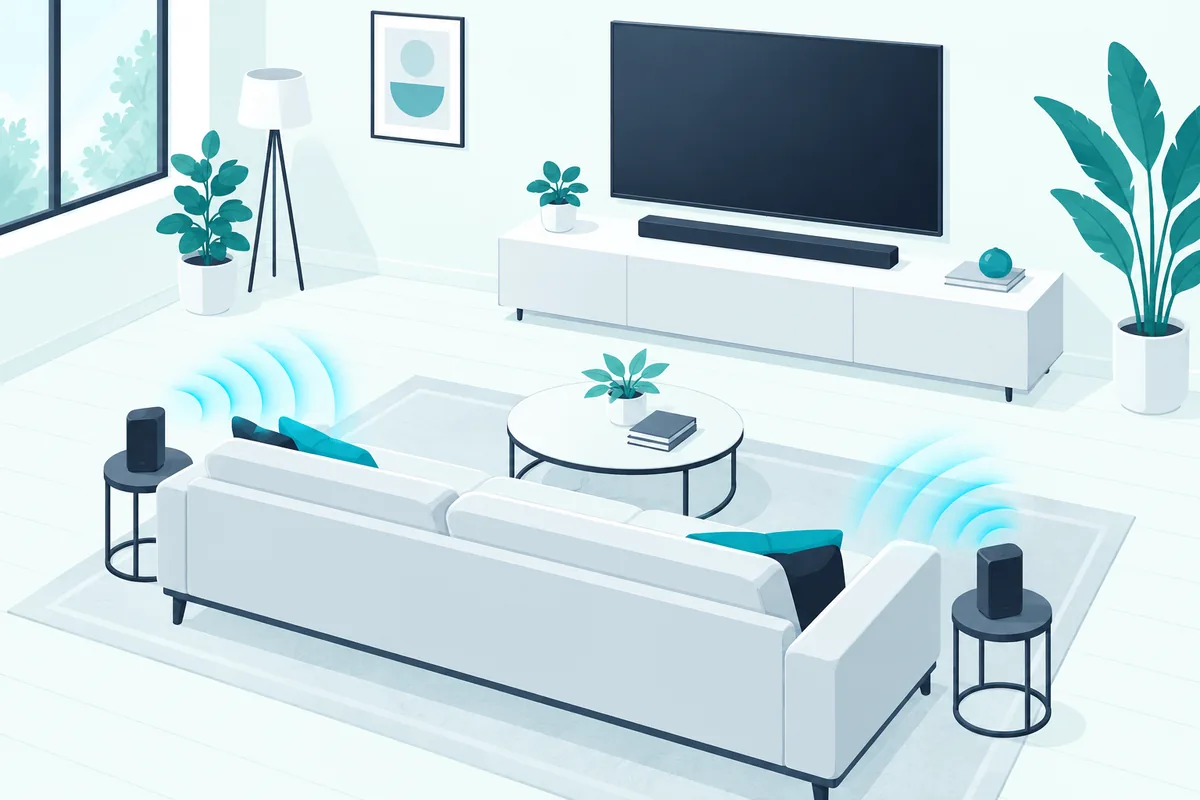
For that reason, Samsung suggests placing them to either side of you rather than behind you when the bar only processes stereo. A 5.1 bar, by contrast, has separate left, right, center, rear left and rear right channels, plus the subwoofer.
The source matters too. Samsung points out that 2.0 content stays 2.0 even on a 5.1 system, and it recommends ARC or eARC over optical for the best surround formats.
If you’re still choosing a bar, the extra channels on a 5.1 model are what make rear speakers worth adding in the first place.
Can You Connect Wired Speakers to a Soundbar?
Wired speakers are where most people’s plans stall, because soundbars rarely have speaker terminals of their own. In the systems that use wired speakers, the cables run to the maker’s own receiver module or subwoofer rather than to the bar.
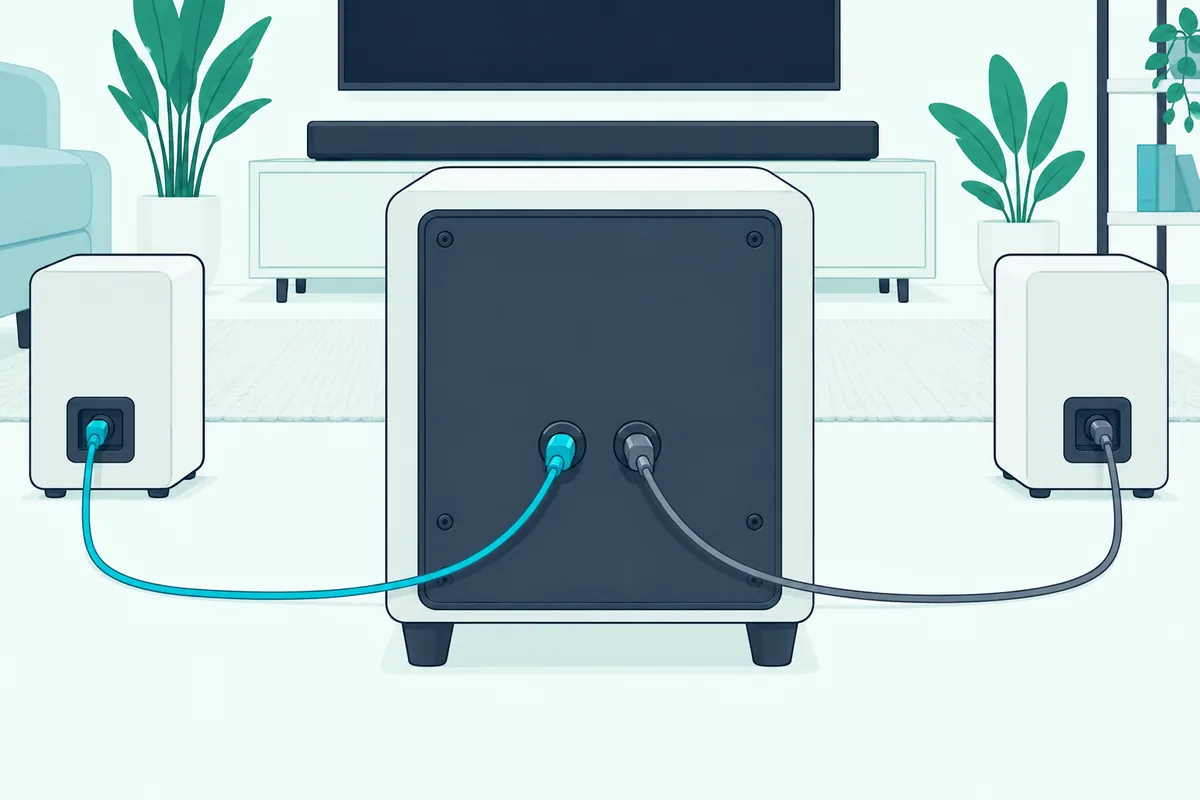
Vizio’s V-Series 5.1 bar is one example. Its manual has you connect the included surround speakers to the subwoofer with color-coded cables, blue for left and gray for right, and the subwoofer links to the bar wirelessly (Vizio).
A few bars have a line output instead. ZVOX’s AccuVoice AV157 and AV855, for example, have a 3.5 mm stereo line out that ZVOX says can feed a powered subwoofer, wired headphones or a wireless headphone transmitter (ZVOX).
Can the TV’s Own Speakers Work as Extra Speakers?
Line-out jacks are rare, but the TV’s own speakers can sometimes act as the extra pair, at no cost. Samsung’s Q-Symphony plays a soundbar and the TV’s speakers at the same time, and you turn it on under Settings, All Settings, Sound, Q-Symphony Setup, then pick the soundbar and choose Apply (Samsung).
The soundbar or speaker has to be on the same Wi-Fi network as the TV. Samsung says you can combine up to two devices, either two Music Frames or one Music Frame and a 2024 or newer soundbar.
LG’s WOW Orchestra does the same with a compatible LG bar and LG TV. LG says it switches on automatically when the bar is connected, and that the TV’s eARC setting has to be on for it to work (LG).
Sony takes a different route with Acoustic Center Sync. A cable joins the bar’s S-CENTER OUT jack to the TV’s S-CENTER SPEAKER IN jack so the TV plays the center part of the bar’s sound, and the bar still connects to the TV by HDMI (Sony).
Each of the three works only with supported TV and soundbar models, so check both against the maker’s list before you count on it.
Adding a Subwoofer to a Soundbar
A subwoofer follows the same brand-matching rule the rear speakers do: it has to be the one made for your bar. Samsung, for example, lists the SWA-W510 as the optional subwoofer for its HW-S60B, and Sony’s HT-A3000 links its optional subwoofer automatically when the subwoofer is turned on (Sony).
Our guide to adding a subwoofer to a soundbar covers which bars take one and how each brand pairs it.
Vizio shows how the answer splits by model: some of its bars have a Subwoofer Out jack and its wireless sets list none, which our page on can I add a subwoofer to my Vizio sound bar sorts out with Vizio’s own manuals.
Where Should Added Speakers Go?
That pairing is only half of it, because where the speakers sit matters as much as how they pair. Vizio’s quick start guide says to place the subwoofer and surround speakers in the rear of the room (Vizio).
The exception is a stereo-only bar, where Samsung suggests setting the speakers to your sides instead. For the subwoofer, Polk’s advice is the same wall as the TV and as close to it as possible, within 30 feet (10 m) of the bar.
If a Polk sub has lost its link to the bar, the Polk-specific sync steps cover each model.
LG adds a rule for its rear speakers: keep them at least 30 cm (11.8 in) from the TV or monitor (LG).
Our advice on where the subwoofer should sit covers the bass side in more detail.
Why Won’t Added Speakers Play Any Sound?
Placement is the first thing to check when added speakers stay silent, but it isn’t the only one. These are the fixes the makers list themselves, starting with the wireless link:
- Distance from routers. Sony says to keep the bar, rear speakers and subwoofer at least 1.5 m (5 ft) from a wireless LAN router, and LG asks for 1 m (3.3 ft) from routers and microwave ovens.
- The pairing light. LG’s receiver shows red until it links, and Samsung’s kit shows a solid blue LINK light once it does.
- Speaker cables. LG says a reversed cable will distort the sound or produce no bass, and Bose has you set one receiver to L and the other to R.
- Wireless settings. For silent rear speakers on the HT-A3000, Sony has you set Wireless Playback Quality to Connection, then switch RF Channel off and on again (Sony).
Those checks cost nothing, so run through them before you assume a speaker is faulty. If they don’t help, repeat the maker’s pairing steps from the start; Sony’s guide, for one, says to update the software first.
Can You Add a Second Soundbar Instead?
Those fixes all assume a matched kit, so some people try a second soundbar instead, and that rarely works well. Most TVs and soundbars aren’t designed to sync two separate bars as one system, so Bluetooth, optical splitters and HDMI workarounds often add delay, echo or control problems.
Our guide to connecting two soundbars covers the least-bad way to try it.
Should You Add Speakers or Buy a Different Soundbar?
That last option raises the bigger question of whether an add-on kit is worth it at all. The makers’ own pages suggest three tests:
- Your exact model is listed. Add the kit only when the maker names your bar, as Samsung’s compatibility list and Bose’s accessory pages do.
- The bar handles more than stereo. On a 2.0 bar, Samsung says rear speakers get no channel of their own, so they repeat what the bar plays.
- The room has outlets near the rear speakers. Bose and LG both power their rear speakers through receivers that plug into a wall.
If two of the three fail, a system that ships with its surrounds is usually the simpler buy. Vizio’s V-Series 5.1, for instance, comes with surround speakers that wire to its subwoofer, so nothing has to be matched afterward.
Frequently Asked Questions
Can I use speakers from a different brand with my soundbar?
Usually not wirelessly. Makers pair their bars with their own rear speakers and subwoofers, and even Samsung warns that its kits only work with matching models.
Can I add rear speakers to a soundbar that doesn’t support them?
No. If the soundbar’s manual or spec sheet doesn’t list optional rear speakers, there’s nothing for them to link to.
Do I need a 5.1 soundbar for rear speakers?
Not to hear them, but to get true surround. Samsung says a 2.0 bar plays the rear speakers without a separate channel, so they repeat the front sound.
Can I connect a regular subwoofer to a soundbar?
Only if the bar has an output for one. ZVOX’s AccuVoice AV157 and AV855, for example, have a 3.5 mm line out that can feed a powered subwoofer.
Do added rear speakers need to be plugged in?
Yes, usually. Bose says its Surround Speakers require electrical power to power the wireless receiver, and LG’s manual has you plug the rear speakers’ wireless receiver into an outlet.
Should I run a calibration after adding speakers?
Bose does. After you connect its surround speakers, it has you run its ADAPTiQ audio calibration to optimize the sound of the system with them.
Can I mix different Sonos speakers as surrounds?
Usually not. Sonos says a home theater speaker can use two speakers of the same model as surrounds, and related models such as the One and One SL are the exception.