For most living rooms, the best Vizio sound bar is the Elevate SE (SL512X-0806), with height, surround and bass speakers in one box.
The picks
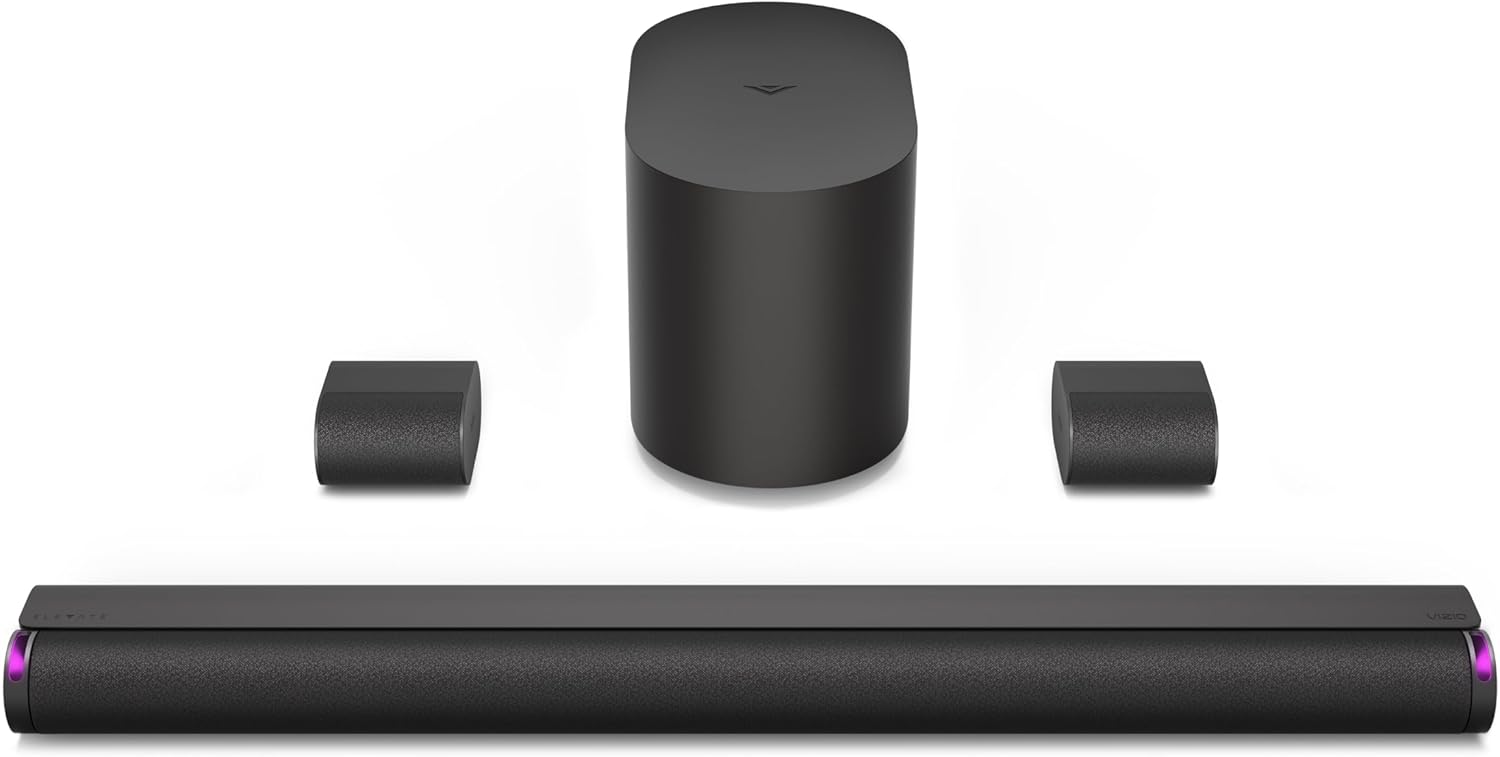
Vizio Elevate SE
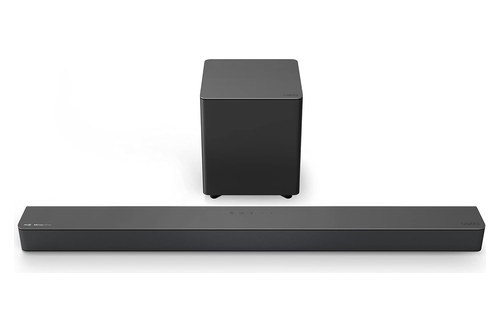
Vizio M-Series 2.1 (M215a-J6)
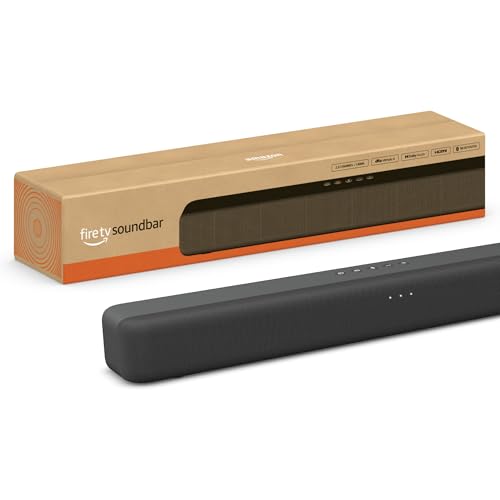
Amazon Fire TV Soundbar
Choosing the best Vizio sound bar now means choosing from a newer lineup, because Vizio’s store lists only its SV and SL bars, and for most living rooms the 5.1.2-channel Elevate SE (SL512X-0806) is the one to start with.
Most of Vizio’s old M-Series and V-Series product pages now open newer bars with no optical jack and no remote in the box, which may not suit your TV’s ports.

Match the bar to your room and your TV’s back panel, and one HDMI cable and your TV remote can run the whole set.
The picks come next, then the full lineup, what every bar leaves out, which layout suits your room, what happened to the older lines, which bar suits a Vizio TV, other brands and setup.
The first check takes a minute: look behind your TV for a jack labeled HDMI ARC or eARC.
What Is the Best Vizio Sound Bar?
That HDMI check decides whether a current bar plugs straight in, and your room decides the rest. The best Vizio sound bar for most living rooms is the Elevate SE (SL512X-0806), which puts a 36-inch bar, rotating height speakers, a wireless subwoofer and two surround speakers in one box.
RTINGS, which says it has tested 23 Vizio soundbars, reaches the same answer: its Vizio page names the SL512X-0806 the best Vizio soundbar it has tested. The other picks cover what the Elevate SE doesn’t, from a set with no height speakers to a TV that needs an optical cable.
Each pick covers a different room or TV:
| Pick | Best for | Why |
|---|---|---|
| Vizio Elevate SE (SL512X-0806) | Most living rooms | Height, surround and bass in one box |
| Vizio 5.1 Soundbar (SV510M-0806) | Surround without height | A wireless subwoofer, wired surrounds |
| Vizio M-Series 2.1 (M215a-J6) | A TV that needs optical | Optical input and a remote in the box |
| Amazon Fire TV Soundbar | A 32-inch Vizio TV | 24 inches long |
Their channels, TV connections and boxes line up like this:
| Pick | Channels | TV connection | In the box |
|---|---|---|---|
| Vizio Elevate SE (SL512X-0806) | 5.1.2 | HDMI eARC or ARC | Bar, wireless sub, 2 wired surrounds |
| Vizio 5.1 Soundbar (SV510M-0806) | 5.1 | HDMI eARC or ARC | Bar, wireless sub, 2 wired surrounds |
| Vizio M-Series 2.1 (M215a-J6) | 2.1 | HDMI eARC or ARC, optical | Bar, wireless subwoofer, remote |
| Amazon Fire TV Soundbar | 2.0 | HDMI eARC or ARC, optical | Bar, remote, HDMI cable |
Read the table by your TV’s ports first, then by what you want in the box. The descriptions come from the makers’ manuals and spec pages.
Vizio’s buy buttons send the rest of its range to Walmart and Sam’s Club, and that range comes after the picks.
Vizio Elevate SE (SL512X-0806)
For height, surround and bass speakers from one box, the Vizio Elevate SE (SL512X-0806) is the pick. Vizio’s page says its adaptive height speakers rotate up when Dolby Atmos or DTS:X content is detected, reflecting sound off the ceiling.
Vizio Elevate SE
RTINGS reports a balanced sound out of the box, solid surround performance and great center channel clarity. It also notes that the bar has no room correction feature and no HDMI In port.
The surrounds plug into the subwoofer with the included audio cables, so the subwoofer has to sit where those cables reach your seats. On the bar, the one HDMI port goes to your TV, so a console or streaming box plugs into the TV instead.
Vizio 5.1 Soundbar (SV510M-0806)
For surround speakers without the height drivers, the Vizio 5.1 Soundbar (SV510M-0806) is the pick, and Vizio’s own page sends buyers of a new one to Sam’s Club.
Vizio’s spec table gives it a 33-inch bar, six speakers and a frequency response that starts at 45 Hz. As on the Elevate SE, the two surrounds plug into the subwoofer.
The 5.1 Soundbar SE (SV510X-0806) is the nearest alternative, with a compact subwoofer and a 50 Hz figure. RTINGS names that SE its pick on a tighter budget, and Vizio sends buyers to Walmart for it.
Vizio M-Series 2.1 (M215a-J6)
For a TV that needs an optical cable, or for anyone who wants a remote in the box, the Vizio M-Series 2.1 (M215a-J6) is the pick. Vizio’s store no longer lists it, but its back panel has what the SV and SL bars dropped.
Vizio M-Series 2.1 (M215a-J6)
Its manual lists Digital Optical, HDMI In and HDMI eARC ports, and a remote with two AAA batteries in the package. The same manual says Dolby Audio and DTS play on all three, while Dolby Atmos needs HDMI eARC or HDMI In.
So an optical-only TV gets sound from this bar, without Atmos.
What About the Other Vizio Soundbars?
The rest of Vizio’s range runs from bigger wireless sets to small-room bars. If you want wireless surrounds plus height, the Elevate 5.1.4 (SL514MW-1006) sits at Walmart, and its Pro version (SL514PW-1006) at Sam’s Club adds an extra-large subwoofer with a 35 Hz figure.
The Elevate 7.1.4 Pro (SL714PW-1006) goes further, with four wireless surrounds and 14 speakers in all. For a small room, the 2.1 Soundbar (SV210M-0808) or the 32-inch All-in-One SE (SV210Y-0808) keeps things simple, and the second has no separate subwoofer box.
What Is Vizio’s Soundbar Lineup Right Now?
Those names all come from one lineup, and it looks nothing like the one older reviews describe. Vizio’s store page and its Core Collection and Home Theater Collection pages list 15 SV and SL bars, from a 30-inch 2.0 bar to a 36-inch 7.1.4 system.
The seven bars up to 4.1 channels come first:
| Model | Channels | Width | Bass figure |
|---|---|---|---|
| 2.0 Soundbar (SV200M-0808) | 2.0 | 30 in | 70 Hz |
| 2.1 Soundbar (SV210M-0808) | 2.1 | 30 in | 50 Hz |
| 2.1 Soundbar SE (SV210X-0805) | 2.1 | 30 in | 50 Hz |
| All-in-One SE (SV210Y-0808) | 2.1 | 32 in | 50 Hz |
| All-in-One (SV210D-0806) | 2.1 | 34 in | 50 Hz |
| 4.1 Soundbar (SV410XW-0905) | 4.1 | 30 in | 50 Hz |
| 4.1 Pro (SV410YW-1008) | 4.1 | 32 in | 50 Hz |
Vizio’s buy button sends every bar in that table to Walmart except the All-in-One (SV210D-0806), which goes to Sam’s Club. The two All-in-One bars and the 4.1 Pro build their subwoofer into the bar.
The eight 5.1 and Elevate sets follow:
| Model | Channels | Width | Bass figure |
|---|---|---|---|
| 5.1 Soundbar (SV510M-0806) | 5.1 | 33 in | 45 Hz |
| 5.1 Soundbar SE (SV510X-0806) | 5.1 | 33 in | 50 Hz |
| 5.1 Soundbar (SV510MW-0906) | 5.1 | 33 in | 45 Hz |
| 5.1 Soundbar (SV510XW-0908) | 5.1 | 33 in | 50 Hz |
| Elevate SE (SL512X-0806) | 5.1.2 | 36 in | 45 Hz |
| Elevate 5.1.4 (SL514MW-1006) | 5.1.4 | 36 in | 45 Hz |
| Elevate 5.1.4 Pro (SL514PW-1006) | 5.1.4 | 36 in | 35 Hz |
| Elevate 7.1.4 Pro (SL714PW-1006) | 7.1.4 | 36 in | 35 Hz |
Vizio’s buy button sends the SV510M-0806, SV510MW-0906, SL512X-0806 and SL514PW-1006 to Sam’s Club and the other four to Walmart.
Every row shares more than the names suggest. Vizio lists Dolby Atmos, DTS:X, one HDMI eARC port, a USB port for music files, Bluetooth, the VIZIO mobile app, QuickFit mounting and a one-year parts and labor warranty on all 15.
The bass figure is the low end of Vizio’s system frequency response, rated within 5 dB on the SV bars and 3 dB on the SL bars. Treat it as a rough guide rather than a precise measurement.
Model numbers help once you know the pattern. SL marks the Elevate bars, and a W after the letter marks wireless surrounds, as the SV510XW-0908 does against the wired SV510X-0806.
What Do Current Vizio Soundbars Leave Out?
That shared list has gaps too, and they’re the same on all 15 rows. Current Vizio soundbars leave out an optical input, a remote, a second HDMI port for other devices and a voice assistant input.
Optical is the one that can stop a sale. Vizio’s spec tables read Optical: No, and the SV210M-0808 manual says no optical connection is available on the bar and sends you to Vizio’s support if your TV needs one.
The remote matters less, as long as you’re happy with the alternatives. Spec tables read Remote: No, Vizio’s Core Collection page says a separate soundbar remote is sold on vizio.com, and your TV remote handles volume and mute over the HDMI cable.
Settings moved to your phone. The Home Theater Collection page says the VIZIO mobile app and a Walmart account are required for soundbar functionality, settings and system updates, though the SL512X-0806 manual still calls it a VIZIO Account.
The app is where you’ll find the EQ modes, ClearDialog, bass, treble and Night Mode that the SV210M-0808 manual lists. With no smartphone, that manual says, limited audio settings can be controlled from the TV remote, so anyone who won’t use an app is better off with the M215a-J6’s own remote.
Wireless music stops at Bluetooth. Vizio’s collection pages list Bluetooth 5.2 or 5.3 and no Wi-Fi streaming for these bars, and our page on which Vizio bars have Bluetooth, model by model goes through each one and its pairing press.
Which Vizio Soundbar Suits Which Room?
Those gaps apply to every bar, so the choice between them comes down to your room. A small room suits the 2.1 Soundbar (SV210M-0808) or the All-in-One SE (SV210Y-0808), a living room suits a 4.1, 5.1 or Elevate set, and a home theater room suits the Elevate 7.1.4 Pro (SL714PW-1006).
| Your room | Start with | What you get |
|---|---|---|
| Small room, no floor space for a sub | All-in-One SE (SV210Y-0808) | Bass drivers built into a 32-inch bar |
| Small room with space for a subwoofer | 2.1 Soundbar (SV210M-0808) | 30-inch bar, wireless subwoofer |
| Living room, no cable route to seats | 4.1 (SV410XW-0905) or 5.1 (SV510MW-0906) | Wireless surrounds and subwoofer |
| Living room with height | Elevate SE (SL512X-0806) | Height speakers, wired surrounds |
| Height without surround cables | Elevate 5.1.4 (SL514MW-1006) | Height speakers, wireless surrounds |
| Home theater room | Elevate 7.1.4 Pro (SL714PW-1006) | Four wireless rears, extra-large sub |
An apartment changes the answer less than you’d think, because on many of these bars the fix is a setting. The SV210M-0808 manual’s Night Mode reduces the subwoofer level, and the manual suggests it for sleeping babies or easily annoyed apartment neighbors.
Which Vizio Soundbars Have Height Speakers?
The height rows in that table need explaining, because Dolby Atmos on the box doesn’t tell you this. Only the four Elevate models in the SL range have height speakers, even though all 15 bars list Dolby Atmos and DTS:X.
The 2.0 SV200M-0808 shows the difference: its page lists Dolby Atmos beside just two built-in speakers. A format on the box means the bar can read that soundtrack, not that it has speakers aimed at your ceiling.
The Elevate SE has two rotating height speakers in the bar, for its 5.1.2 layout. The 5.1.4 sets add up-firing drivers in the surrounds: Vizio’s SL514MW-1006 page says each surround has one front speaker and one up-firing height speaker, for 10 speakers in all.
You can overrule the rotation on that set. Its manual offers Up, Wide and Auto settings in the app, with Auto moving the height speakers up only when Dolby Atmos content is detected, and it lets you change the LED color or turn the lights off.
That also answers the Vizio Elevate vs M-Series question, because the M-Series Elevate has gone. Vizio’s old M512e-K6 and P514a-H6 addresses now open the SL512X-0806, which RTINGS calls a pared-down version of the discontinued Elevate that keeps the rotating height speakers but drops the HDMI In port.
Vizio 2.1 vs 5.1: Which Configuration Is Better?
Height is the last step up, and most buyers decide one step below it. A Vizio 5.1 set is the better configuration if you can place two surround speakers near your seats, and a 2.1 is better if you can’t, because Vizio’s manuals show no way to add them to a 2.1 bar later.
The SV210M-0808 manual shows only a power port, a power button and a light on the subwoofer. Burton Acoustix’s guide to adding speakers to a Vizio bar explains why that’s a choice to make when you buy.

Try this before you decide: stand where each surround would go and look for an outlet and a route for a cable. If neither side works, a 2.1 will save you a box you can’t place.
Bass follows the same logic. Vizio’s spec tables give 70 Hz for the 2.0 bar and 50 Hz for the 2.1 bars, and the separate subwoofer needs its own floor space and outlet.
The 2.0 keeps things to one box, while the All-in-One SE builds its two 3-inch bass drivers into a 32-inch bar.
If you already own a bar without a sub, bass isn’t an easy add-on either, because only some Vizio bars have a Subwoofer Out jack, as our page on adding a subwoofer to a Vizio bar later explains. The best soundbar with subwoofer guide covers 2.1 and 5.1 options across all brands, and 5.1 sets from other makers get a page of their own.
Should You Choose Wired or Wireless Surround Speakers?
Once you’ve settled on a 5.1 layout, the next fork is the cable. Wireless surrounds suit a sofa that sits far from the TV, because they only need power, while the SV510M-0806, SV510X-0806 and SL512X-0806 surrounds plug into the subwoofer with audio cables.
Vizio’s Home Theater Collection page says its wireless surrounds and subwoofer are pre-paired to the bar and aren’t tethered to the subwoofer. RTINGS calls the wired layout a slightly inconvenient design quirk, since it limits where the surrounds can go.
“Wireless” still means two power cords at the back of the room. The SL514MW-1006 manual gives the surround power adapter cables 98.4 inches, or about 8.2 feet, so each speaker needs an outlet within that reach.
The wireless sets also ask you to keep clear of your router: the SL714PW-1006 manual says not to place the surrounds and subwoofer near your WiFi router. If a speaker ever drops out, our guide to pairing a Vizio subwoofer to its bar takes you through the steps.
Which Is the Best Vizio 5.1 Soundbar?
That cable question splits Vizio’s four 5.1 sets into two pairs. The best Vizio 5.1 soundbar is the SV510M-0806 if the subwoofer can sit within cable reach of your seats and the SV510MW-0906 if it can’t, because each has the larger of Vizio’s two 5.1 subwoofers and a 45 Hz figure.
Each subwoofer size runs width by depth by height:
| Set | Surrounds | Subwoofer size | Bass figure |
|---|---|---|---|
| SV510M-0806 | Wired to the subwoofer | 6.59 x 7.71 x 11.07 in | 45 Hz |
| SV510X-0806 | Wired to the subwoofer | 6.10 x 7.20 x 10.20 in | 50 Hz |
| SV510MW-0906 | Wireless | 6.61 x 7.65 x 11.10 in | 45 Hz |
| SV510XW-0908 | Wireless | 6.10 x 7.17 x 10.24 in | 50 Hz |
The two wired sets list Bluetooth 5.2, and the two wireless sets list Bluetooth 5.3.
All four are 33-inch bars with six speakers, so the table is really a choice of cable and subwoofer size. If the sub has to hide beside a cabinet, the 10-inch height of the compact one is the number to check.
Of the four, RTINGS’s Vizio page covers the SV510X-0806, saying it gets loud enough to fill larger, more open rooms and brings plenty of bass.
Which Is Better, Vizio M-Series or V-Series Soundbar?
Those 5.1 sets replaced two older lines you’ll still see in reviews and on resale sites. The M-Series was the better-equipped of the two, adding Dolby Atmos and DTS:X decoding, an HDMI eARC port plus an HDMI In and a tweeter beside each front driver.
The V-Series was the simpler line, with Dolby Audio, DTS Virtual:X and one HDMI ARC port at most. For each line’s models, inputs and remotes, see our Vizio M-Series vs V-Series soundbar comparison.

Both lines had the optical input and the remote that the current bars dropped, and both V51x-J6 and M51ax-J6 manuals connect to a TV by either cable. That’s why an older bar can still be the right buy for an older TV, and why the M215a-J6 is the pick for a TV that needs optical.
Which Vizio Soundbars Can You Still Buy?
That comparison is mostly history now. You can still buy the 15 SV and SL bars in the lineup table from the retailers Vizio names, and Vizio’s store no longer lists an M-Series or V-Series bar.
Vizio’s own addresses show the handover. On 6 November 2026 its old V51x-J6 and M51ax-J6 pages opened the SV510X-0806, the V21x-J8 and M215a-J6 pages opened the SV210M-0808, and the M512a-H6 page opened the SL512X-0806.
The V20x-J8 page stayed up, saying the requested quantity is not available. Vizio’s M-Series and V-Series line pages still load too, with buy buttons that lead to those same SV and SL bars.
Skip Vizio’s Compare Sound Bars chart while you shop. It names no current model, and its rows still cover Chromecast built-in and optical, which no bar in the table has.
The same goes for any list of the best Vizio sound bars that leads with the V-Series or M-Series, since it’s describing bars Vizio’s store has dropped.
Retailers can run on longer than Vizio’s store. RTINGS says Vizio has quite a high turnover of soundbars, calls the V51-H6 discontinued and still points to it as a bar with an optical port, and notes that Walmart bought Vizio in 2024, so some models sell only there and at Sam’s Club.
What Is the Best Soundbar for a Vizio TV?
Where a bar is sold matters less than what’s on the back of your set. The best soundbar for a Vizio TV is one that fits the TV’s HDMI port and width, which means a current Vizio bar if you want the TV’s soundbar menu and QuickFit, and any bar with HDMI ARC if you don’t.
You don’t need a Vizio soundbar for the basics. Vizio’s 2022 V-Series user manual says that with CEC enabled, the Vizio remote can control a connected device’s power, volume and mute, depending on the device, though not all HDMI devices support CEC.
What a Vizio bar adds is a menu. The same manual says that if a VIZIO sound bar is detected over HDMI ARC or eARC, sound bar settings appear in the TV’s Audio menu, and Vizio’s pages call that the integrated soundbar menu.
The other extra is mounting. Vizio’s QuickFit page says the bar attaches to the bottom of compatible Vizio TVs with two thumbscrews and no tools, and that a non-QuickFit bar still works on a QuickFit TV, since it’s only a mounting solution.
Which Vizio TVs Have Only HDMI ARC?
The D-Series is the line to check, because its manual stops at ARC. Vizio’s 2022 D-Series user manual lists HDMI ARC on all four models, and the 24-inch D24fM-K01 has no Digital Optical output.
ARC still works with the current bars, since the SV210M-0808 manual connects to a TV’s ARC or eARC port. Dolby’s soundbar connection guide says one cable does the job with either and recommends eARC whenever possible.
Which Vizio TVs Have HDMI eARC?
Vizio’s 2022 V-Series manual lists HDMI eARC, Analog Stereo Out and Digital Optical on all eight models, and its 2023 Quantum Pro manual lists eARC and Digital Optical too. For any other set, the label beside the port or your own manual settles it.
If the jack says eARC or ARC, every bar in the lineup table connects to it with the cable in the box, so the picks above stand as they are. An older TV with neither points you back to the M215a-J6’s optical input, as long as the TV has an optical output.
Amazon Fire TV Soundbar
Width is the other half of the fit, and small sets are where Vizio’s range runs out. A 32-inch TV is about 27.9 inches wide, so even Vizio’s shortest current bar, at 30 inches, runs past the screen.
For that set, the Amazon Fire TV Soundbar, at 24 inches long, is the pick. Amazon’s listing gives it DTS Virtual:X and Dolby Audio, and Amazon’s setup help connects it with the included HDMI cable or an optical cable sold separately.
Amazon Fire TV Soundbar
The same help page mentions its included remote, one more gap in Vizio’s current range that it fills.
Bigger sets have the opposite problem. A 55-inch TV is about 47.9 inches wide and a 65-inch about 56.7, so a 36-inch Elevate sits well inside the screen, which is fine under the set but won’t fill its width.
Height matters too if the TV stands on its feet. Vizio’s spec tables put the 30- and 33-inch SV bars at 2.32 inches tall and the All-in-One and Elevate bars at 2.60, so measure the gap under your screen.
If a small Vizio TV doubles as a monitor, the best soundbar for PC guide covers compact options at desk distance.
On another brand of TV, the same port check applies, as our page on running a Vizio bar on a Samsung TV shows.
How Do Vizio Soundbars Compare With Other Brands?
That Fire TV pick is one reason to look outside Vizio, and the remote and the optical jack are the others. Vizio’s current bars list surround speakers in the box from the 4.1 sets up, while a remote in the box and an optical input are easier to find elsewhere.
Sony’s HT-S100F startup guide, for example, lists a remote and an optical digital cable in the box, and it connects to a TV with no HDMI jack labeled ARC. Our Samsung vs Vizio soundbar comparison sets the two makers’ bars side by side, and our LG vs Vizio soundbar comparison lines up the gaps bar by bar.
RTINGS draws the brand lines this way. It says Samsung’s bars generally offer more sound enhancement features, and LG’s tend to be better built with more wireless options, but that LG’s lower-priced models generally don’t reproduce as much low bass as Vizio’s.
For other makers’ ranges, the best Samsung soundbar guide and the guide to Bose’s bars do the same job as this page. The best soundbar guide covers the wider field.
Three more guides go by need rather than brand. The best Dolby Atmos soundbar guide covers height across makers, the best soundbar for dialogue guide covers speech, and the all-in-one bar picks cover bars with no separate subwoofer.
Are Vizio Soundbars Any Good?
Those brand lines lean on one lab, so here’s its view of Vizio itself. Vizio soundbars are good on bass and features by RTINGS’s account, with limits on build and consistency.
It says they have a lot of thump and rumble in the low bass, and that some models handle stereo dynamics better than others, with no link between price and that result. It also says even Vizio’s pricier models don’t look as well built as competing brands.
RTINGS adds that its coverage lags behind Vizio’s product line, so its two picks are the bars it has reached, not a ranking of all 15. Once a bar is home, play a scene you know at your usual volume.
How Do You Set Up a Vizio Soundbar?
That listening test only works once the bar is plugged in, and setup is the part Vizio has simplified most. Plug the included HDMI cable into your TV’s ARC or eARC port, plug in the power, and your TV remote handles volume and mute, as the SV210M-0808 manual lays out.
Our guide on how to connect a Vizio soundbar to a TV covers the cable, the port and the input to choose. If the TV remote doesn’t move the volume, the next step is teaching the bar to answer your TV remote.
A current bar has no remote, so Burton Acoustix’s guide to turning on a Vizio sound bar shows the side button it uses instead. Once it’s home, our guide to tuning a Vizio sound bar covers the EQ mode, dialogue and bass controls to change first.

Hanging one depends on the bar’s series rather than its line, and the Vizio sound bar wall-mount guide gives the screws and brackets for each. The SL512X-0806 manual says the screws for wall mounting are not included, so buy them before you start.
The Bottom Line
Start with your TV’s back panel, because every current Vizio bar plugs into HDMI ARC or eARC. If the port is there, the Elevate SE is the best Vizio sound bar for most living rooms, a 5.1 set suits a room where you want surrounds without height, and the 2.1 and All-in-One bars suit a small room.
If your TV needs optical, or you want a remote in the box, the older M215a-J6 is the Vizio to buy. Under a 32-inch TV, the Fire TV Soundbar, at 24 inches long, fits where Vizio’s own bars run past the screen.
A Vizio TV adds the soundbar menu and QuickFit, but the sound itself runs over the same HDMI ARC or eARC port any bar can use. So buy for the room and the port first, and treat the matching badge as a bonus.
Frequently Asked Questions
Which Vizio series is the best?
The M-Series was the step up from the V-Series, adding the Dolby Atmos and DTS:X decoding and HDMI eARC that the V-Series lacked, but Vizio’s store no longer lists either line. Its current SV and SL bars all list Dolby Atmos and DTS:X, from the 2.0 SV200M-0808 to the 7.1.4 Elevate Pro, and only the SL Elevate models have height speakers.
Which soundbar has the best sound quality?
Among Vizio’s bars, RTINGS names the Elevate SE (SL512X-0806) the best it has tested. Across all makers, the best soundbar guide linked above goes through the wider field. A spec sheet won’t settle it, so listen with a scene you know in your own room if you can.
What is the best soundbar for a 65-inch Vizio TV?
Vizio’s collection pages don’t match bars to TV sizes, so start with the room rather than the screen. A 65-inch TV is about 56.7 inches wide, and Vizio’s widest current bar is 36 inches, so any of them fits under it. In a living room, that points to the Elevate SE or, with wireless surrounds, the Elevate 5.1.4.
Is Vizio still making soundbars?
Yes. Vizio’s Core Collection and Home Theater Collection pages list 15 current bars, and manuals such as the All-in-One SE’s carry a 2026 copyright. What’s gone from its store is the older M-Series and V-Series, which its old model pages now hand over to the SV and SL bars.