Neither is better across the board: Samsung adds Q-Symphony on a Samsung TV, while Vizio puts surround speakers in the box from its 4.1 sets up.
Products in this guide
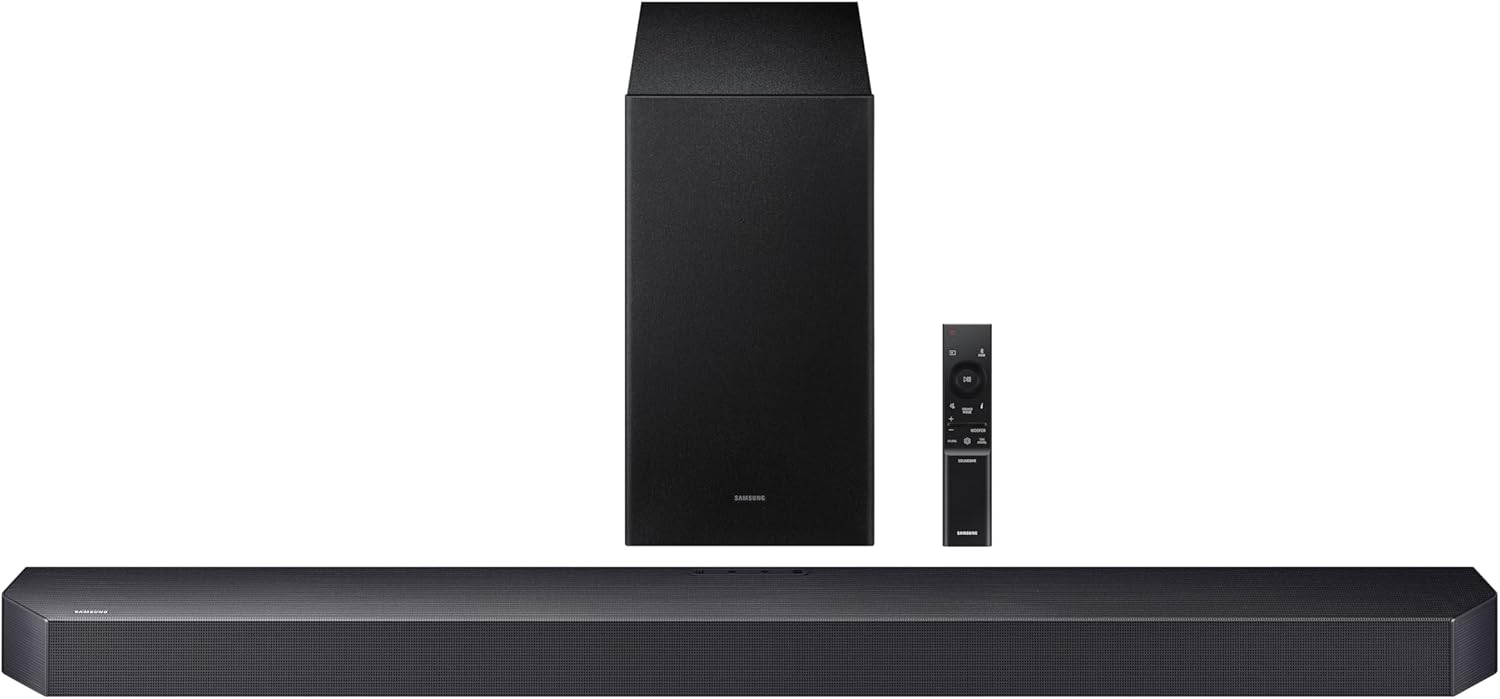
- 3.1.2 channels from Dolby Atmos with the included subwoofer
- Q-Symphony with a supporting Samsung TV, over HDMI or optical
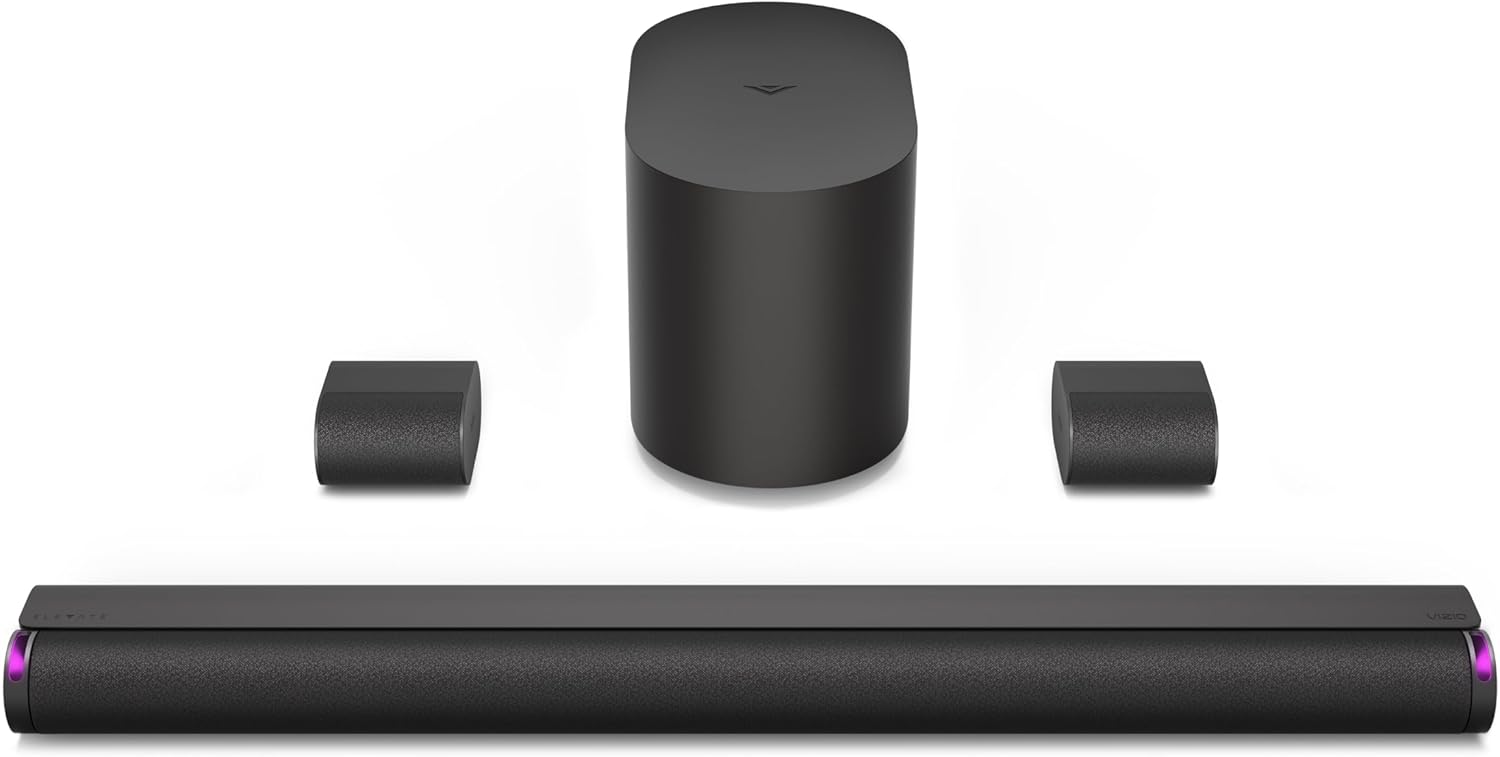
- Subwoofer and two surround speakers in the box for 5.1.2 channels
- Height speakers rotate up when Dolby Atmos or DTS:X is detected
Picking a Samsung vs Vizio soundbar gets confusing fast, because the same 5.1 on two boxes can mean very different speakers in your room.
Samsung’s HW-B750F builds its 5.1 from side-firing channels inside the bar, Vizio’s SV510X-0806 from two separate surround speakers, and the surprises don’t stop there.

Match the hardware to your TV and your room, and either maker can give you a bar that connects with one HDMI cable and takes its volume from your TV remote.
The short answer and two comparison tables come first, then speakers in the box, the TV link, inputs, apps and room tuning.
By the end, you’ll know which maker’s bar fits your setup and what each choice leaves you to buy later.
Which Is Better, a Samsung or a Vizio Soundbar?
That 5.1 gap is a good place to start, because it shows how differently the two makers build. Neither is better across the board: Samsung’s bars add Q-Symphony on a supporting Samsung TV and mostly keep a remote and an optical input, while Vizio’s current bars put surround speakers in the box from the 4.1 sets up but leave out the remote and the optical input.
So a Samsung TV leans Samsung, and a shopper who wants rear speakers without buying a kit leans Vizio. Their specs can’t settle which sounds better, because Vizio’s manuals give sound pressure, such as 103 dB SPL for the SL512X-0806, and Samsung’s guides for the bars here don’t.
How Does a Samsung vs Vizio Soundbar Compare Side by Side?
Those differences have names, and each maker documents its own. Here’s a Samsung vs Vizio soundbar comparison row by row, using Vizio’s current SV and SL bars and, where they differ, its older V-Series, M-Series and P-Series.
| Feature | Samsung | Vizio |
|---|---|---|
| Sound shared with the TV | Q-Symphony, with a supporting Samsung TV | None named |
| Wireless link to the TV | Wi-Fi, listed under Sound Output as Soundbar Q-series (Wi-Fi) | None named |
| Surround speakers in the box | HW-Q990F, Q930F | Every SV410, SV510 and SL set |
| Add-on rear kits | SWA-9500S, SWA-9250S, SWA-9200S | None named |
| Room calibration | SpaceFit Sound Pro | None named; levels set in the app |
| Sound modes | Surround, Game Pro, Standard, Adaptive Sound | Movie, Music, Direct; Game on older bars |
| App | SmartThings | VIZIO mobile app; SmartCast on the P514a-H6 |
| Remote in the box | Yes | No on SV and SL bars; yes on V-, M- and P-Series |
| Optical input | Yes, except the HW-S800D/S700D | No on SV and SL bars; yes on V-, M- and P-Series |
| TV remote over HDMI | Anynet+ (HDMI-CEC) | CEC, under your TV maker’s own name |
“None named” means the Vizio manuals on this page don’t list one, so check your own bar’s manual.
How Do Vizio vs Samsung Soundbar Line-Ups Match Up?
Those rows sit on top of two very different ranges. Samsung splits its current bars into the Q-series for Dolby Atmos systems, the S-series and the B-series, while Vizio’s Home Theater Collection and Core Collection run from a 2.0 to a 7.1.4, every one listing Dolby Atmos and DTS:X.
| What’s in the box | Samsung | Vizio |
|---|---|---|
| Rear and height speakers | HW-Q990F (11.1.4), Q930F (9.1.4) | SL714Pw-1006 (7.1.4), SL514Pw-1006 and SL514Mw-1006 (5.1.4), SL512X-0806 (5.1.2) |
| Rear speakers, no height channels | None | SV510X-0806, SV510M-0806, SV510XW-0908, SV510MW-0906 (5.1), SV410XW-0905, SV410YW-1008 (4.1) |
| Bar and subwoofer | HW-Q800F (5.1.2), Q600F (3.1.2), B750F (5.1), B550F (2.1) | SV210M-0808, SV210X-0805 (2.1) |
| One bar, no other boxes | B400F (2.0) | SV200M-0808 (2.0), SV210D-0806, SV210Y-0808 (All-in-One 2.1) |
Vizio’s SL bars are its Elevate models, with height speakers that rotate up when Dolby Atmos or DTS:X content is detected. Atmos is where Samsung’s B-series differs: the B750F spec sheet says Dolby Atmos: No, and the B550F and B400F guides list Dolby Audio and DTS.
Samsung’s 2026 user guide for the HW-Q990H, Q930H, Q900H, Q800H and Q600H keeps the same split, with surround speakers in the box only for the Q990H and Q930H.
Samsung’s S-series sits outside that ladder, and its S800D/S700D and S60D/S61D manuals both list Q-Symphony and the Wi-Fi link. For Samsung’s tiers in more depth, see Samsung’s bars ranked against each other.
You’ll still meet Vizio’s older lines in listings and forum threads. The V51-H6 and V51x-J6 stop at Dolby Audio and DTS Virtual:X, the M-Series (M213ad-K8, M215a-J6, M51a-H6, M51ax-J6, M512a-H6) adds Dolby Atmos and DTS:X, and the P514a-H6 Elevate adds Wi-Fi and Chromecast built-in.
Our best Vizio soundbar guide sorts out which of those models are worth buying now, and our 2.1 vs 5.1 soundbar guide helps with the room-size question. Width matters too: Samsung’s Q600F is 1,030 mm (about 40.6 inches) and the SL512X-0806 is 36 inches, and our mount a soundbar guide covers the wall.
Which Brand Puts More Speakers in the Box?
That second table row is where the makers part ways. Vizio does at 5.1: its SV510X-0806 manual lists a wireless subwoofer and two surround speakers in the package, while Samsung’s HW-B750F spec sheet counts three front and two side-firing channels in the bar, plus one subwoofer.

Below the HW-Q990F and Q930F, Samsung’s route to separate rear speakers is a kit, sold separately. Its SWA-9250S takes the Q600F from 3.1.2 to 5.1.2 for Dolby Atmos and the B750F from 5.1 to 7.1, and our list of Samsung’s rear kits, bar by bar has the rest.
Vizio’s route is the set you buy, since none of its manuals here lists a rear kit. The SV510X-0806 and SL512X-0806 surrounds plug into the subwoofer with audio cables, the SV510XW-0908 and SL514Mw-1006 surrounds are wireless, and our rundown of what each Vizio set allows covers the limits.
That bundled sub only works with its own bar, though, as our Vizio subwoofer explainer shows. On Samsung’s side, the S60D manual names an add-on subwoofer, the SWA-W510, and our pair a soundbar and subwoofer guide covers the pairing step.
Does Your TV Brand Change the Samsung vs Vizio Answer?
All those speakers still sit under a TV, and here the documents lean one way. It does if your TV is a Samsung: Samsung’s 2025 user guide for the HW-Q990F, Q930F, Q900F and Q800F says Q-Symphony plays sound from the bar and a supporting Samsung TV at the same time, over HDMI, optical or Wi-Fi.

Samsung’s Q800F spec sheet narrows the TVs: Q-Symphony needs a compatible 2020-2025 Samsung TV, and its Wireless Dolby Atmos link a 2022-2025 one. Smaller bars keep it on a cable, with the Q600F and B750F guides supporting it only over HDMI or optical, and the B400F’s manual doesn’t mention it.
Our Samsung TV soundbar guide covers the current top picks by Samsung TV tier and Q-Symphony.
A Vizio TV adds shortcuts rather than shared sound. Vizio’s SL714Pw-1006 manual offers an integrated audio control menu on a VIZIO TV from 2021 or newer, QuickFit screws attach the SV and SL bars to select VIZIO TVs, and Vizio’s 2022 V-Series TV manual says the built-in speakers automatically turn off if a sound bar is discovered.
Mixing the brands is a separate question. If you’d be pairing a Vizio bar with a Samsung TV, our guide on whether a Vizio soundbar will work with a Samsung TV shows the cable, the Samsung setting and the remote steps, and it also covers a Samsung bar on a Vizio TV.
For other sets, our does a soundbar work with any TV guide helps set expectations before you choose.
Which Inputs Does Each Maker Give You?
Whatever the TV’s badge, the cable decides whether a bar connects at all. Samsung’s bars give you more ways in: the Q600F guide shows an HDMI TO TV (eARC/ARC) port, an HDMI input, optical and USB, while Vizio’s SL512X-0806 page lists one HDMI eARC input and Optical: No.
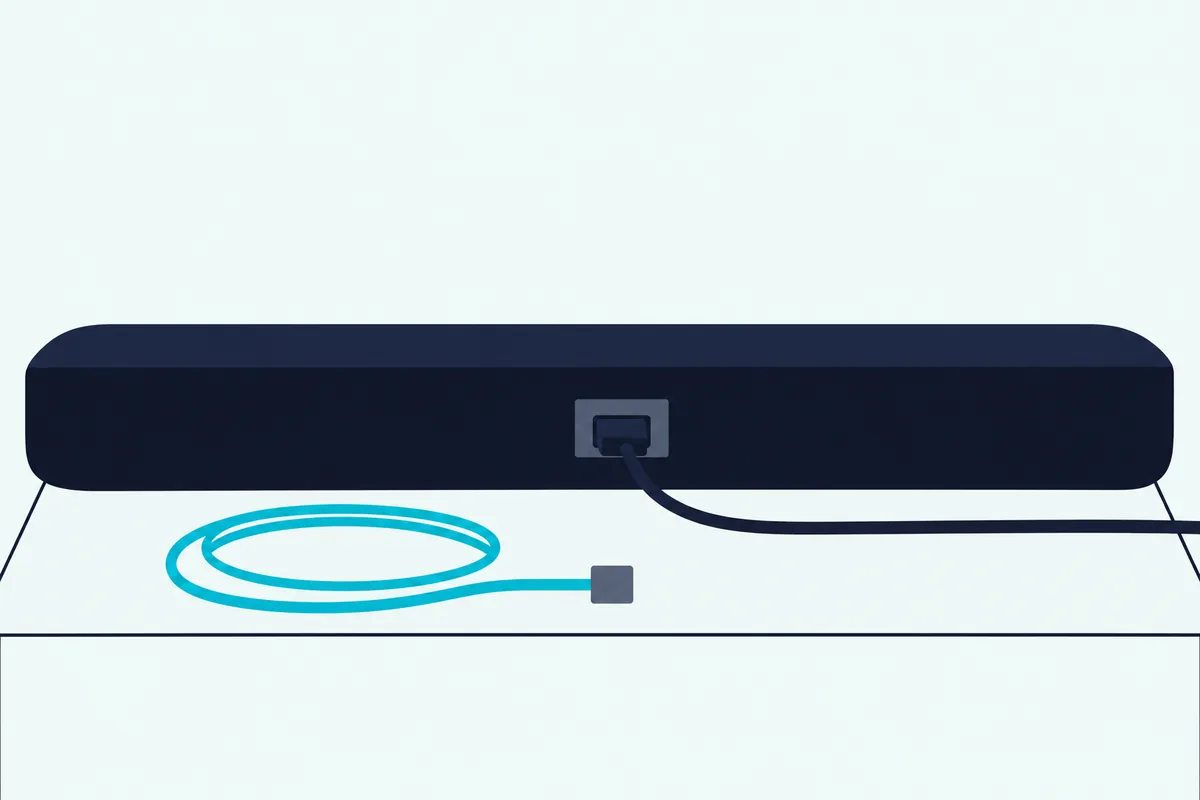
That optical gap runs through Vizio’s SV and SL bars. The SV210M-0808 manual says no optical connection is available and sends you to Vizio’s support if your TV requires one, so check your TV’s back panel before you buy.
Older Vizio bars still have it: the M51ax-J6 pairs HDMI eARC and an HDMI In with optical, and the V51x-J6 has an HDMI ARC port plus optical. On Samsung’s side, the B750F spec sheet says HDMI ARC rather than eARC, and the S800D/S700D manual lists no optical input.
Both makers use HDMI-CEC so your TV remote can set the volume. Samsung’s guides call it Anynet+ (HDMI-CEC), Vizio’s SL714Pw-1006 manual tells you to enable CEC settings on your TV, and its M51ax-J6 manual notes that CEC naming may differ by TV maker.
If you are comparing connection options more than brands, our HDMI vs optical guide and soundbar to TV connection guide cover the practical setup details.
Which App and Remote Run Each Maker’s Bars?
That TV remote is all some Vizio bars give you out of the box. Samsung’s 2025 Q-series guide pairs a remote in the box with the SmartThings app for volume, sound mode and advanced sound settings, while Vizio’s SV and SL bars run from your TV remote and the VIZIO mobile app, with the soundbar remote sold separately.
Vizio’s app does more of the work. Its Core Collection page says the VIZIO mobile app and a Walmart account are required for control of soundbar functionality, settings and system updates, its SL512X-0806 manual asks for the VIZIO app and a VIZIO Account, and its SL514Mw-1006 manual says limited audio settings can be controlled via the TV remote.
Not every Samsung bar leans on its app, either. The B750F, B550F and B400F manuals don’t mention SmartThings, and the Q600F guide uses it only for Tap View and Tap Sound.
Vizio’s older bars flip the picture. The V51x-J6 and M51ax-J6 have a remote with an LCD display and a learning setting (Learn Vol -, Learn Vol + and Learn Mute) that teaches the bar your TV remote’s buttons, while the P514a-H6 adds the SmartCast Mobile app, Wi-Fi and Chromecast built-in.
If you land on one of those Vizio bars, pairing its remote to the bar isn’t automatic, so our guide walks through it line by line.
Can a Samsung or Vizio Soundbar Tune Itself to Your Room?
Once the app is sorted, the last difference is how much the bar sets up for you. Samsung’s can, on some models: SpaceFit Sound Pro analyzes your listening space through the bar’s microphone and runs automatically, while the Vizio manuals here have no automatic room step and leave you level and balance settings in the app.
Not every Samsung bar has it, since the Q600F guide doesn’t mention SpaceFit. Vizio’s SL714Pw-1006 manual lists Center Channel, ClearDialog, Height Level and Rear Surround Level and Balance among its settings, plus Night Mode and Volume Leveling.
Each maker also names its sound modes. Samsung’s 2025 guide lists Surround, Game Pro, Standard and Adaptive Sound, which analyzes content in real time, while Vizio’s SL512X-0806 page lists Movie, Music and Direct, and its M-Series manuals add Game.
For voices, Samsung lists AVA Pro, which analyzes outside noise, and Voice Enhance on the Q600F, while Vizio’s ClearDialog is designed to keep voices clear when background sounds get loud. The best Vizio sound bar settings cover the EQ mode, dialogue and bass controls to change first, and our soundbar setup guide covers placement for either maker.
Which Samsung or Vizio Soundbar Should You Buy?
Those differences come together in one matched pair with Dolby Atmos. Under a Samsung TV, or with a TV that only has optical, the choice is Samsung’s 3.1.2-channel HW-Q600F, and for rear speakers in the box with a TV that has HDMI ARC or eARC, it’s Vizio’s 5.1.2-channel Elevate SE.
The descriptions come from the makers’ manuals and spec pages. Every pick met Burton Acoustix’s rating, review and stock checks on 4 November 2026.
Under a Samsung TV, the Samsung HW-Q600F, with its wireless subwoofer and remote in the box is the pick. Its guide gives 3.1.2-channel audio from Dolby Atmos sources with the subwoofer alone, and 5.1.2 once its wireless rear speaker kit is added.
Samsung HW-Q600F
For rear speakers in the box, the VIZIO Elevate SE (SL512X-0806), with its subwoofer and surround speakers in the box is the pick. Vizio’s page for it says its height speakers rotate up when Dolby Atmos or DTS:X content is detected, and a wireless subwoofer and two surround speakers complete the system.
VIZIO Elevate SE (SL512X-0806)
The Bottom Line
Buy Samsung when you own a Samsung TV, since Q-Symphony and the Wi-Fi link only work there, or when you want a remote and an optical input in the package. Buy Vizio when you want surround speakers in the box, your TV has HDMI ARC or eARC, and you don’t mind running the bar from your TV remote and an app.
If you are still deciding whether a soundbar system is enough, our soundbar vs home theater guide and soundbar vs receiver guide show when it makes sense to step beyond a single-bar system.
If LG is also on your list, see how Samsung’s bars stack up against LG’s and how Vizio’s bars stack up against LG’s.
Frequently Asked Questions
Is Samsung better quality than Vizio?
The manuals can’t settle that, since none of the guides here rates build or sound against the other maker’s. What they document is the package: Samsung’s bars mostly include a remote, an optical input and, on a Samsung TV, Q-Symphony, and Vizio’s SV and SL bars include surround speakers from the 4.1 sets up.
What brand is best for soundbars?
No brand wins every setup, because the model decides it. Between these two, choose Samsung for the TV link and Vizio for the box, and compare any other maker by the same rows: channels, rear speakers, inputs, remote and app.
Which has more channels, the Samsung HW-Q990F or Vizio’s SL714Pw-1006?
Samsung’s HW-Q990F: its 2025 user guide gives 11.1.4 channels with the included surround speakers, as the 2024 Q990D’s guide does, against 7.1.4 on Vizio’s Elevate 7.1.4 Pro. The Samsung has four more main channels, 11 against 7, and both have four height channels.
Does Q-Symphony work with a Vizio soundbar?
Not according to Samsung’s guides, which describe Q-Symphony only for a Samsung soundbar connected to a Samsung TV that supports it. On a Samsung TV, a Vizio bar connects to the TV’s HDMI ARC or eARC port like any other bar.
Will a Samsung soundbar work with a Vizio TV remote?
Yes, for volume, if it’s an IR remote: Samsung’s guides list VIZIO among the makers whose IR remotes work through the bar’s All-TV Remote setting, with the TV’s speaker output set to an external speaker. Bluetooth remotes that need pairing aren’t supported.