What Is a MIDI Keyboard, and What Is a MIDI Controller?
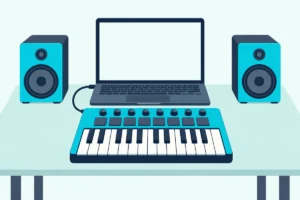
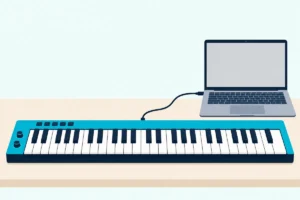
Ask what is a MIDI keyboard and the plain answer is a set of piano keys that plays nothing by itself: it’s a MIDI controller that tells a computer, tablet or synth which notes to play.
That catches first-time owners out: they plug one in, press a key and hear silence until something on the other end is set up to make the sound.
Once you see how the keys, the messages and the instrument at the far end fit together, every knob on the box starts to make sense.
The sections below cover what a MIDI controller is, how the keyboard kind works, its keys and controls, the other controller types and the ways they connect.
The last part then matches the main kinds of keyboard to the music you make, with the buying guides that go deeper.
What Is a MIDI Keyboard, and What Is a MIDI Controller?
That silence is the clue to the whole category. A MIDI keyboard is a piano-style keyboard that sends MIDI messages instead of sound, and a MIDI controller is any device built to send those messages, so the keyboard is simply the most familiar kind of controller.
MIDI stands for Musical Instrument Digital Interface, and the MIDI Association, the body behind the standard, puts the key point in four words: MIDI is not audio. Its messages are performance instructions, which key went down and how hard, and what you hear depends on the device that receives them.
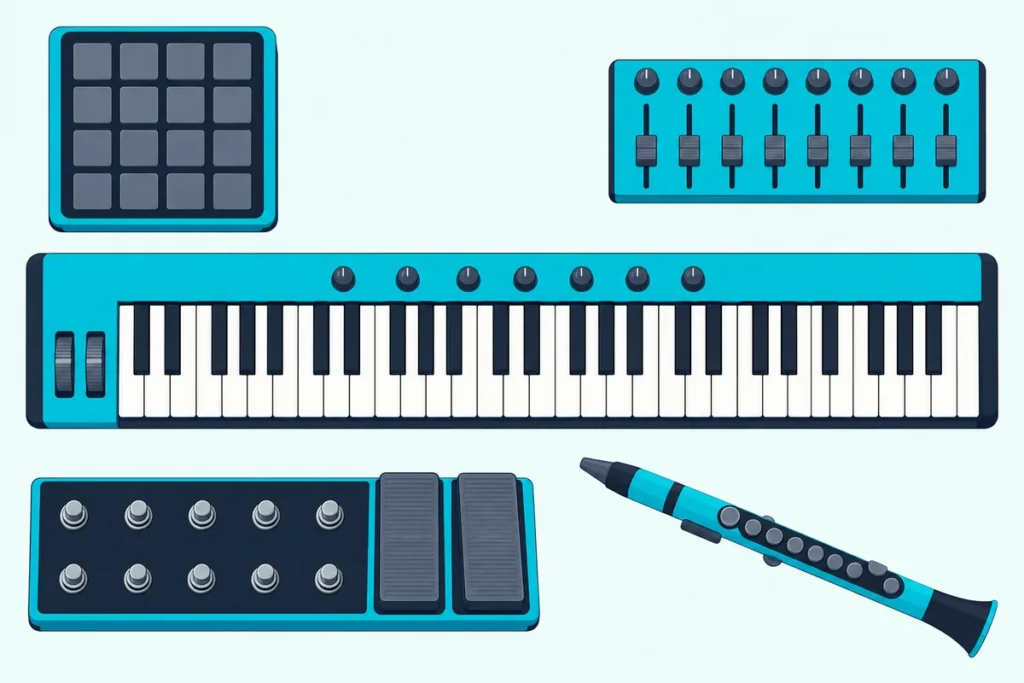
The same word covers a lot of shapes because of that. A pad grid, a box of faders, a pedalboard or a wind instrument can all be MIDI controllers, while M-Audio sells its piano-key Keystation range as keyboard controllers and the MIDI Association calls the same thing a MIDI keyboard controller.
The name has a story of its own, and what each letter in MIDI stands for tells it in full. What matters here is that the MIDI Association dates its first specification to 1983 and says it was designed for keyboard-based instruments, so its messages describe what a player does, like picking a note and striking it.
The difference from a regular keyboard is the sound engine: a portable keyboard, digital piano or synth plays its own sounds, and many send MIDI as well. Yamaha’s PSR-E383 portable lists a USB TO HOST port that carries MIDI and audio, and Roland’s FP-10 digital piano has USB and Bluetooth MIDI built in, so both can double as MIDI controllers, and the MIDI keyboard vs digital piano comparison covers which one to buy.
A synth is that kind of keyboard too, with its own sound engine inside, and how a synthesizer differs from a MIDI keyboard covers that pairing on its own.
Some people searching the term mean the keyboard they type on. Apple’s GarageBand lets you play its software instruments with Musical Typing on a Mac’s own keys, and using your computer’s own keyboard as a MIDI controller covers the same trick in other programs.
How Does a MIDI Keyboard Work?
Those instructions are short and specific. When you press a key, a MIDI keyboard sends a Note On message carrying the key number and the velocity, how hard the key was pressed, and when you let go it sends a Note Off for the same key.
Each message is tiny: in the MIDI Association’s message table a Note On is one status byte followed by two data bytes, and the key number and velocity are seven-bit values, which allows 128 steps from 0 to 127. The receiving instrument normally uses velocity to set how loud the note plays, so a soft touch and a hard strike come out differently.
The status byte also carries one of sixteen channel numbers, so a receiving device can tell which part a message belongs to. Everything that isn’t a note travels as its own message: the pitch wheel sends Pitch Bend, the mod wheel, knobs and sustain pedal send Control Change messages, and preset buttons can send Program Change.
Because none of that is audio, something at the other end has to play the notes. On a computer that’s a virtual instrument inside a DAW, the recording program your notes go into, and M-Audio’s Keystation 61 MK3 comes with Ableton Live Lite, MPC Beats and AIR’s Mini Grand piano to start with.
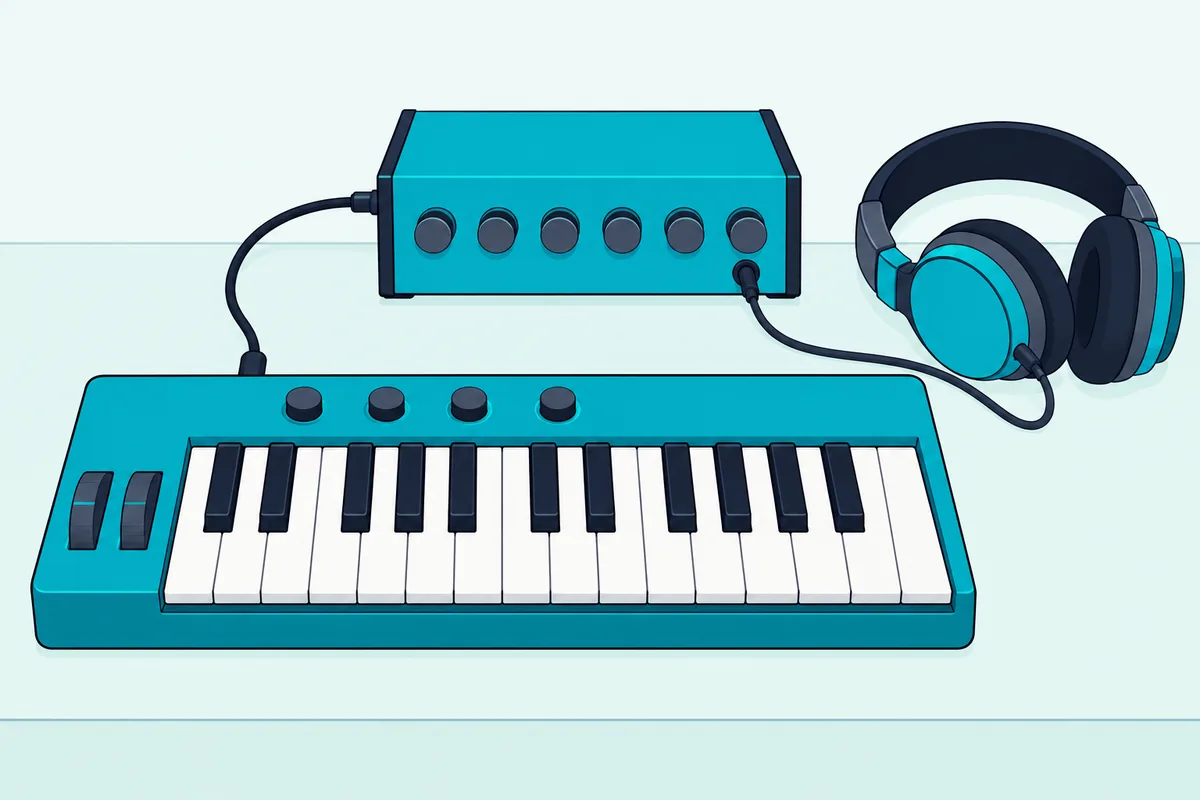
Apple’s guide says a music keyboard can play GarageBand‘s software instruments, and what you hear depends on what you load, so the same keys can play a grand piano, a drum kit or a synth lead. Burton Acoustix’s guide to MIDI keyboard software compares the free and paid programs worth loading.
Hardware works the same way over a cable. The Keystation 61 MK3 has a 5-pin MIDI out that M-Audio describes as being for connecting to your favorite analog synth, and a keyboard plugged into a synth or sound module that way plays without a computer.
A few controllers do have sounds and a speaker inside, such as Akai’s MPK mini Play mk3, and our page on whether MIDI controllers have speakers explains which ones do and why most stay silent.
That message design is also the big advantage over recording audio. Because MIDI data is performance instructions rather than a recording, the MIDI Association notes, you can fix one wrong note, move a whole part to a new key or tempo, or play it on a different instrument without playing it again.
Getting those messages into your software takes a cable and a few settings, and setting up a MIDI controller for the first time walks through them step by step.
What Are the Parts of a MIDI Keyboard?
Once the messages make sense, the hardware is easy to read. A MIDI keyboard has two main parts, the keys that play notes and the controls around them, plus the ports that carry everything out to your computer or synth.
The keys come in common sizes from 25 on compact models such as Akai’s MPK mini IV to 88 on Roland’s A-88MKII, with 32, 49 and 61 in between on boards like the midiplus AKM320 and M-Audio’s Keystation 49 and 61 MK3. Twenty-five keys cover two octaves, which suits compact all-in-one controllers with pads beside the keys, and octave buttons such as the MPK mini IV’s OCT – and OCT + shift a short keyboard one octave at a time.
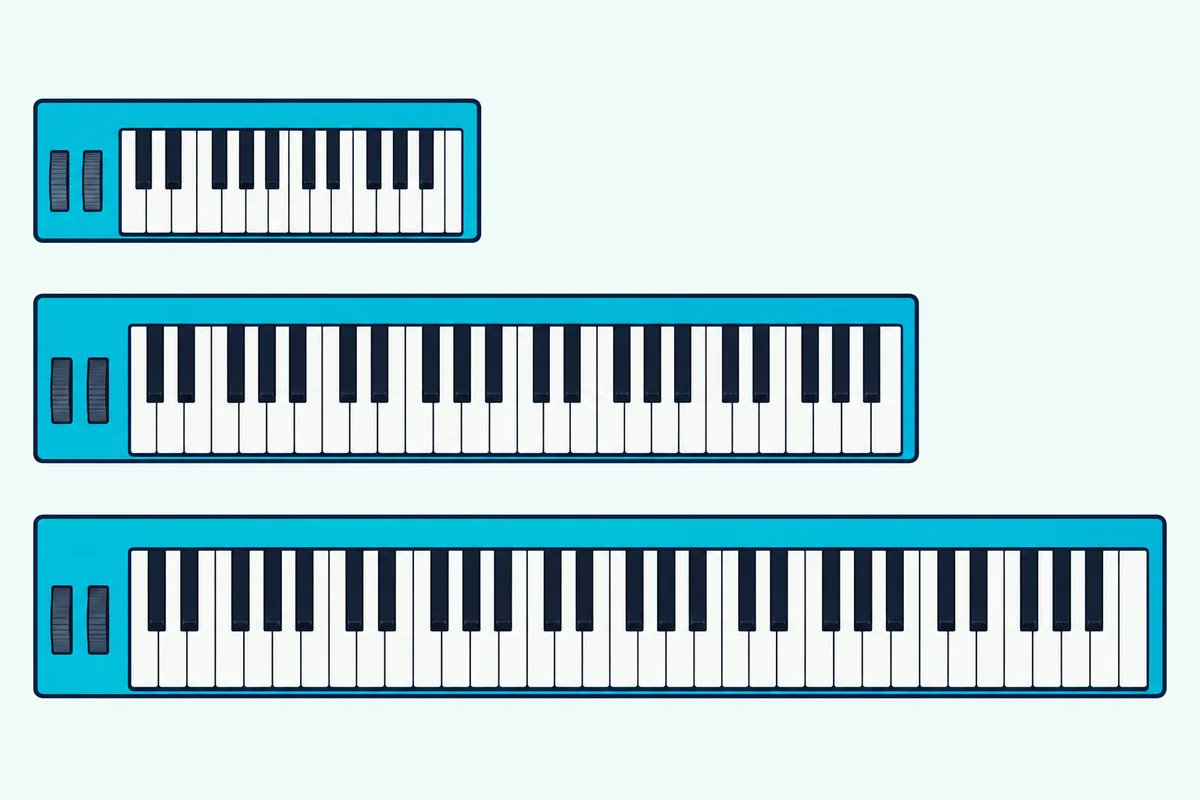
Forty-nine keys give four octaves, room for chords in one hand and a bass line in the other, so 49-key controllers suit producers who play their parts in rather than drawing them. 61 keys span five octaves, and 88 keys match a full piano, though M-Audio’s Keystation 61 MK3 is already 995 mm (39.2 in) wide and Roland’s A-88MKII is 1,429 mm.
Choosing between those sizes is a question of its own, and working out how many keys you need goes through it size by size.
Key width varies too. Compact boards often use narrower mini keys, such as the Natural Touch mini keyboard on Korg’s microKEY Air, while the Keystation range has full-size keys, so mini keyboards suit a backpack and full-size keys suit hands trained on a piano.
Then there’s the feel, set by the key action. M-Audio lists synth-action keys, the lightest type, on the Keystation 49 MK3 and semi-weighted keys on the Keystation 61 MK3, and Roland’s A-88MKII uses its hammer-action PHA-4 Standard keyboard with escapement and an ivory feel.
Roland says the same PHA-4 keyboard in its FP-10 piano has a heavier hammer weight in the low registers and a lighter one in the highs, the feel to look for if piano lessons are the goal. Fully weighted keys add weight of their own, though: the A-88MKII weighs 17.5 kg (38.6 lb), against 4.1 kg (9 lb) for the 61-key Keystation.
If you want full-size keys and nothing extra to learn, M-Audio’s Keystation 61 MK3 is the plain choice. Its 5-pin MIDI out also lets it play a hardware synth with no computer in the chain.
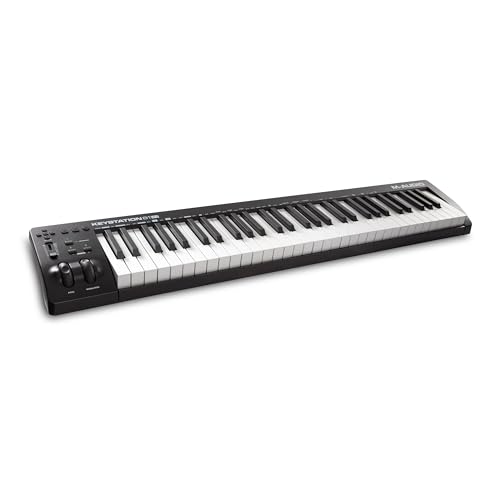
M-Audio’s Keystation 61 MK3
What Are the MIDI Controls on a Keyboard For?
Beyond the keys themselves, each control sends one of the message types from earlier. Pads play drums, samples and clips, knobs and faders send Control Change messages to your software, the wheels bend pitch and add modulation, and transport buttons run your DAW.
Velocity sensitivity sits under all of it: the Keystation, KeyLab Essential and MPK mini IV all list velocity-sensitive keys, and some boards let you tune the response, such as the 21 velocity curves on Korg’s Keystage. Pads can drop velocity on purpose, too, and the MPK mini IV’s Full Level mode makes every pad send full velocity, 127, however softly you hit it.
Aftertouch adds pressure after the key is down. The MIDI Association describes channel aftertouch, one pressure value for the whole keyboard and the more common kind, and polyphonic aftertouch, a separate value for each key, which Korg’s Keystage sends.
If pressure control matters to you, Burton Acoustix’s aftertouch keyboard roundup shows which kind each board sends.
On the boards above, the two wheels sit at the left end. Akai’s MPK mini IV guide describes the pitch wheel bending notes up or down and the mod wheel adding variation, while the older MPK mini MK3 has a configurable thumbstick instead.
A sustain pedal input holds notes the way a piano’s damper pedal does, and the MIDI Association’s controller list gives the sustain pedal its own number, 64. Octave buttons, mentioned above, shift a short keyboard up or down.
Pads are built for finger drumming and clips. Arturia says the KeyLab Essential mk3’s two banks of eight velocity- and pressure-sensitive pads can play notes, trigger clips or finger-drum, and the MPK mini IV’s pads can send Program Change or Control Change messages instead of notes.
Arturia’s KeyLab Essential mk3 puts all of that on one 49-key board. Arturia adds custom scripts for major DAWs and support for the MCU and HUI protocols, so its knobs and faders reach your mixer.
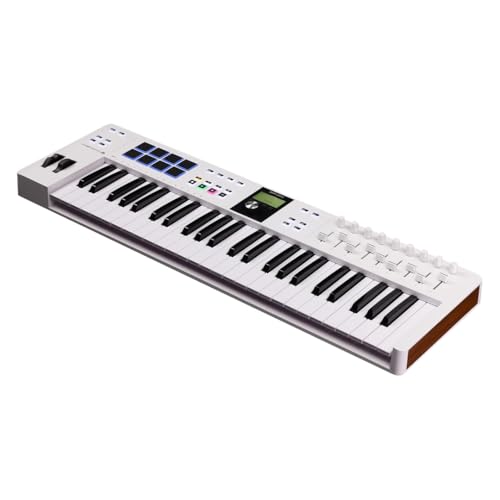
Arturia’s KeyLab Essential mk3
Knobs and faders send Control Change messages you can map to synth parameters such as a filter, or to a track’s volume. Transport buttons start, stop and record your DAW without the mouse, and the Keystation 61 MK3 has transport and directional buttons for that job.
What Kinds of MIDI Controllers Are There?
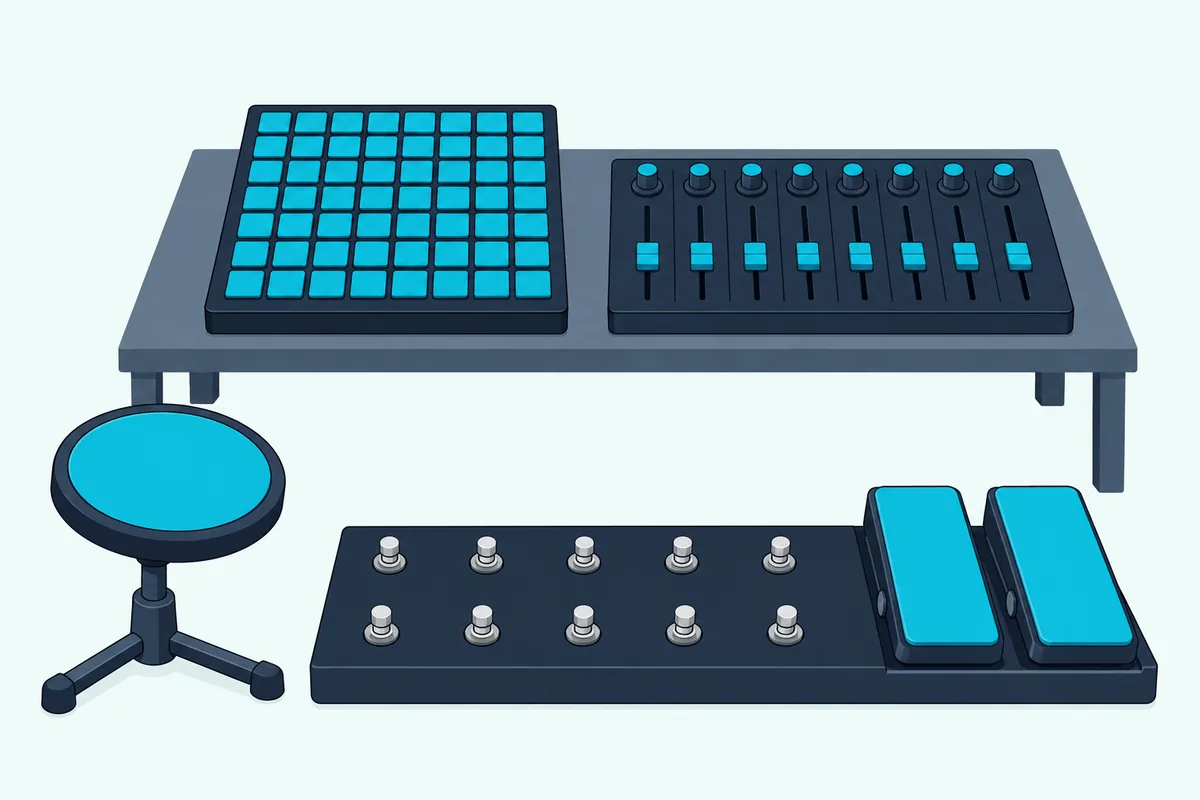
All of those controls also come without a keyboard attached. Besides keyboards, the main kinds are pad grids, fader and knob boxes, foot controllers, wind controllers, electronic drum kits and MIDI guitars, each built around a different way of playing.
Pad controllers swap keys for a grid, and Novation’s Launchpad X has 64 velocity-sensitive pads for launching clips and playing instruments in Ableton Live‘s Session View.
Fader and knob boxes handle mixing and sound design: Korg’s nanoKONTROL2 gives each of eight channels a knob, a fader and three switches, assigned to pan, volume, and solo, mute and record. The fader units built for mixing are what shops call DAW controllers, and what a DAW controller does and which ones are worth buying compares six of them.
Foot controllers free your hands on stage. Behringer’s FCB1010 has 10 assignable footswitches and two assignable expression pedals on the floor.
Wind players get their own. Roland’s Aerophone AE-20 reads breath and bite sensors, takes sax, clarinet, flute, recorder or brass fingerings and sends MIDI over USB and Bluetooth, though unlike a keyboard controller it also has its own sounds and a speaker.
Electronic drum kits work as controllers too. With Local Mode off, Alesis’s Nitro Max Drum Module User Guide says the kit triggers sounds in a computer over USB instead of the module’s own library, and it lists the MIDI note each pad sends, 36 for the kick.
Jamstik builds MIDI guitars that play virtual instruments and record MIDI directly from the guitar, and Burton’s guide to alternative MIDI controllers for players who don’t use keys compares the wind, drum, pad and guitar options in depth.
Some controllers aren’t bought at all, and building one from an Arduino board turns buttons and knobs into the same Note On and Control Change messages described above.
What Is a USB MIDI Keyboard?
Every one of those controllers needs a path to whatever makes the sound. A USB MIDI keyboard sends its MIDI over a USB cable, which the MIDI Association calls the most common way to connect to computers, tablets and smartphones, and the Keystation 61 MK3 also takes its power over that cable and needs no drivers on a Mac or a PC running Windows.
That plug-and-play part comes from class-compliant drivers, which the operating system loads automatically, the MIDI Association explains. USB has one rule worth knowing: it’s a host-controlled bus, so a USB MIDI keyboard needs a computer, smartphone or tablet running the connection.
Tablets and phones count as hosts, so a keyboard can play music apps on iPads with the right adapter. Roland notes, for example, that an iPhone or iPad with a Lightning port needs an Apple USB-C adaptor for the A-88MKII and can’t power it that way.
Hardware synths and sound modules still use the round 5-pin DIN socket, which the MIDI Association’s original electrical specification defined. The Keystation 61 MK3, KeyLab Essential mk3 and MPK mini IV all have a 5-pin MIDI out for it, though the MIDI Association says USB MIDI is significantly faster than 5-pin DIN.
Bluetooth drops the cable altogether. Korg’s microKEY Air connects wirelessly to iPad and iPhone apps such as GarageBand, as well as to Mac and Windows computers, and Roland’s FP-10 piano has Bluetooth MIDI and USB MIDI built in.
What Is a MIDI Keyboard Used For?
Those connections open up more uses than the name suggests. A MIDI keyboard is used to play software instruments and MIDI hardware with real keys and then shape the performance afterward, because what you record is editable notes rather than sound.
In a studio, the main job is recording parts into a DAW. You play the piano, bass or drums into a track, fix timing or a wrong note in the editor, and swap the instrument later if the song needs a different sound.
The same keyboard can stand in for the mouse. Knobs, faders and transport buttons mapped to your software handle mixing and sound design, the job the KeyLab Essential’s DAW scripts and the Keystation’s transport buttons are built for.
On stage, a keyboard can play software instruments from a laptop or drive hardware synths over 5-pin MIDI. And learning is a use too: M-Audio’s Keystation 49 MK3 page points owners to Melodics, a desktop app it says teaches you to play MIDI keyboards, pad controllers and drums.
So Which Kind of MIDI Keyboard Fits Your Setup?
All of that comes down to how you make music. Pick 49 or 61 full-size keys if you play chords and melodies with two hands, a 25-key board with pads if you make beats on a laptop, and hammer action if you’re practicing piano.
For beats on a laptop, Akai’s MPK mini IV fits keys, wheels and pads into a small box. Akai’s MPK mini IV User Guide also lists a sustain input and a 5-pin MIDI out for hardware.
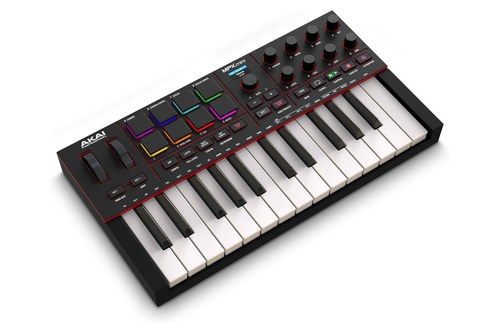
Akai’s MPK mini IV
Each product shown here met Burton Acoustix’s rating, review and stock checks on 26 October 2026.
Budget sets the rest. A budget keyboard covers the basics, the best beginner MIDI keyboards are picked for a first setup, and the full keyboard controller roundup runs from 25 to 88 keys.
For a method that works through key count, DAW and budget in order, see our guide to choosing the right controller.
The Bottom Line
So a MIDI keyboard is a piano-key MIDI controller: it sends notes, velocity and control messages, and something else, usually software, makes the sound. Pick the size and key feel for the way you play, the pads and knobs for the way you produce, and the connection for the gear you’ll plug it into.
The rest of the controller family, from pad grids to wind instruments, speaks the same language, so anything you learn on the keys carries over.
Frequently Asked Questions
Is a MIDI controller an instrument?
Not on its own, in most cases. A typical MIDI controller is the playing surface of an instrument whose sound lives somewhere else, in a software instrument, a synth or a sound module, so it becomes an instrument once something is connected to play its notes. A few, like Akai’s MPK mini Play mk3, carry their own sounds as well.
Is a MIDI keyboard an input or an output device?
To your computer it’s an input device, like a mouse or a microphone, because it sends MIDI into your software. Some boards also have a MIDI out that passes those messages on to hardware, and on most models the sound comes back out of the computer or the synth, not the keyboard.
Does a MIDI keyboard need its own power supply?
Usually not. USB keyboards such as the Keystation 61 MK3, KeyLab Essential mk3 and MPK mini IV draw their power from the computer over the same cable, and Korg’s microKEY Air runs on two AA batteries when it’s connected over Bluetooth, about a month at an hour a day by Korg’s count. An adapter matters when no computer is there to supply power: Akai’s guide says a 5 V, 0.5 A adapter can power the MPK mini IV and calls it useful alongside other external MIDI equipment.
Is a MIDI keyboard good for beginners?
Yes, as long as you know it needs software or a sound module to make a sound. Boards like the Keystation 61 MK3 come with a DAW and instruments, Ableton Live Lite, MPC Beats and AIR’s Mini Grand, so you can start playing the day it arrives. If you mainly want to learn piano, a keyboard with built-in sounds and weighted keys may suit you better, which the digital piano comparison above covers.